|
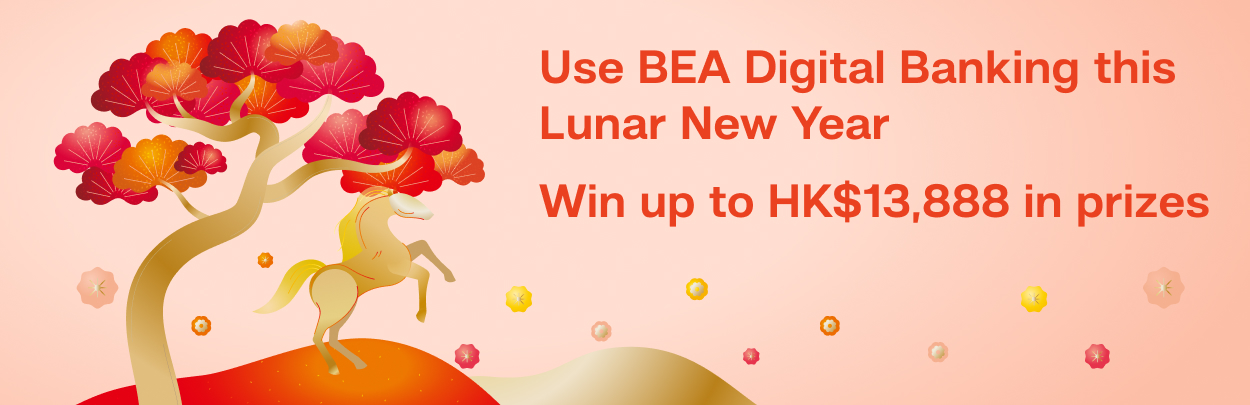
Gallop towards prosperity this Year of the Horse! Here’s your chance to win fabulous rewards worth up to HK$13,888!
From now until 30 April 2026, register for the "Digital Banking Lucky Draw" via BEA Mobile and complete designated tasks using BEA digital banking1 for your chance to win up to HK$10,000 cash rewards/free spending credit! The more designated tasks you complete, the more lucky draw entries you’ll get!
Boost your fortune with "Lunar New Year e-LaiSee Rewards"!
Complete an "eLaiSee" or "Fund Transfer" transaction this Lunar New Year period (17 February – 3 March 2026) for a chance to win an extra prize of up to HK$3,888 cash rewards/free spending credit!
“Digital Banking Lucky Draw”
|

|
Must-do task!
First, register for the "Digital Banking Lucky Draw" to be eligible for the campaign and receive 5 lucky draw entries
|
|
Task
|
|
Register to participate in the Digital Banking Lucky Draw in BEA Mobile2
Demo: Log in to BEA Mobile > Go to "Explore" > "Missions for you" section > "Digital Banking Lucky Draw" > Tap the "Join Now" button
|
|

|
Consistently complete daily transactions to boost your chances of winning!
Get 1 lucky draw entry every time you complete the following transactions, with a maximum of 20 entries
|
|
Task
|
|
Log in to BEA Mobile / BEA Online / BEA Mall App 3, 4
Demo: BEA Mall App
|
|
Make a fund transfer5 via the "e-Laisee/Pay Multiple" function in BEA Mobile
Demo: 
(Send e-Laisees during the Lunar New Year period to win up to an extra HK$3,888 reward)
|
|
Make a fund transfer using the "Fund Transfer" function5
Demo:
(Make fund transfers during the Lunar New Year period to win up to an extra HK$3,888 reward)
|
|

|
Shop, dine and play to automatically get lucky draw entries!
Get 2 lucky draw entries every time you complete the following transactions, with a maximum of 20 entries
|
|
Task
|
|
Make a currency exchange transaction 6
Demo: 
|
|
Complete a digital wallet transaction using your BEA bank account/credit card 7
Demo:
|
|
Log in to BEA Mall App and successfully register for a promotion
Demo: Log in to BEA Mall App > Hot Promotions > Select the promotions that can be registered for and press "Register Now"
|
|
Log in to BEA Mall App and successfully redeem rewards
Demo: Log in to BEA Mall App > Hot Picks for Rewards
|
|

|
Update your settings to get lucky draw entries!
Get 5 lucky draw entries by completing the following transactions
|
|
Task
|
|
Opt in to receive our latest promotions 8
Demo:Log in to BEA Mobile > Settings (top-left corner) > Marketing Preference
|
|
Adjust transaction limit for any transaction type 9
Demo: 
|
|
Enable "Receive e-Statement and e-Advice for all account(s)"
Demo: 
|
|

|
Enjoy convenient card-free cash withdrawals to get lucky draw entries!
Get 5 lucky draw entries every time you complete the following transaction, with a maximum of 20 entries
|
|
Task
|
|
Complete a cash withdrawal at an ATM by scanning a UnionPay QR code 10
Demo︰ Log in to BEA Mall App > Click "Menu" > "Transfers & Payment" > "Cardless Withdrawals" > Click "UnionPay QRC Withdrawal"
|
More than 120 prizes up for grabs!
|
|
Promotional period of designated task(s)
|
Prizes
|
Quota
|
|
Lunar New Year e-LaiSee Reward
|
17 Feb – 3 Mar 2026
|
Grand prize: HK$3,888 cash rewards/free spending credit
|
1
|
|
2nd Prize: HK$888 cash rewards/free spending credit
|
10
|
|
3rd Prize: HK$88 cash rewards/free spending credit
|
50
|
|
Digital Banking Reward
|
9 Feb – 30 Apr 2026
|
Grand prize: HK$10,000 cash rewards/free spending credit
|
1
|
|
2nd Prize: HK$500 cash rewards/free spending credit
|
10
|
|
3rd Prize: HK$100 cash rewards/free spending credit
|
50
|
Tell friends and family to use BEA digital banking for their chance to win exciting rewards!
Log in to BEA Mobile / BEA Online / BEA Mall App now!
The promotional period is from now until 30 April 2026. Terms and conditions apply.
Note:
- BEA digital banking includes BEA Mobile, BEA Online or BEA Mall App.
- Customers must first complete the registration to participate in the "Digital Banking Lucky Draw" in order to be eligible for a lucky draw chance by completing other designated tasks.
- If you forget your login password, you can reset it in BEA Mobile and log in immediately with the new password. Click here for details.
- Each person can earn a maximum of 1 lucky draw entry a day by logging into BEA digital banking. If you log into BEA digital banking once of the 20 days, you can receive a total of 20 lucky draw entries.
- The amount for each fund transfer or e-Laisee/Pay Multiple transaction must be HK$20 or above (or its equivalent in other currencies). If you want to increase the "Small Value Transfer" limit, please activate i-Token on BEA Mobile first, then go to "Settings" at the top-left corner > "Transaction and Withdrawal Limit Settings" > "Small Value Transfer Limit". To change the transaction limit for transfers or remittances to an unregistered payee, please activate i-Token on BEA Mobile first, then log in to BEA Online using two-factor authentication, or scan the QR code and click "Settings" > "Transaction Limit" to change the relevant transaction limit. Click here for details.
- The amount of each currency exchange transaction must be HK$2,000 or above (or its equivalent in other currencies).
- The amount of each mobile payment must be HK$20 or above (or its equivalent in other currencies). This includes linking your BEA bank account or credit card with designated digital wallets, topping up the designated digital wallets or paying with designated digital wallets. Designated digital wallets include AlipayHK, Octopus App, PayMe, WeChat Pay HK and the UnionPay App. Payment with your credit card can be made through Apple Pay or Google Pay.
- To be eligible, customer must update marketing preference to "Receiving promotional messages from all channels" or "Receiving promotional messages from selected channel(s)" (including mobile SMS/MMS, email, direct mail, phone calls or statement insert).
- Adjust Transaction Limit applies to any transaction type, including Transfer & Payment, ATM Cash Withdrawal, Debit cards/Credit cards, and Cardless Withdrawal.
- For "UnionPay QR Code Withdrawal", visit ATMs of UnionPay member banks that support this service. Cash withdrawal is completed by scanning a UnionPay QR code instead of using a physical card. Conducting this type of transaction would be subject to a service charge. Please refer to the Bank Charges Guidebook for more details.
Important notes:
- Investment involves risks.
- The value of currencies may go down as well as up as currencies are subject to market fluctuations and the risks inherent in investments.
To borrow or not to borrow? Borrow only if you can repay!
Please beware of fake websites and mobile apps.
Apple and the Apple logo are trademarks of Apple Inc., registered in the U.S. and other countries. App Store is a service mark of Apple Inc. Android, Google Play, and the Google Play logo are trademarks of Google LLC.
|