BEA App – Small-value Transfers (FPS)
You can make easy payments to your friends or family of up to HK$10,0001 per day through “Small-value Transfers (FPS)” 2 in the BEA App.

"Pay" to Proxy ID / "Scan" QR Code
You can pay people through “Small-value Transfers (FPS)” using either the “Pay” or “Scan” function.
-
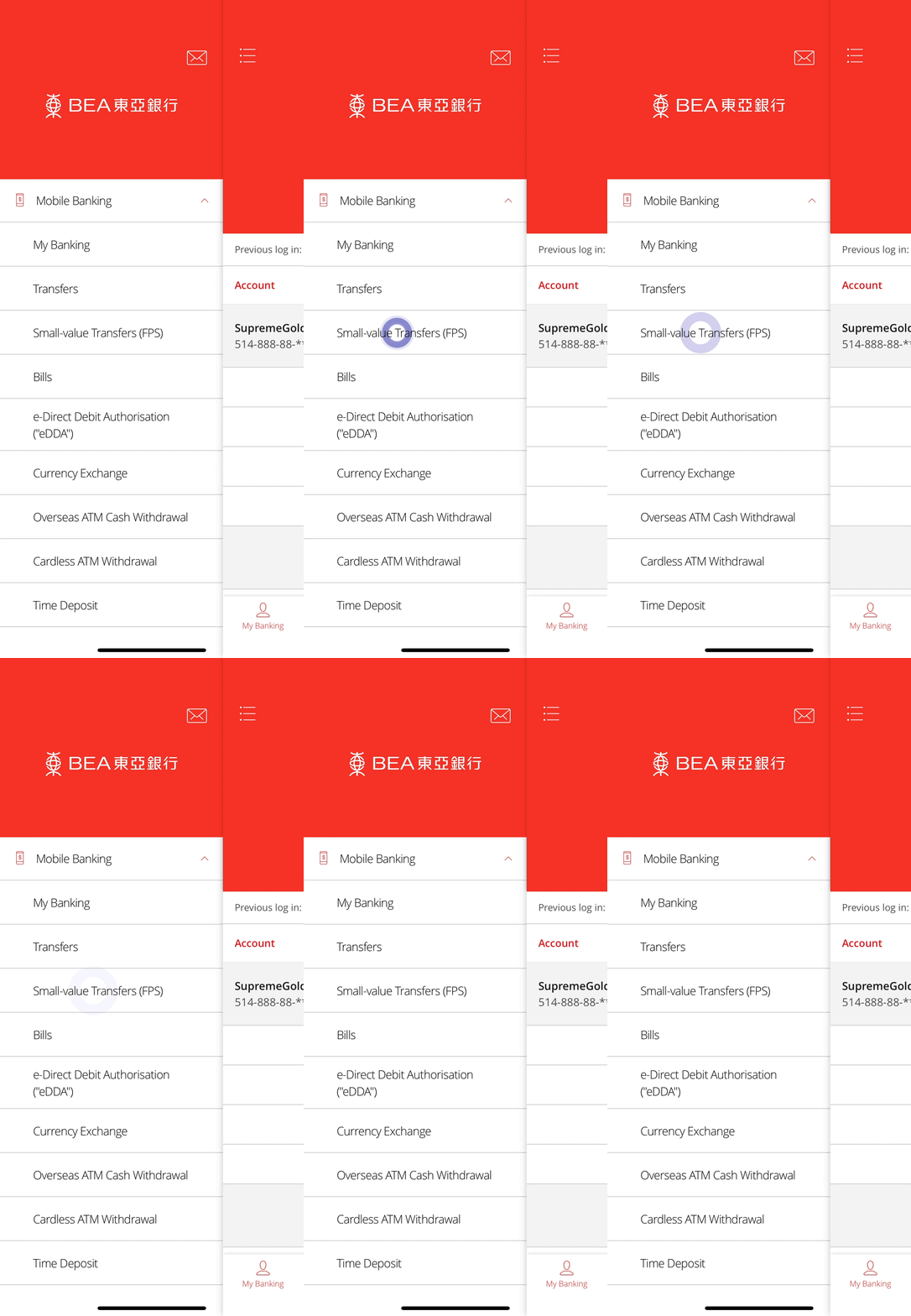
• Log in to the BEA App here • Select Mobile Banking > Small-value Transfers (FPS) -
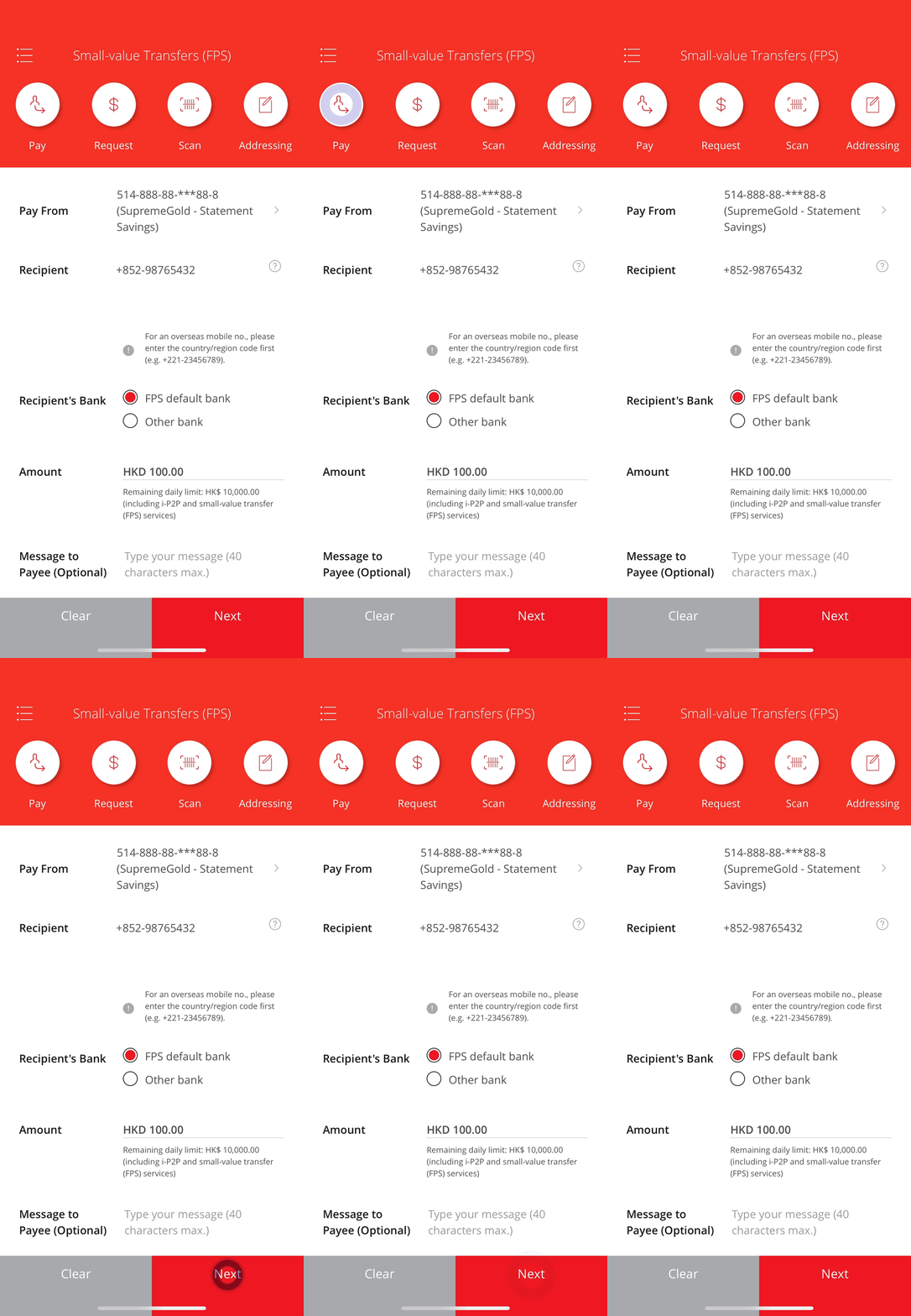
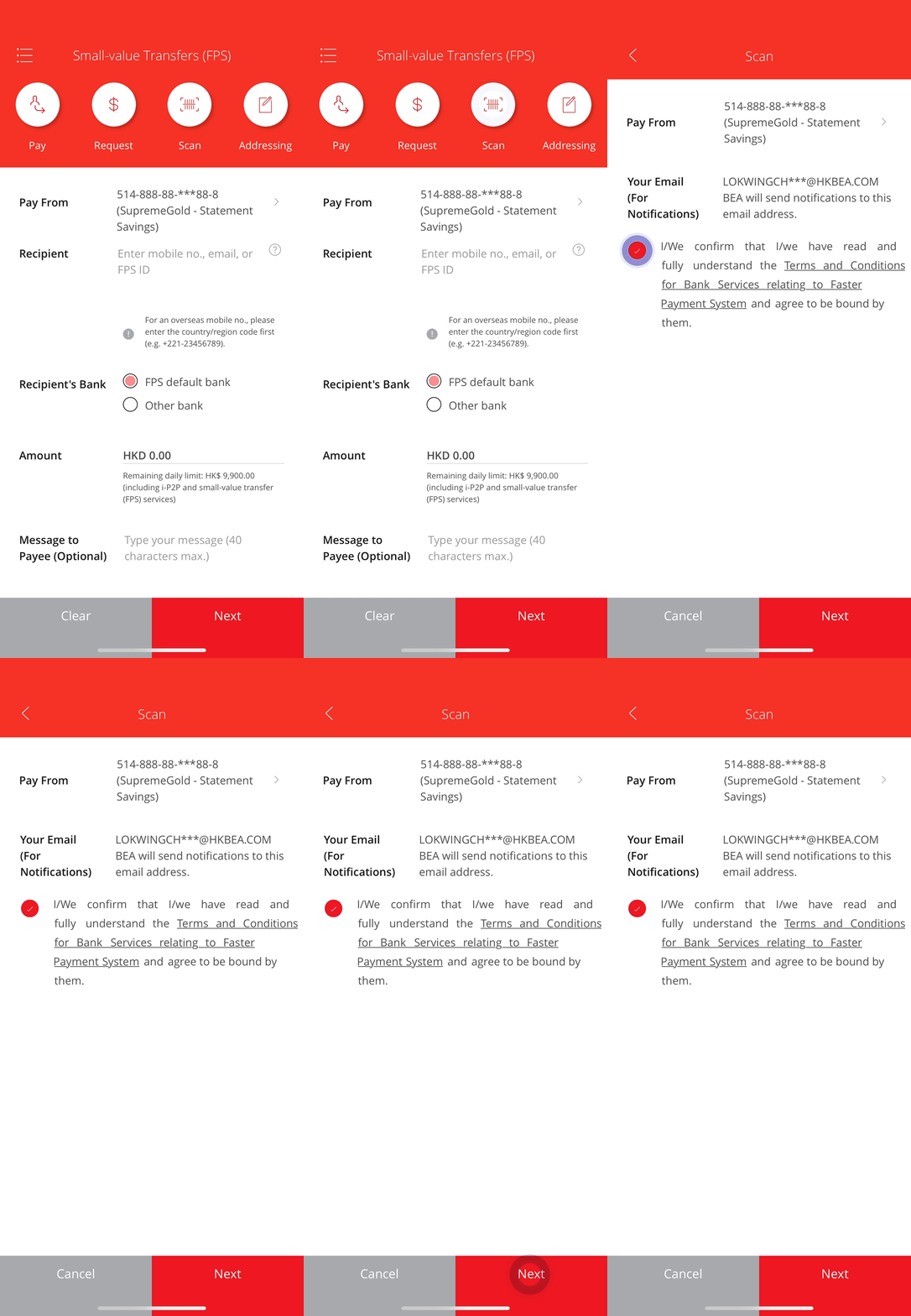
• Select “Pay” • Enter transaction details3 • Select “Next” to continue -
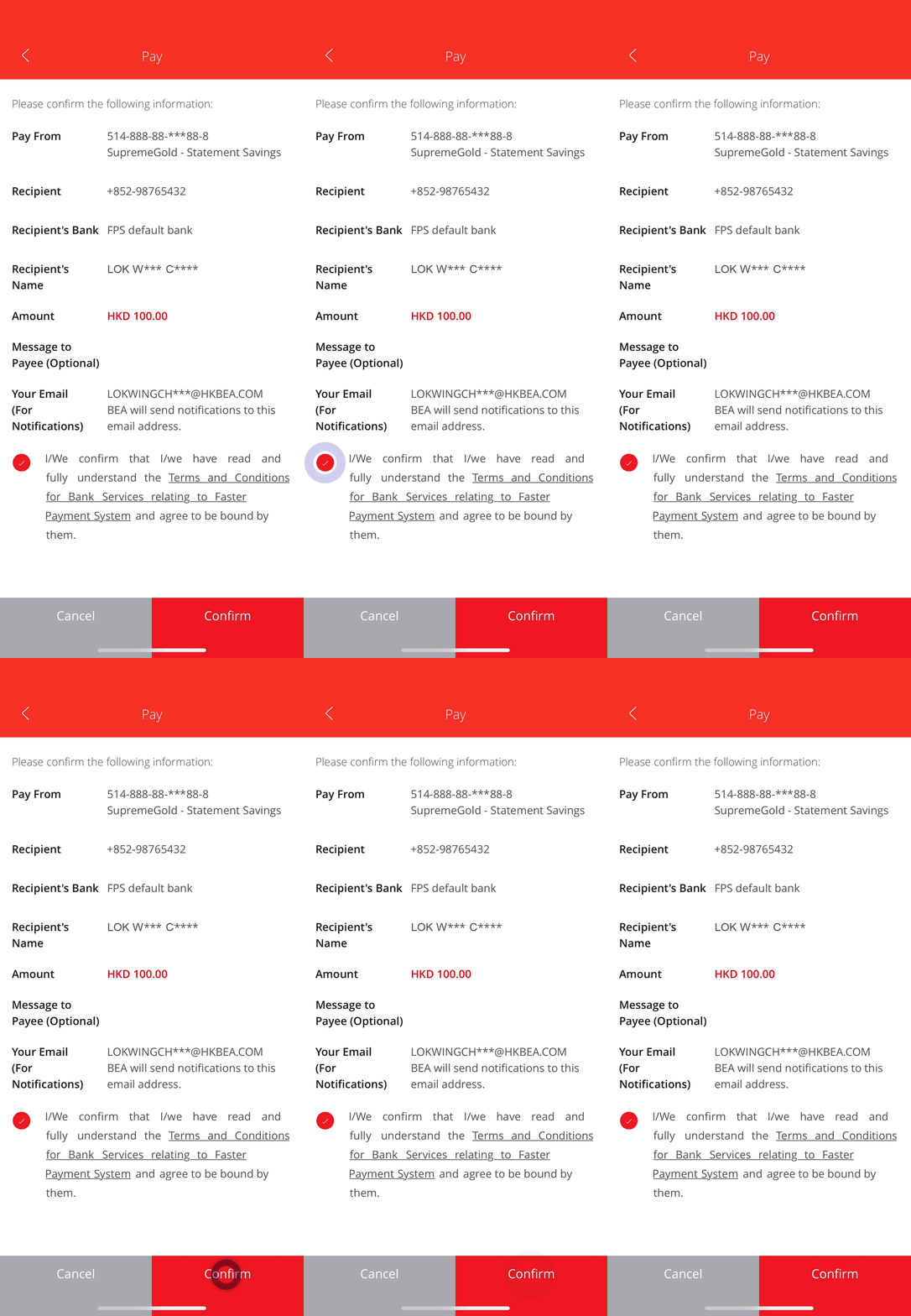
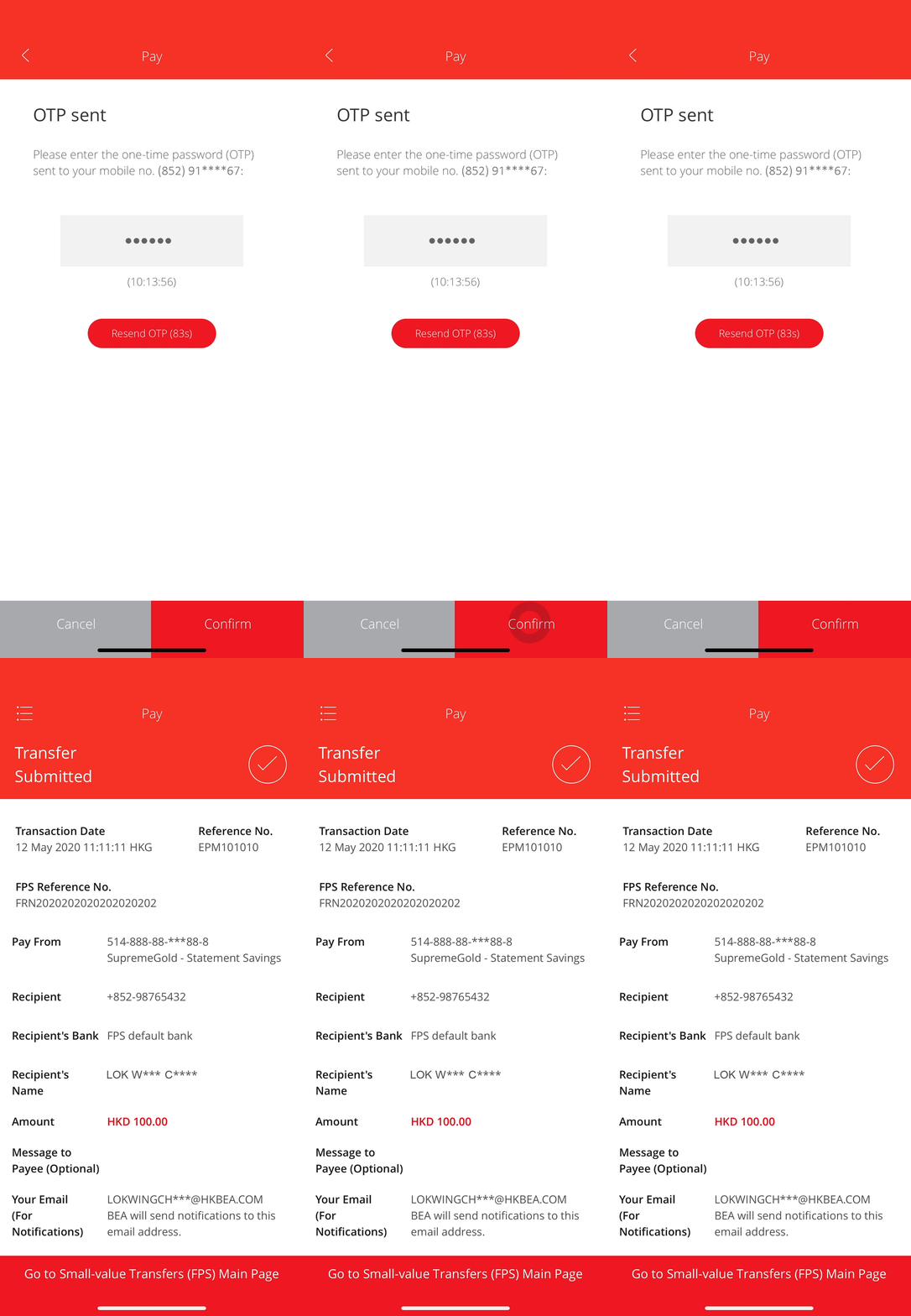
• Verify the details • Tick ☑ to agree the terms and conditions* • Select “Confirm” to continue -
• Enter the One-time Password (OTP) sent to you* • Select “Confirm” to complete the transaction

-
• Log in to the BEA App here • Select Mobile Banking > Small-value Transfers (FPS) -
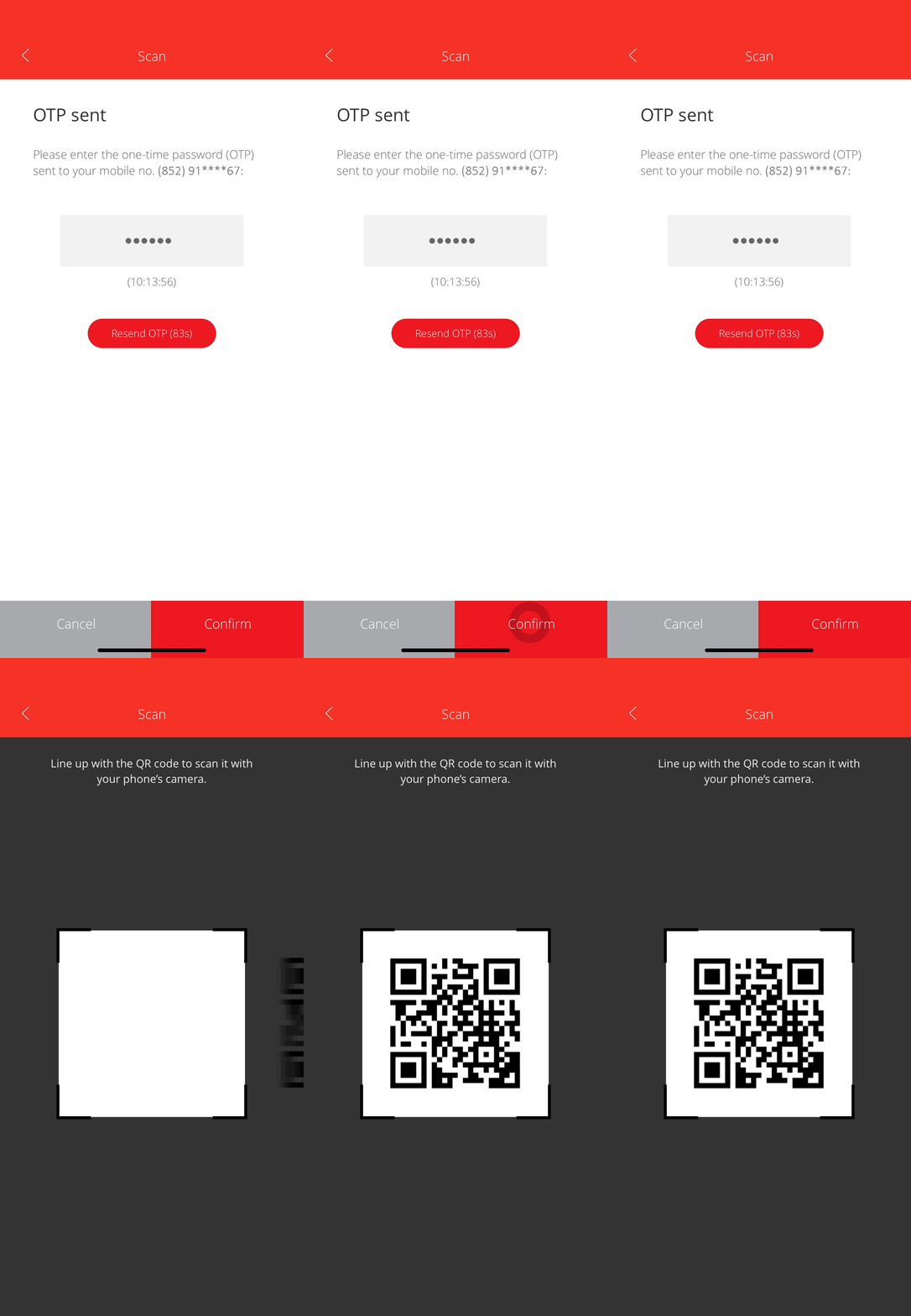
• Select “Scan” • Select your "Pay From" account and tick ☑ to agree the terms and conditions* • select “Next” to continue* -
• Enter the One-time Password (OTP) sent to you and “Confirm” * • With your device camera activated, scan the payee’s QR code -
• Enter/edit the transaction amount3 (if needed) • Select “Proceed” to complete the transaction
“Request” Payment from Others
-
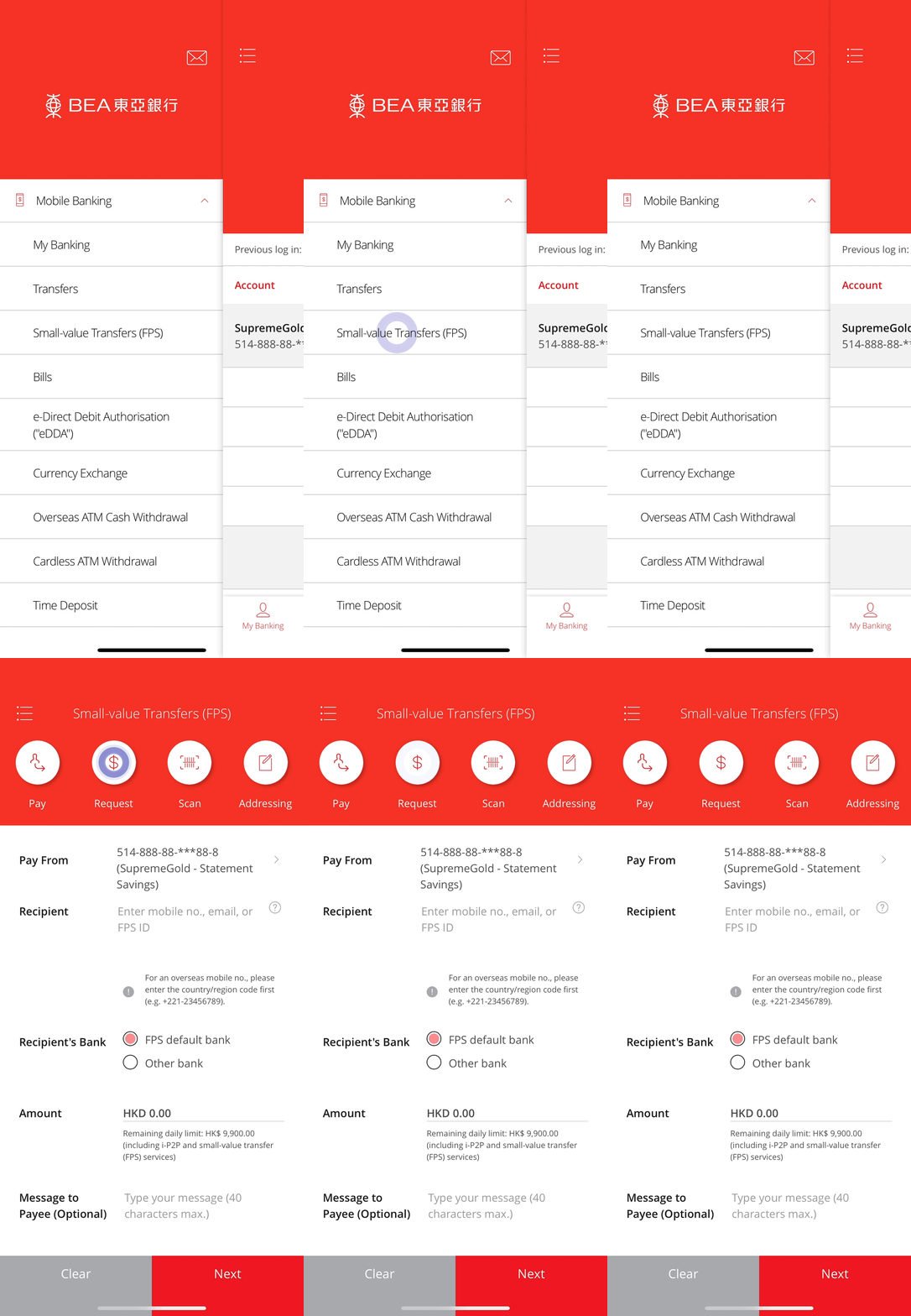
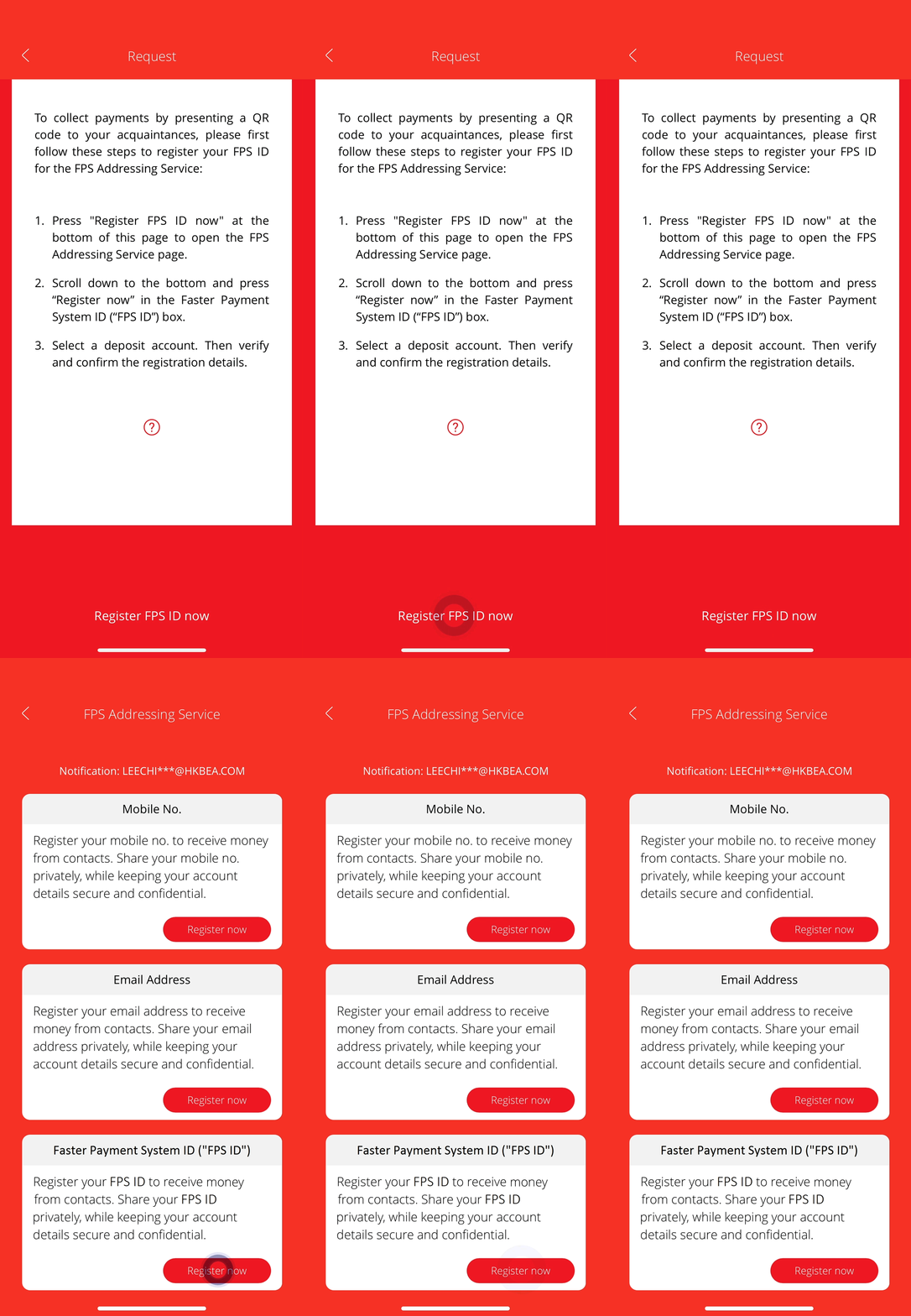
• Log in to the BEA App here • Select Mobile Banking > Small-value Transfers (FPS) • Select “Request” Notes: If you have registered for the FPS Addressing Service through an “FPS ID”, go to step 3. -
• Select “Register FPS ID now” • Complete the FPS Addressing registration through the “FPS ID”4 -
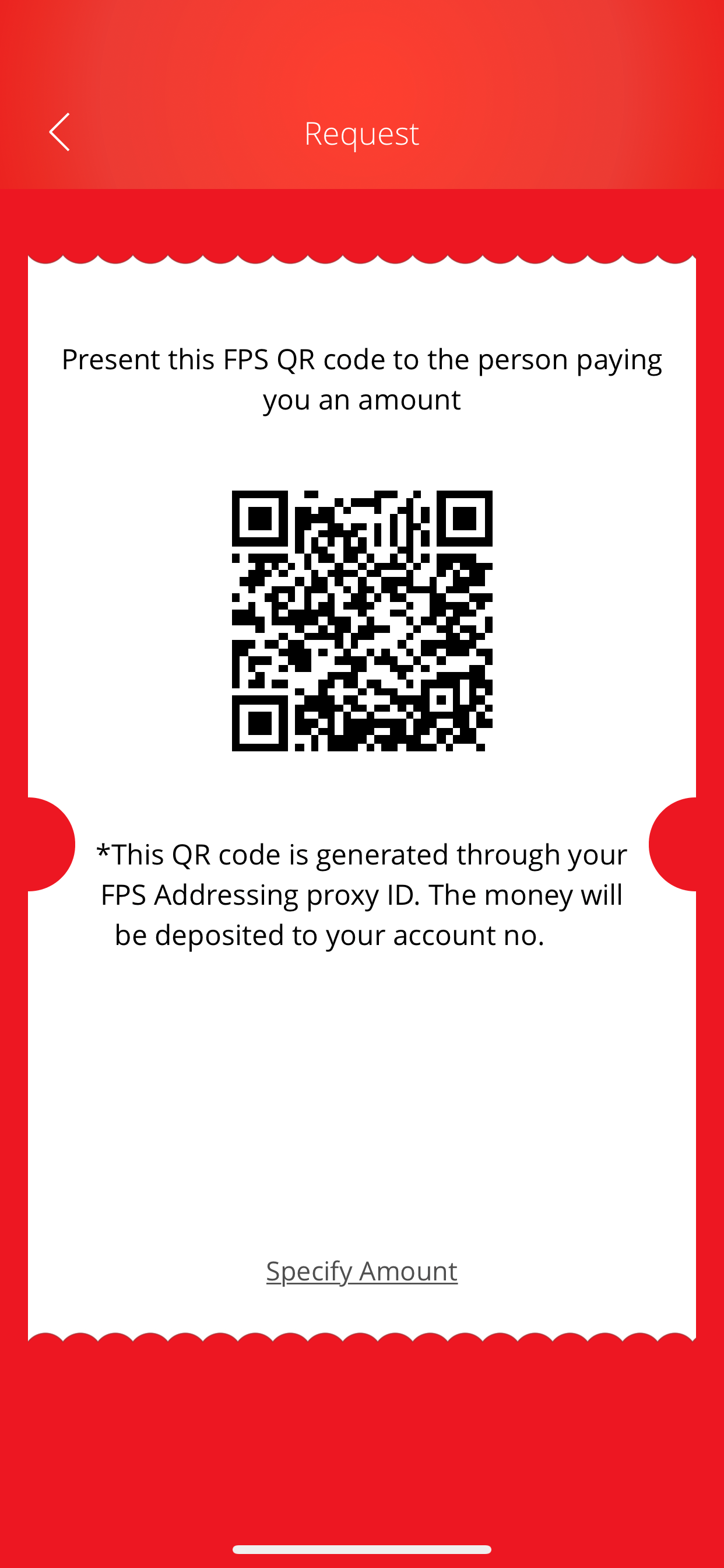
• Present your QR code to the payer