Cyberbanking and the BEA App –
Registration of the FPS Addressing Service
You can receive money from anyone by privately sharing with them your mobile number, email address, FPS ID and/or HKID1. To use this service, you must first register for the FPS Addressing Service in Cyberbanking or the BEA App.


FPS Addressing in Cyberbanking
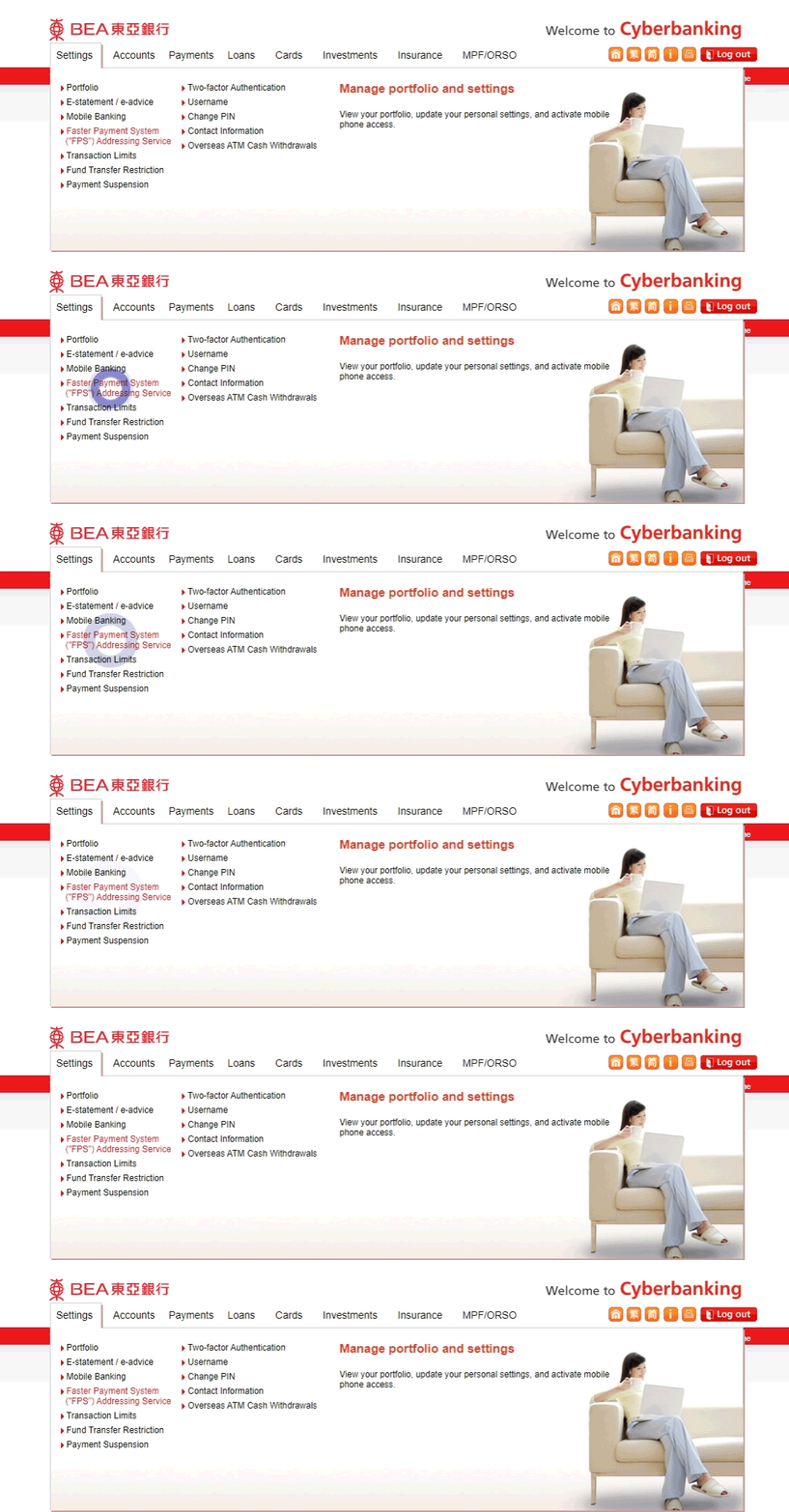
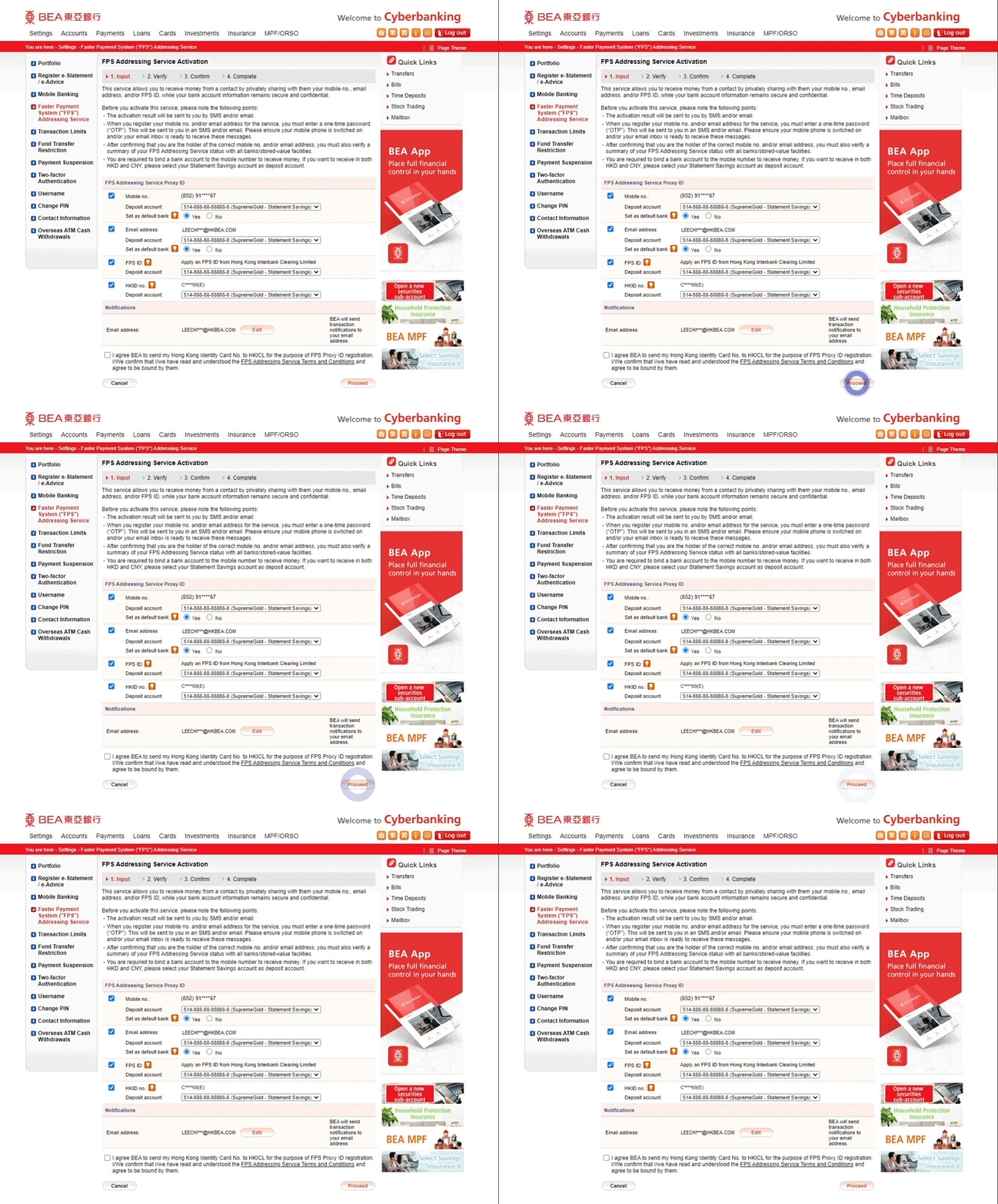
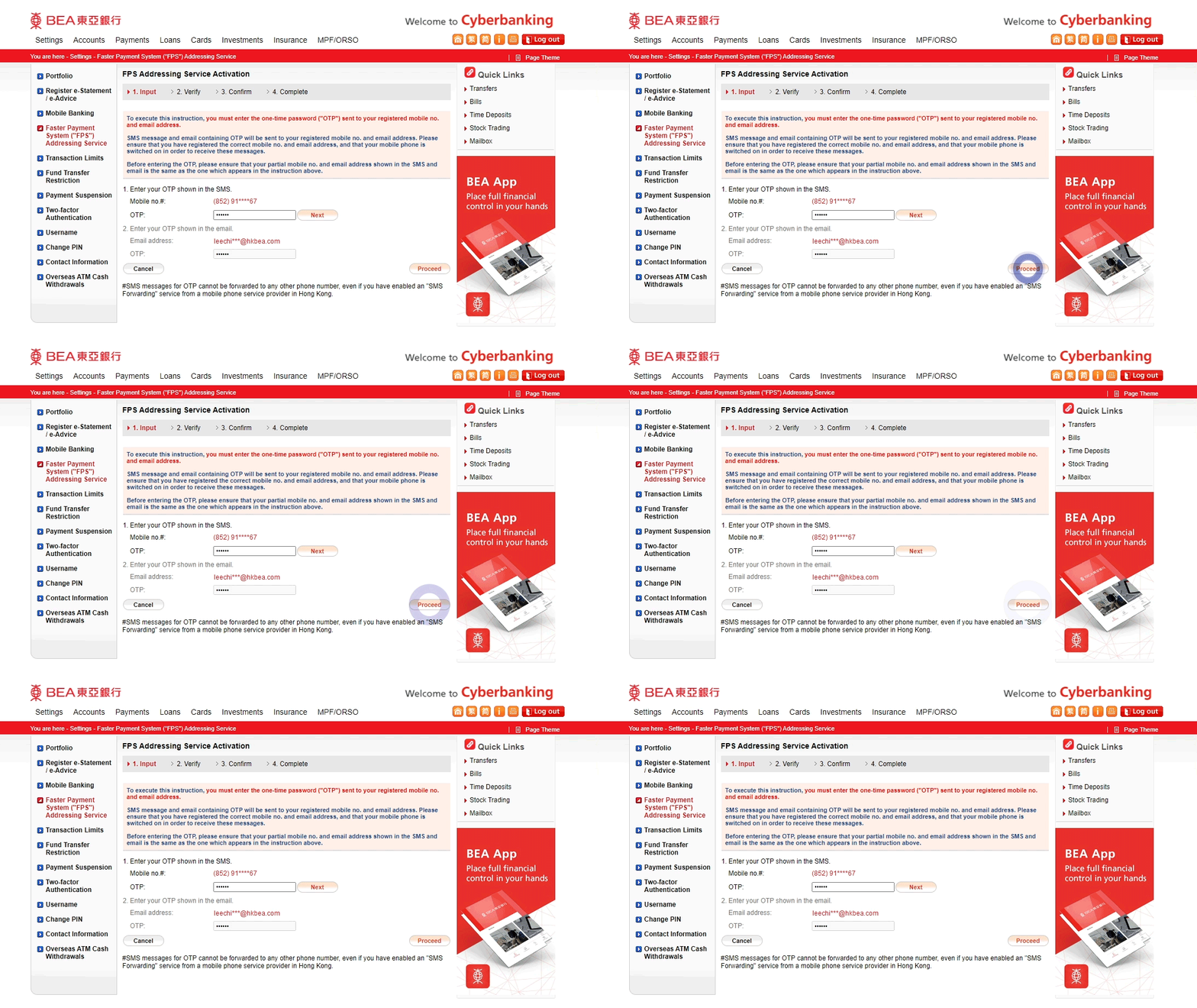
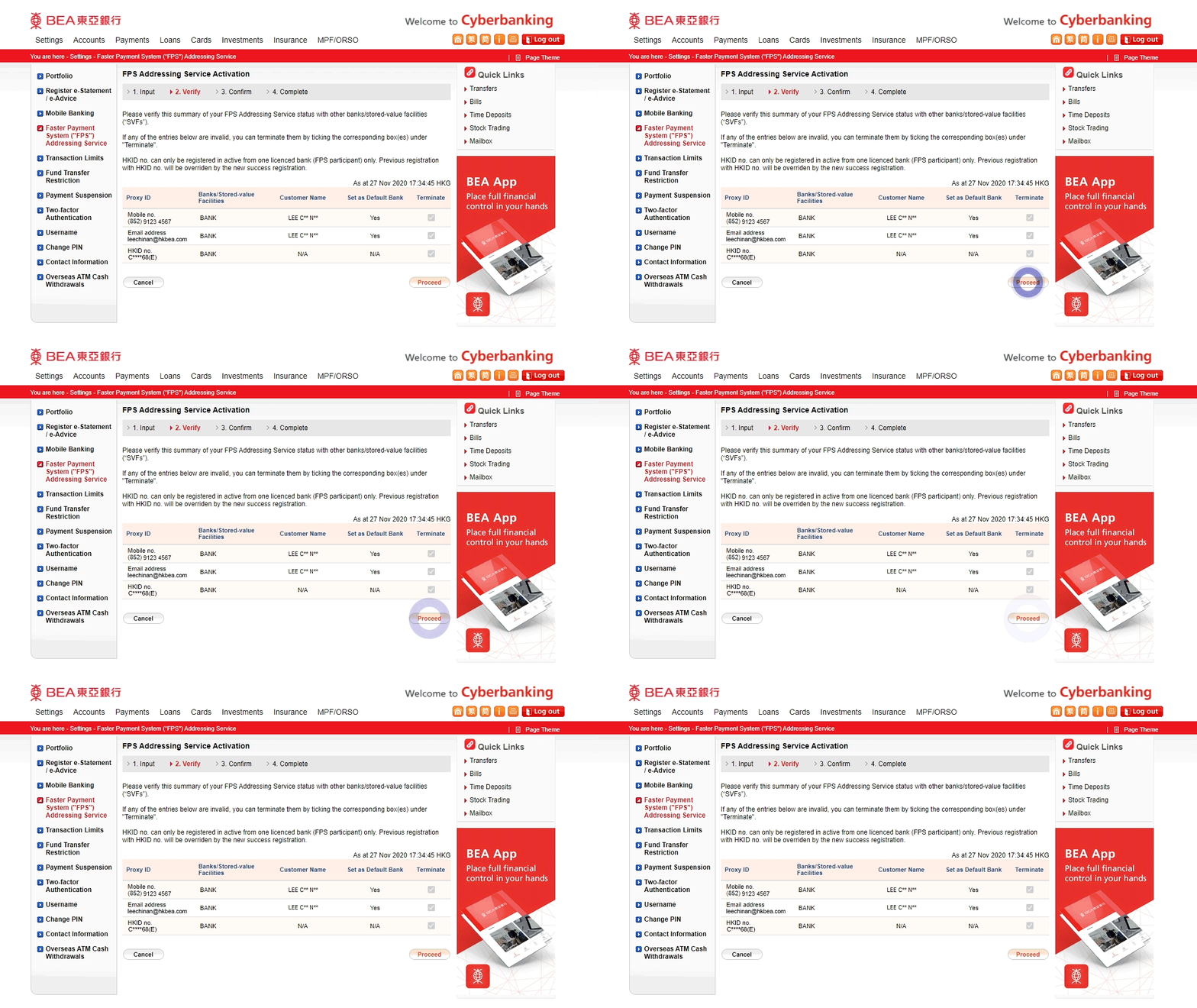
-
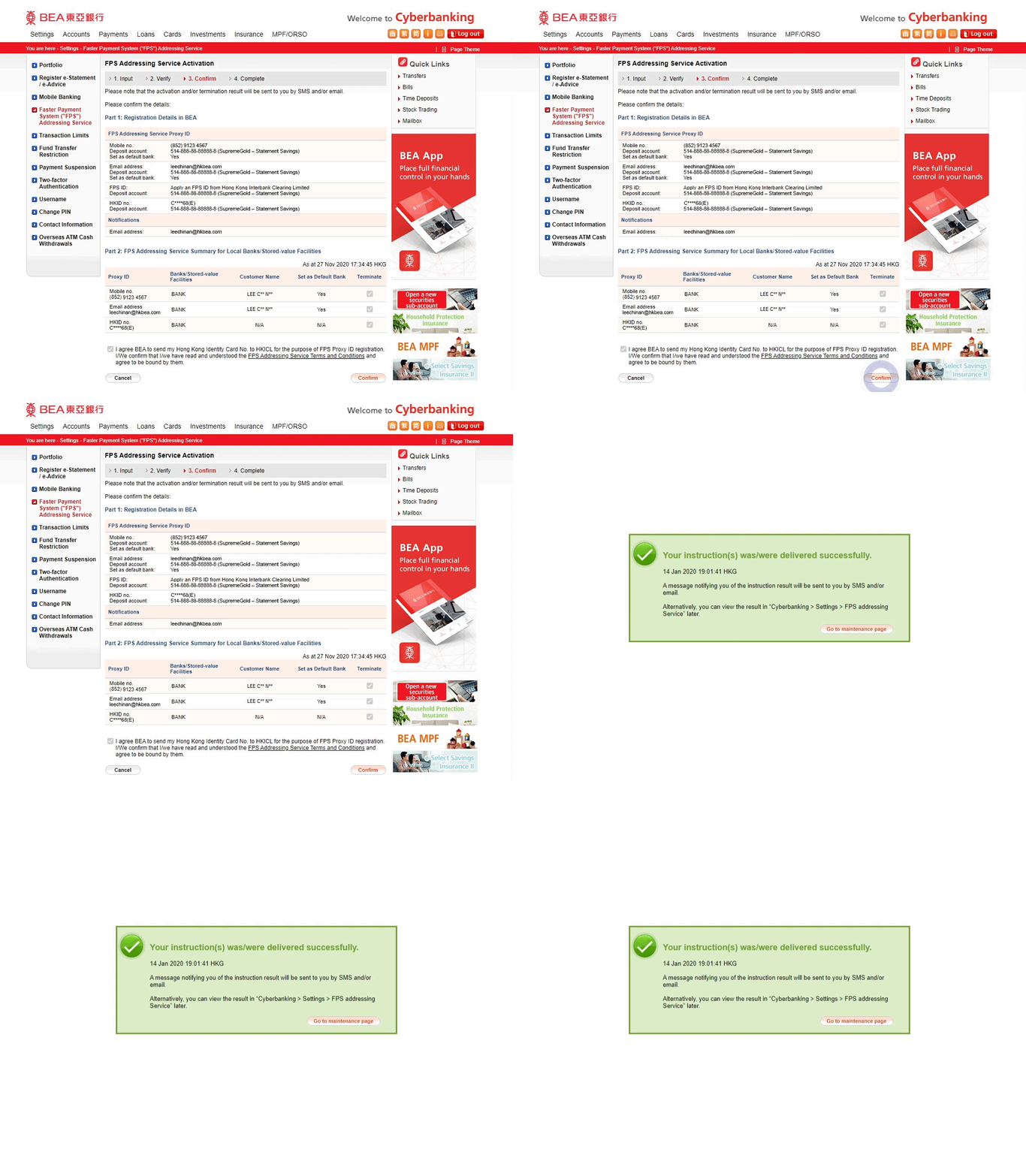
• Log in to Cyberbanking • Select Settings > Faster Payment System (“FPS”) Addressing Service -
• Select the proxy ID(s): “Mobile no.”, “Email address”, “FPS ID” and/or “HKID no.” you wish to register • Enter your details • Set BEA as your Default Bank2 • Select “Proceed” -
• Enter the One-time Password (OTP) sent to your “Mobile no.” and/or “Email address” for registration3,4 • Select “Proceed” -
• Review your FPS Addressing Service summary5 • Select “Proceed” -
• Verify the details • Select “Confirm” to complete the FPS Addressing registration
FPS Addressing in the BEA App
You can register for the FPS Addressing service through either or all of the following proxy ID(s):
Registering for a Mobile Number
-
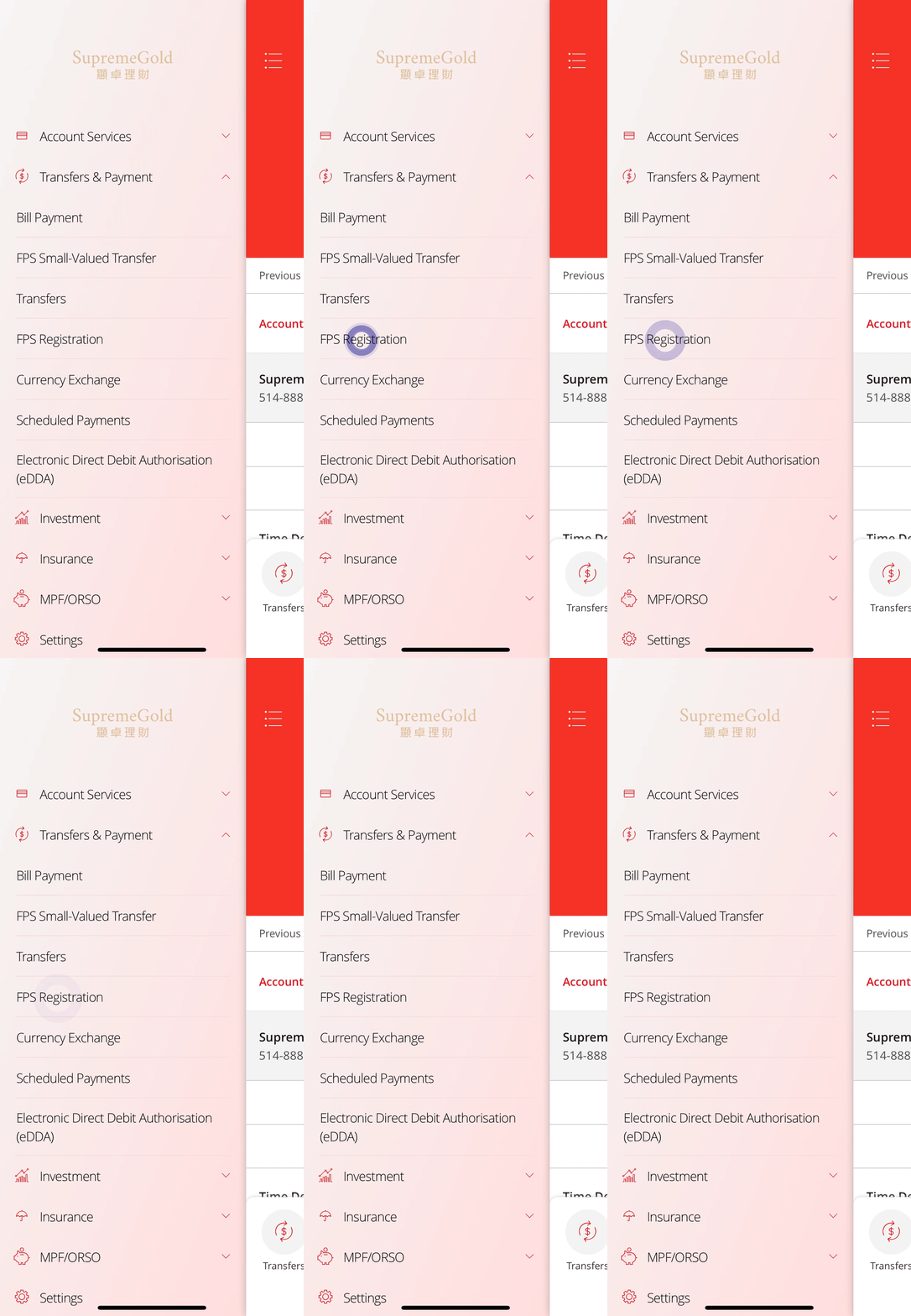
• Log in to the BEA App • Select Transfers & Payment >
FPS Registration -
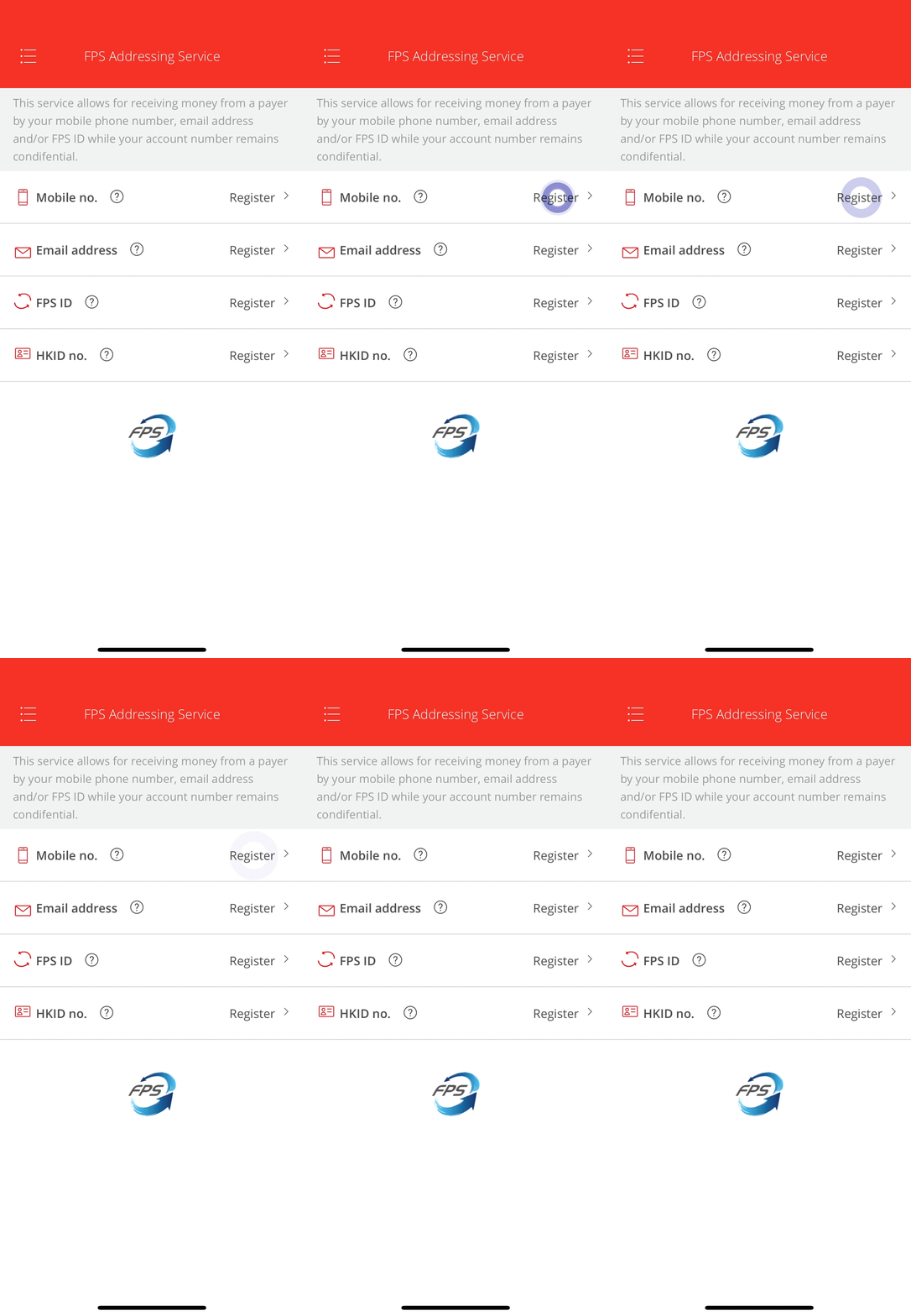
• Select “Register” in “Mobile no.” -
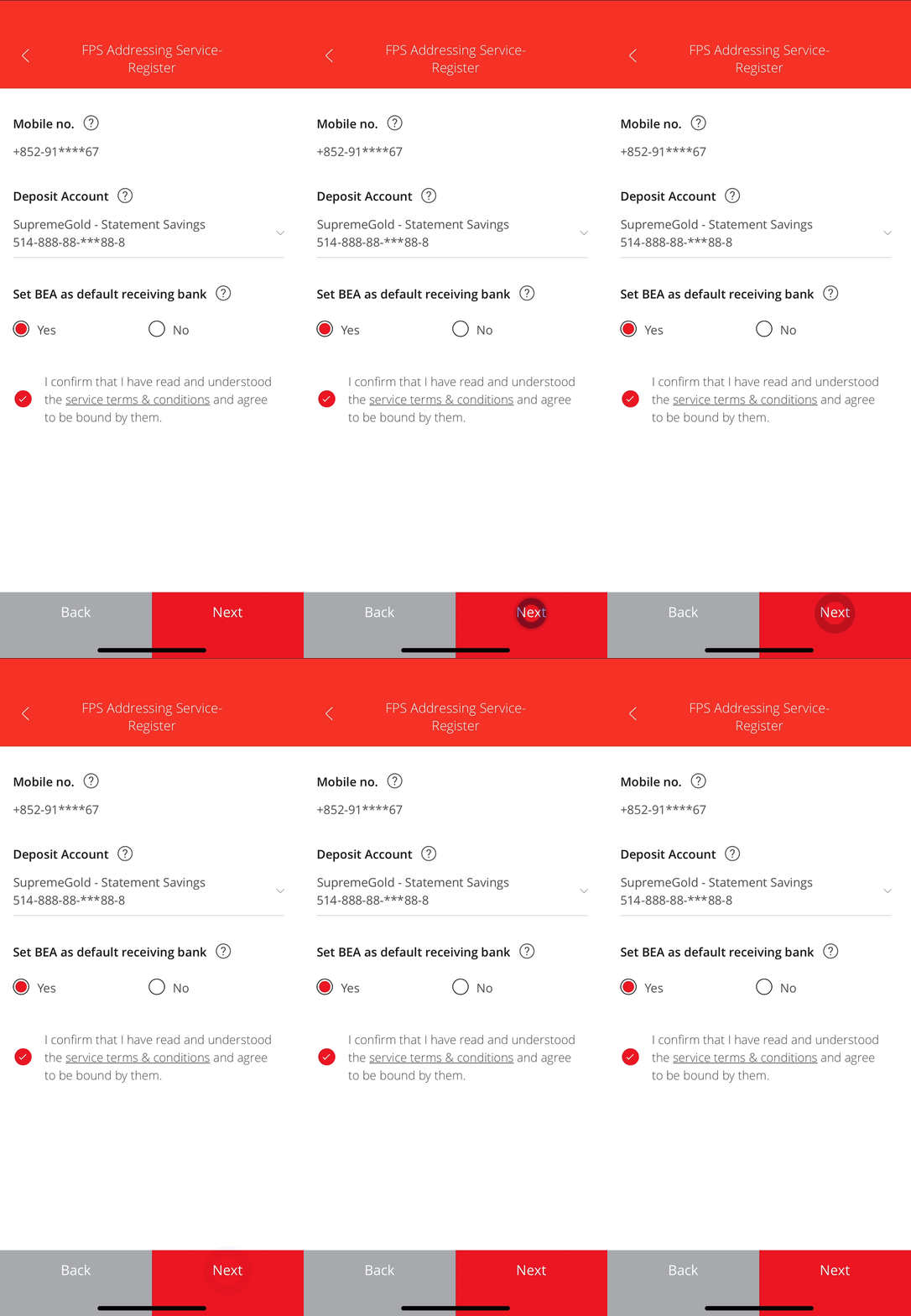
• Select a deposit account to receive money sent to this proxy ID • Set BEA as your Default Bank2 • Select “Next” -
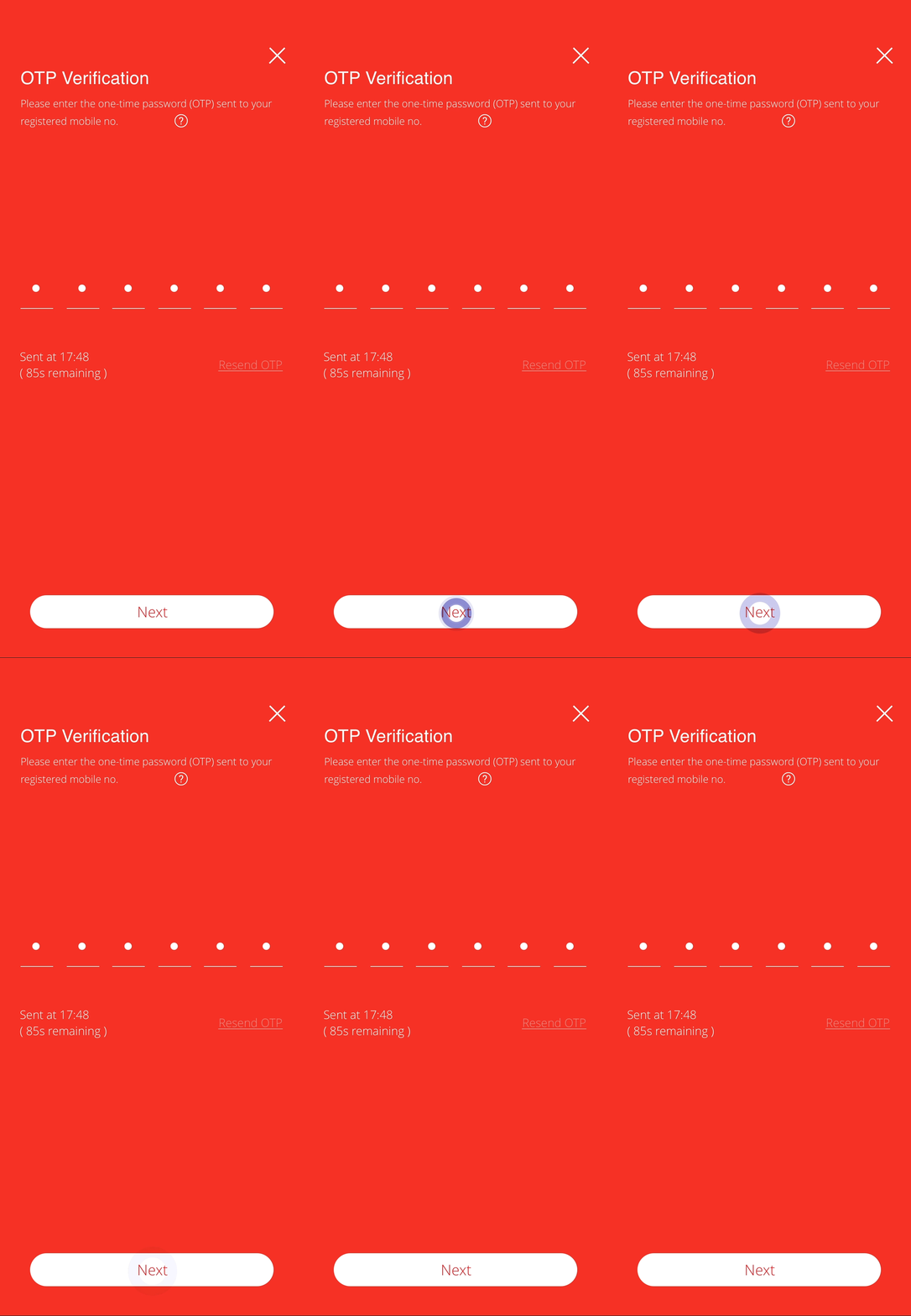
• Enter the One-time Password (OTP) sent to you4 • Select “Next” -
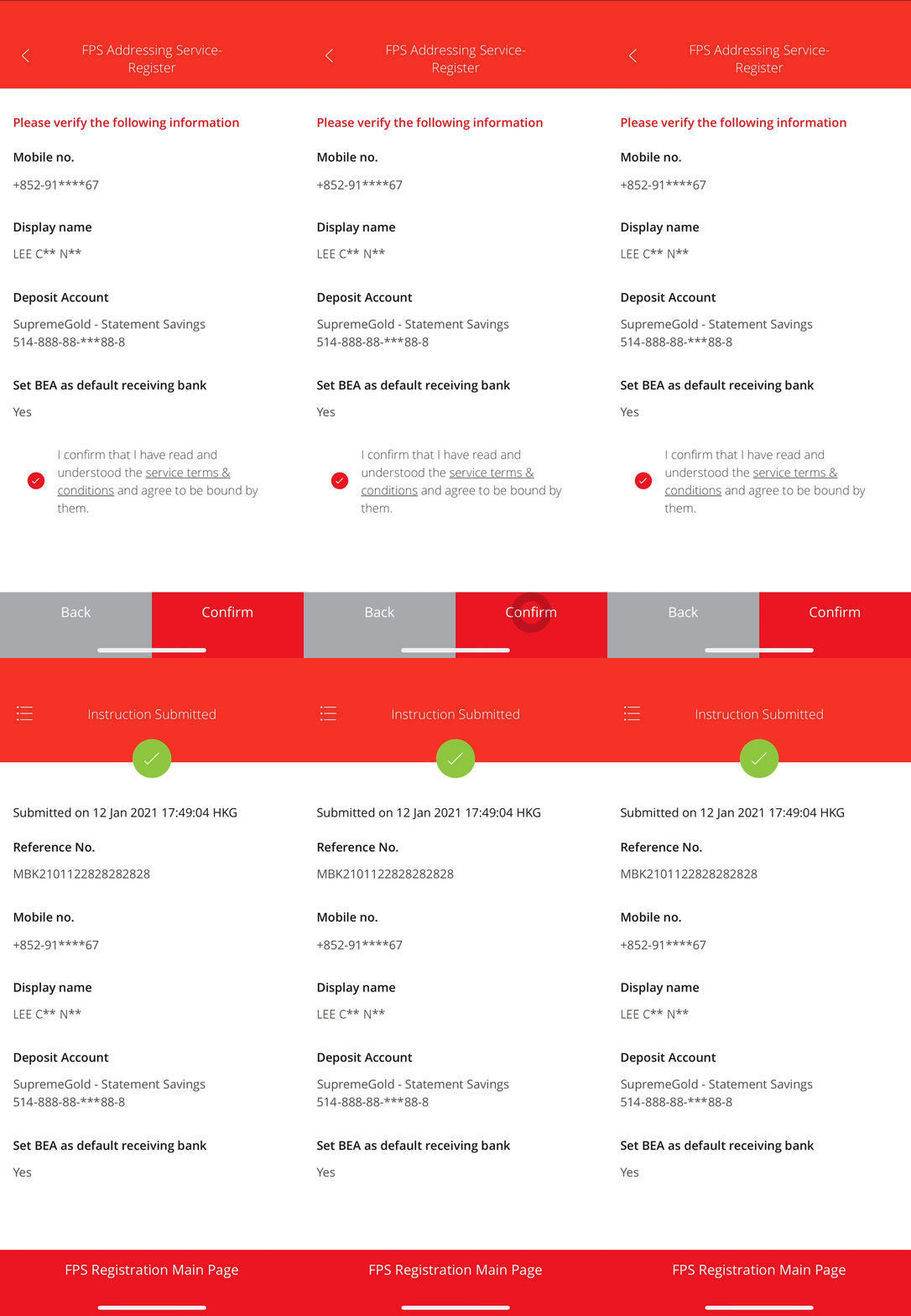
• Verify the details • Select “Confirm” to complete the FPS Addressing registration
Registering for an Email address
-
• Log in to the BEA App • Select Transfers & Payment >
FPS Registration -
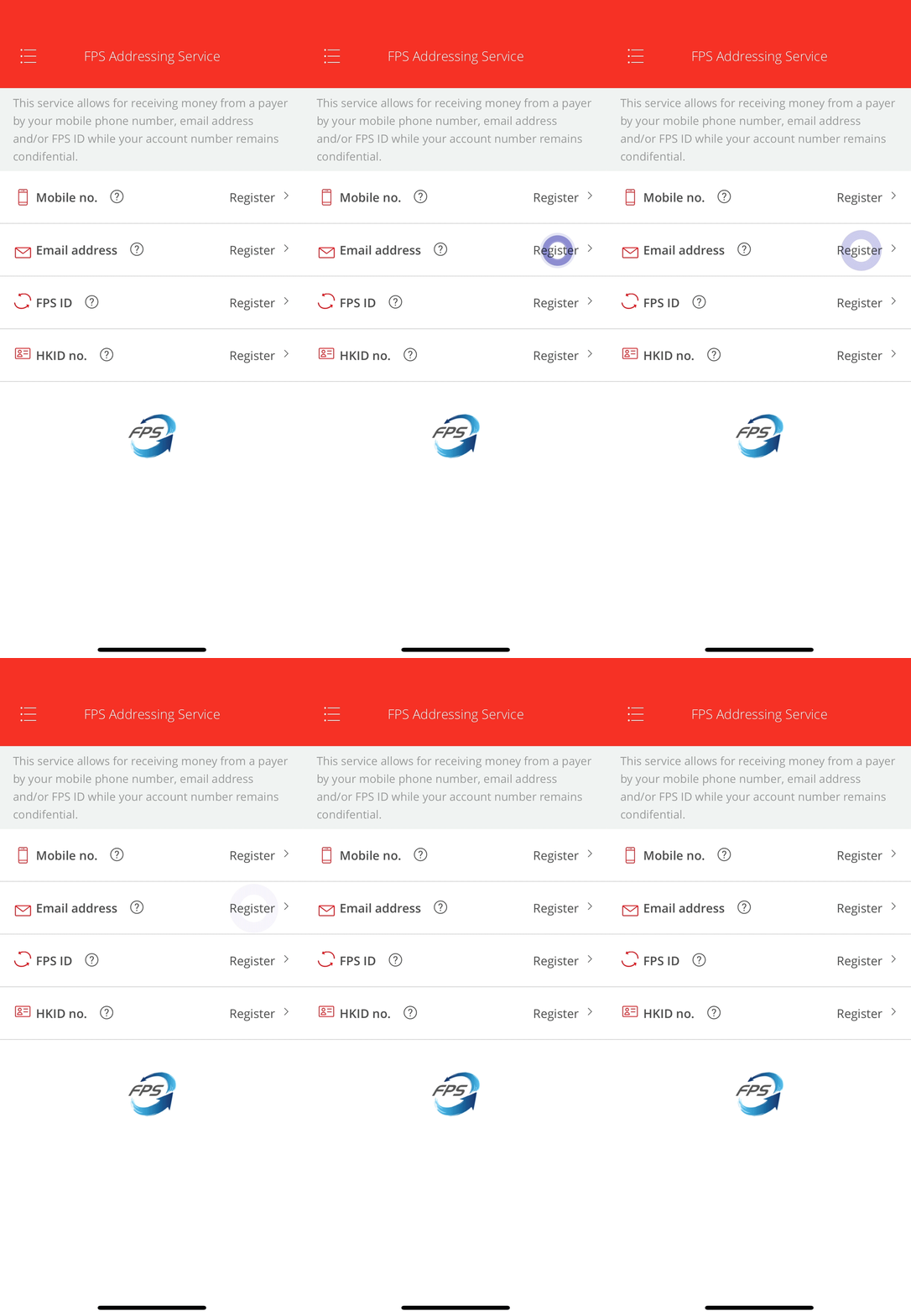
• Select “Register” in “Email address” -
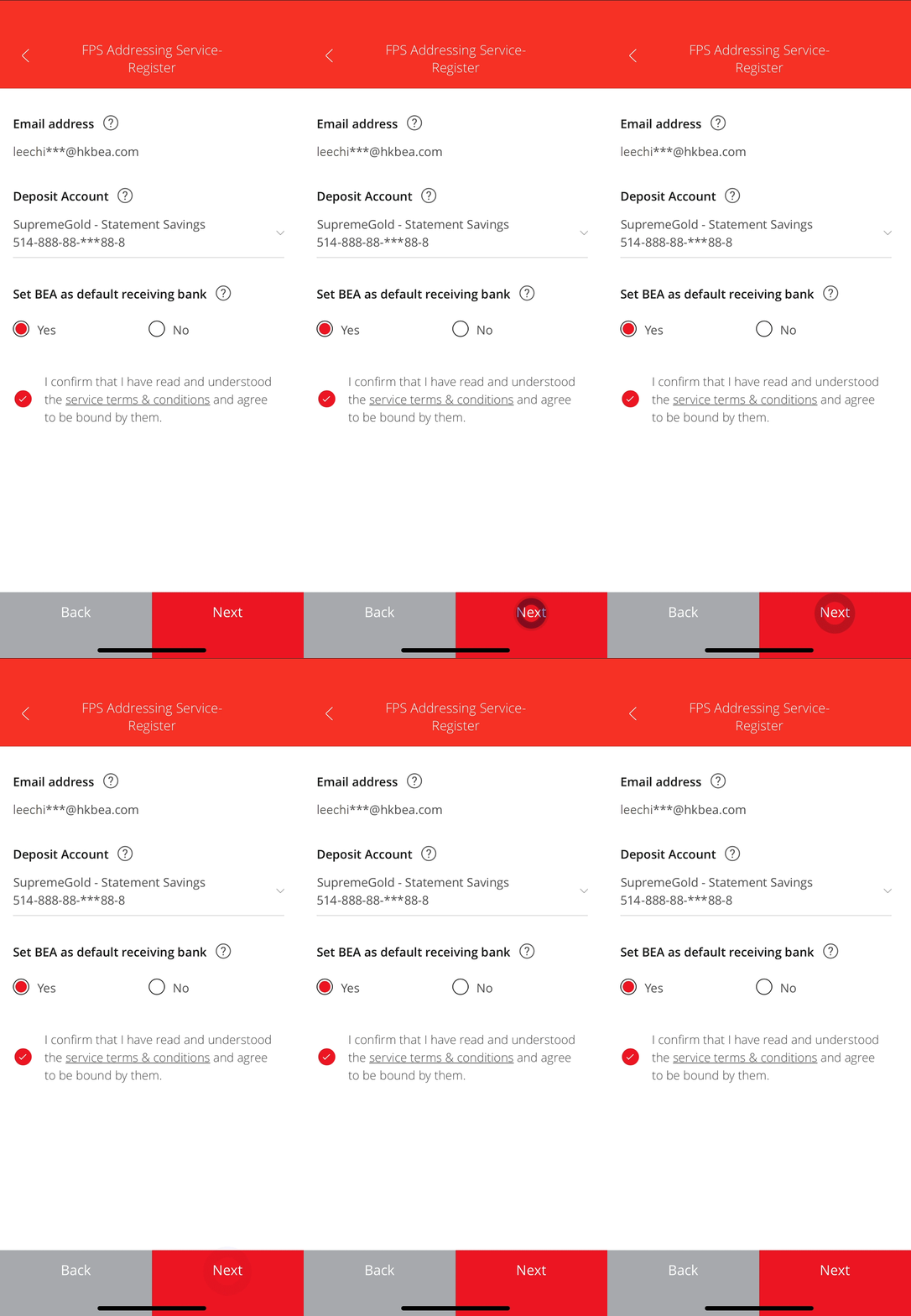
• Select a deposit account to receive money sent to this proxy ID • Set BEA as your Default Bank2 • Select “Next” -
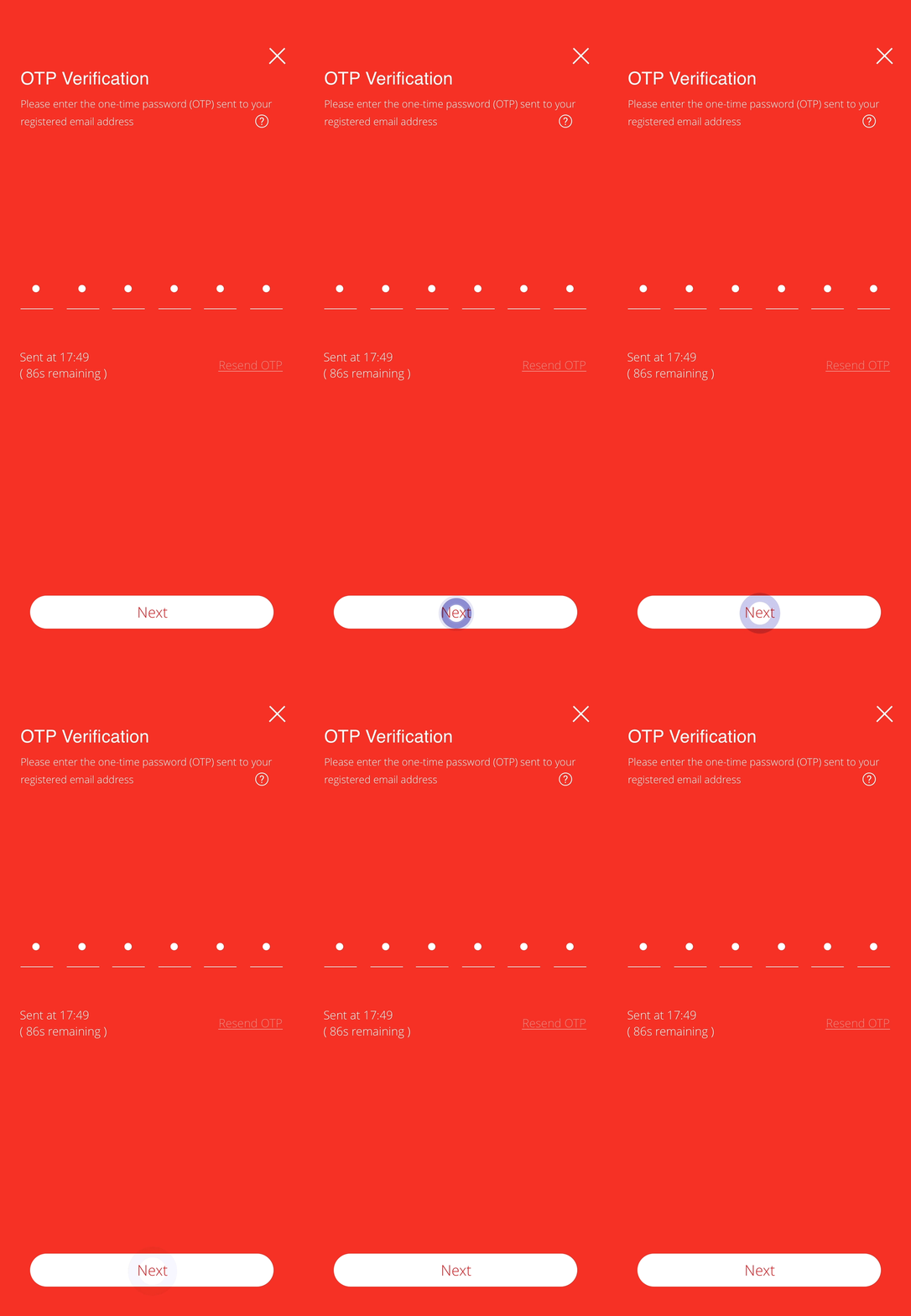
• Enter the One-time Password (OTP) sent to you • Select “Next” -
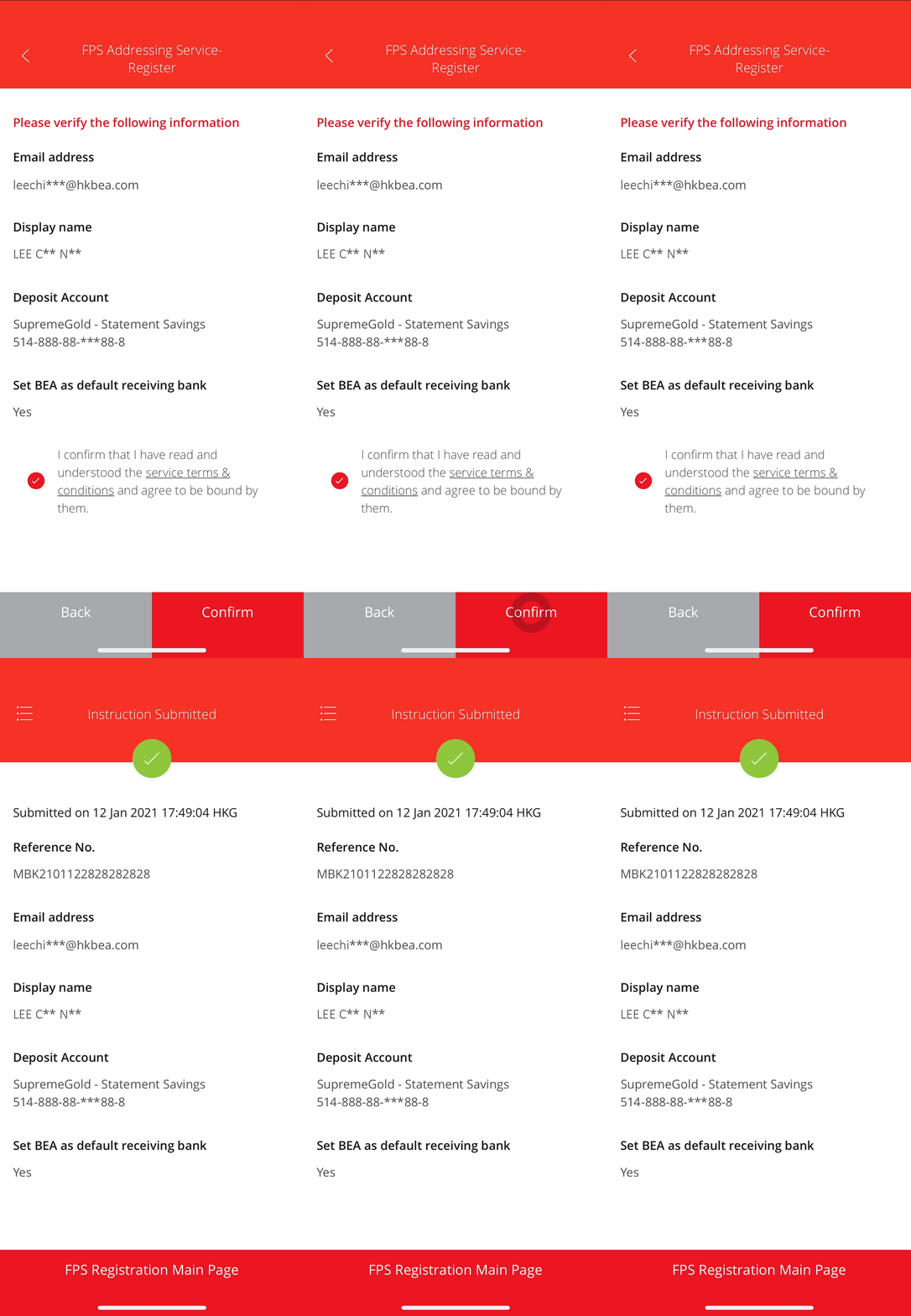
• Verify the details • Select “Confirm” to complete the FPS Addressing registration
Registering for an FPS ID
-
• Log in to the BEA App • Select Transfers & Payment >
FPS Registration -
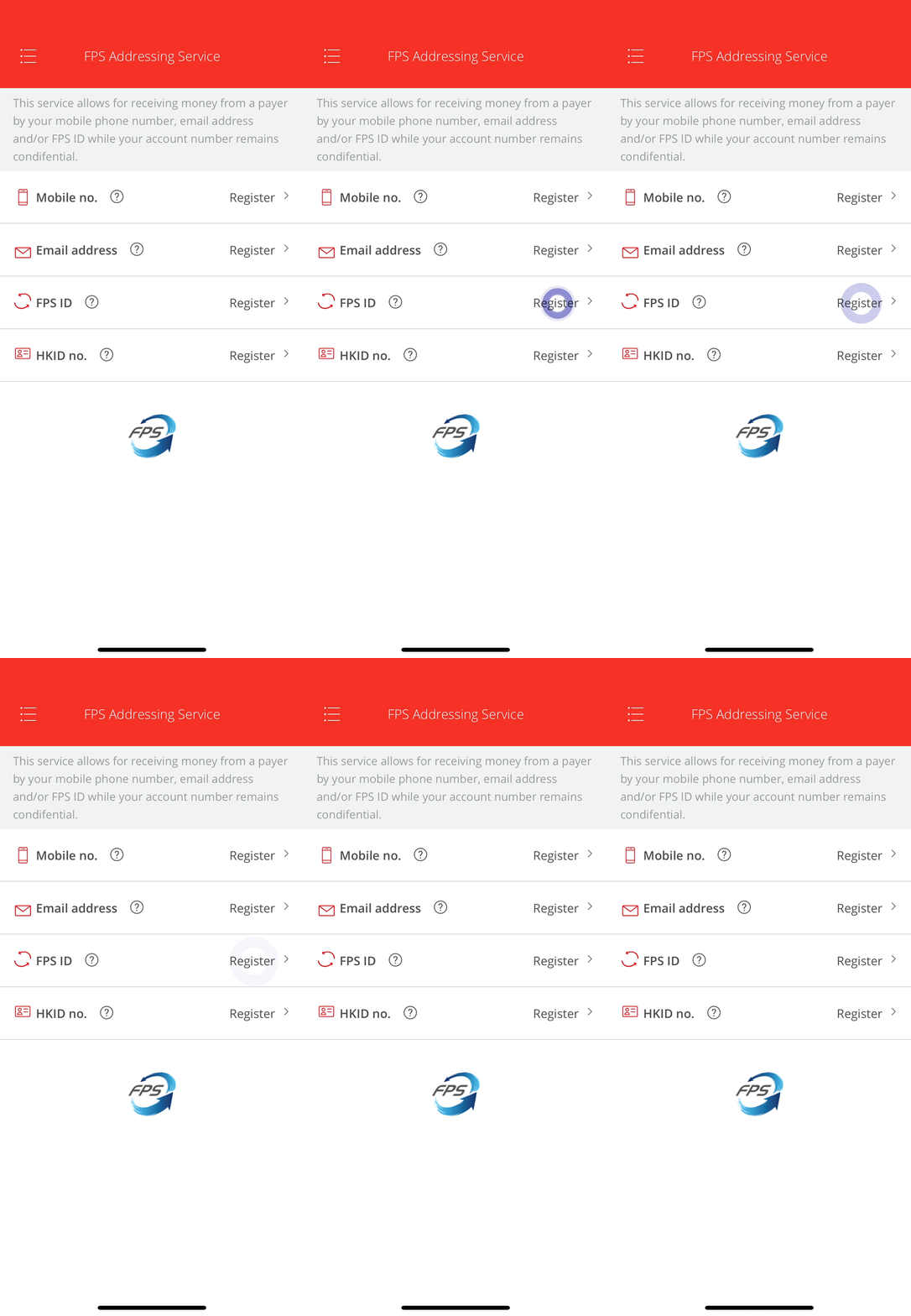
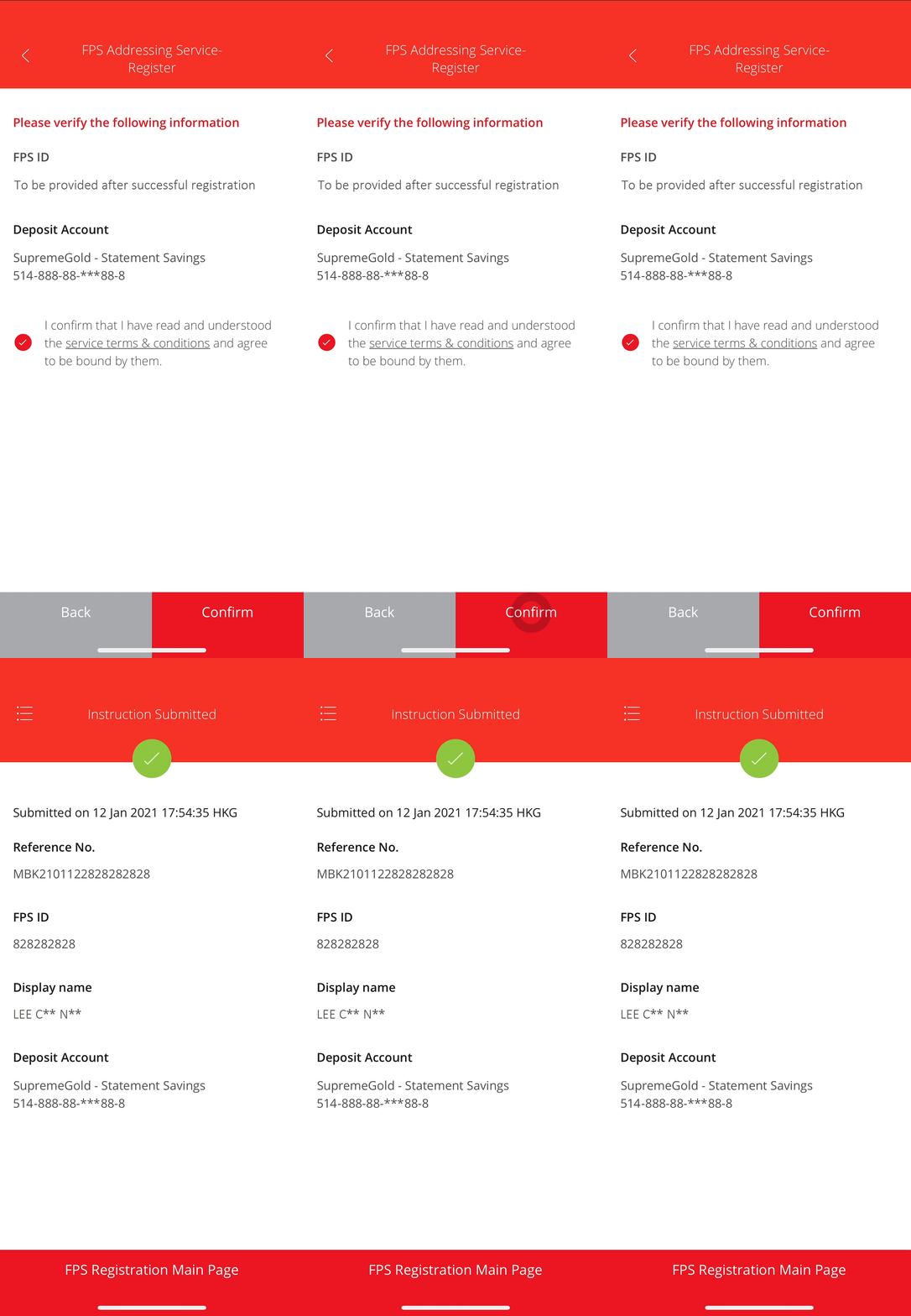
• Select “Register” in “FPS ID” -
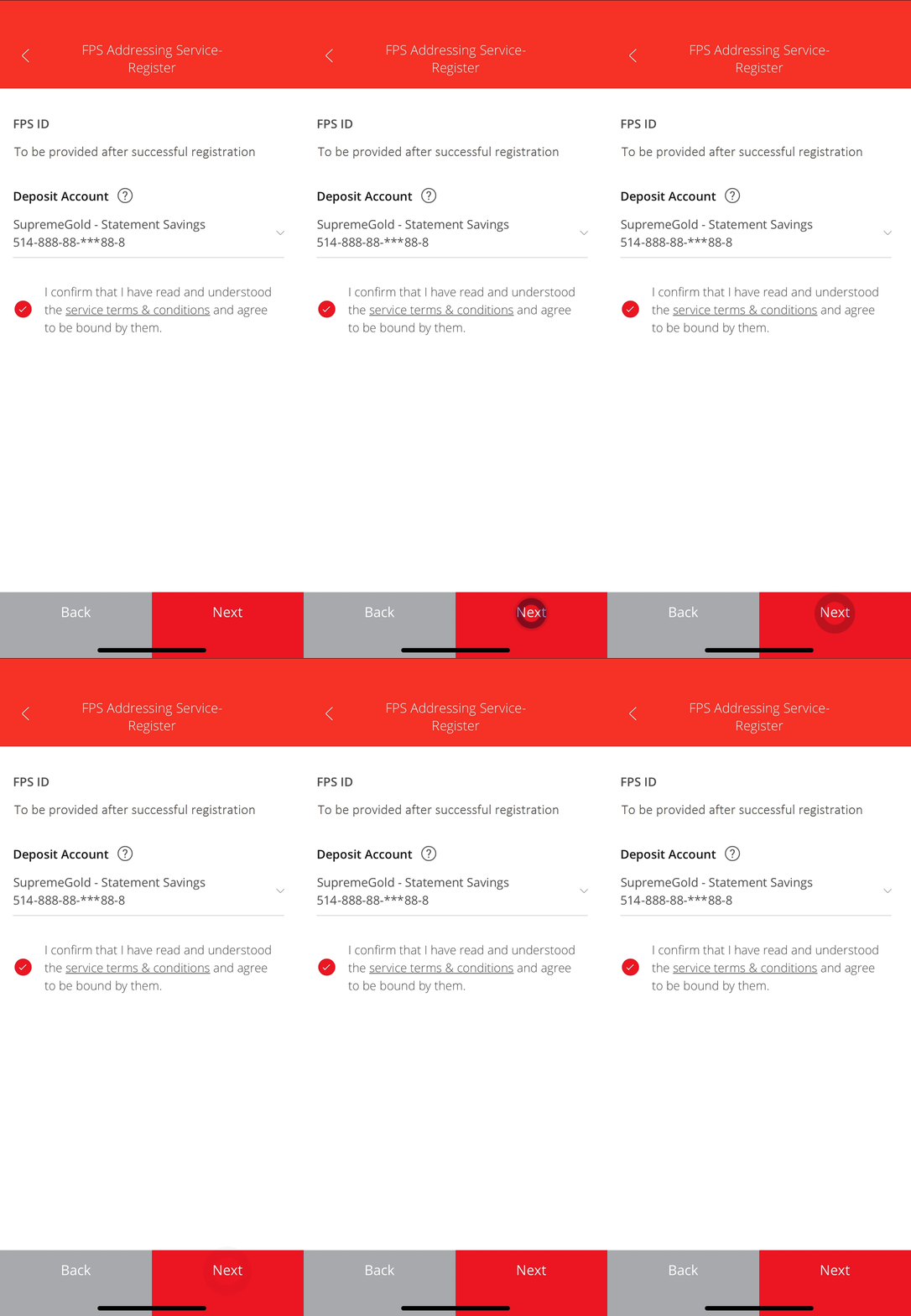
• Select a deposit account to receive money sent to this proxy ID • Select “Next” -
• Verify the details • Select “Confirm” to complete the FPS Addressing registration
Registering for HKID Number
-
• Log in to the BEA App • Select Transfers & Payment >
FPS Registration -
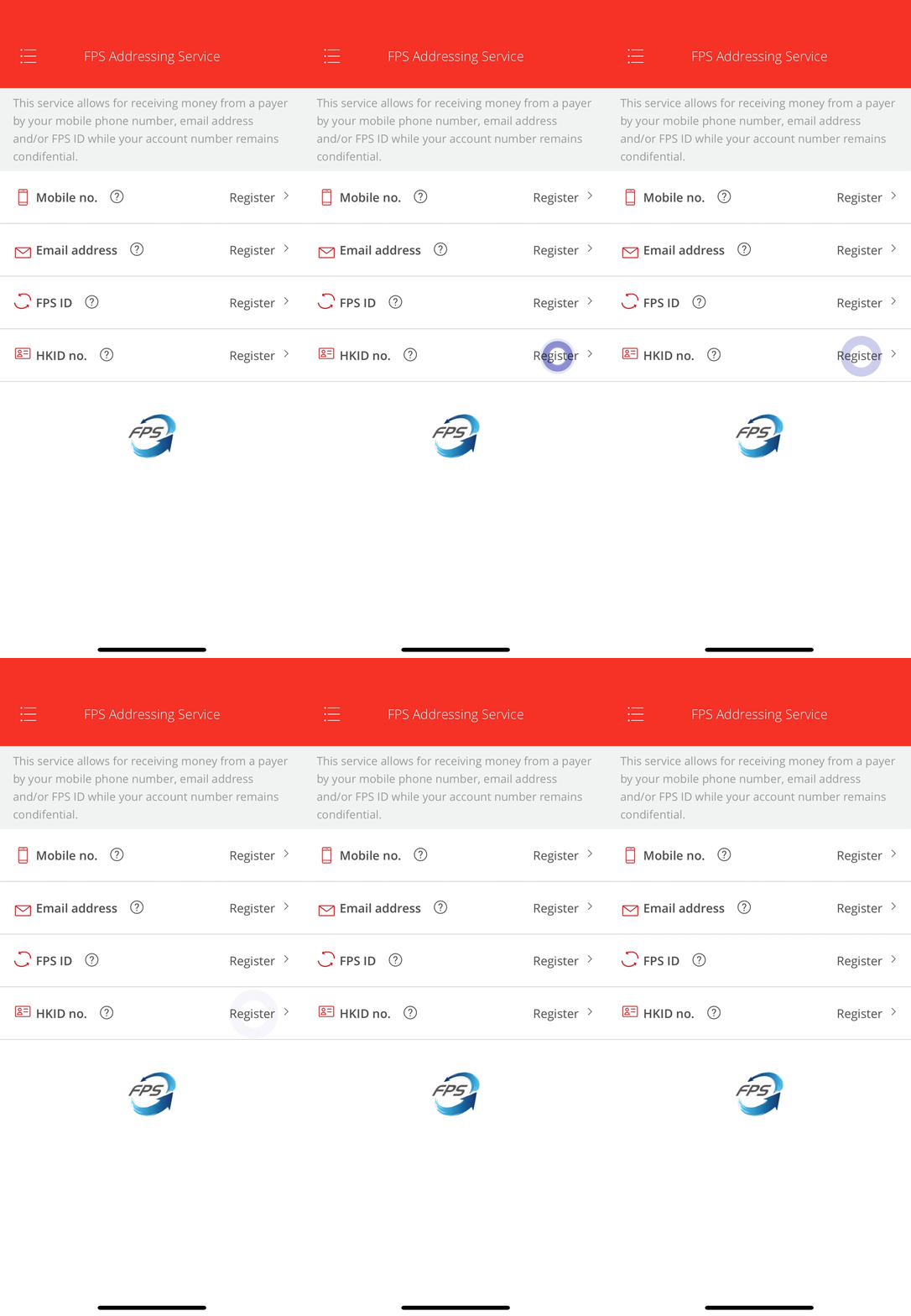
• Select “Register” in “HKID no.” -
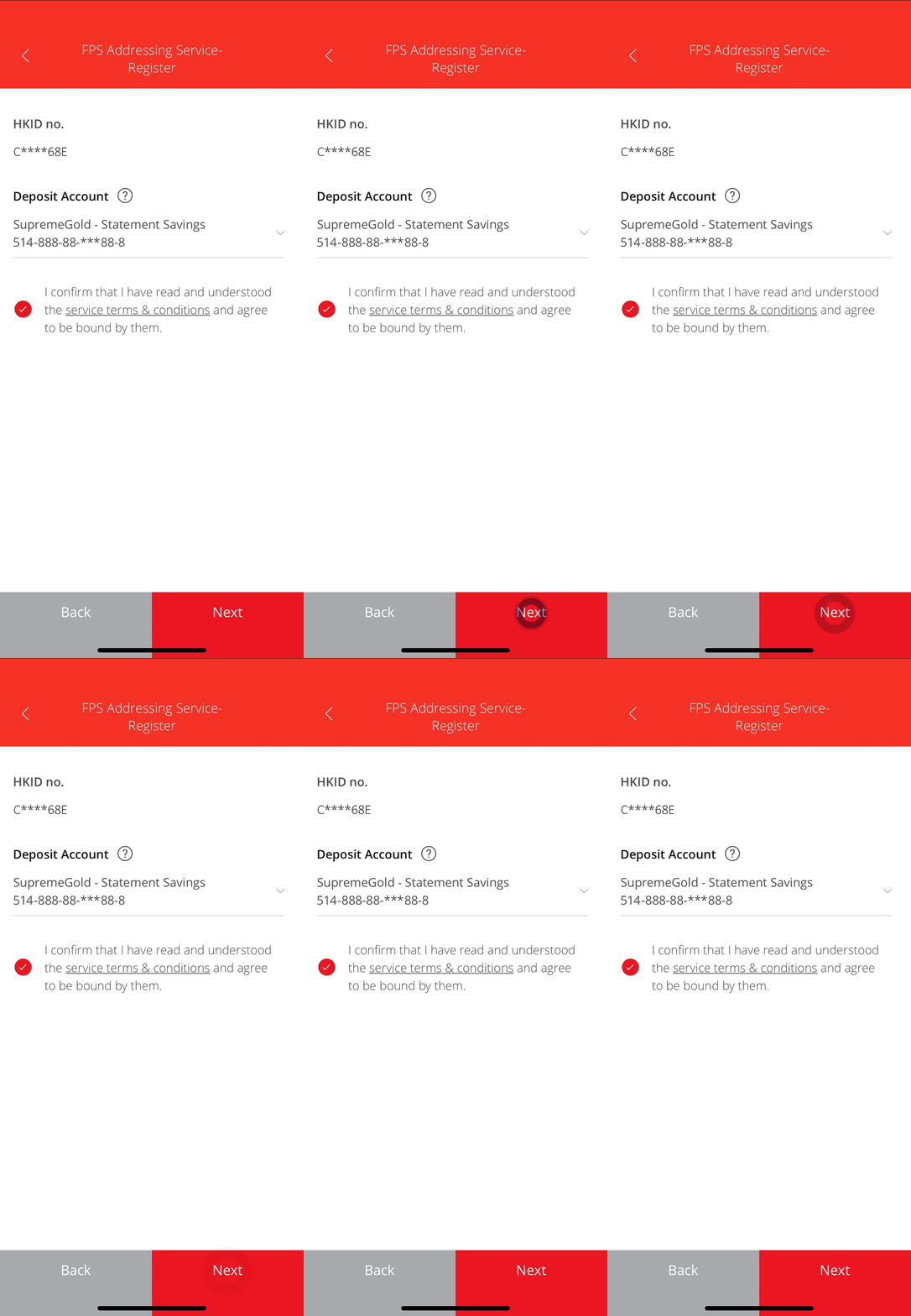
• Select a deposit account to receive money sent to this proxy ID • Select “Next” -
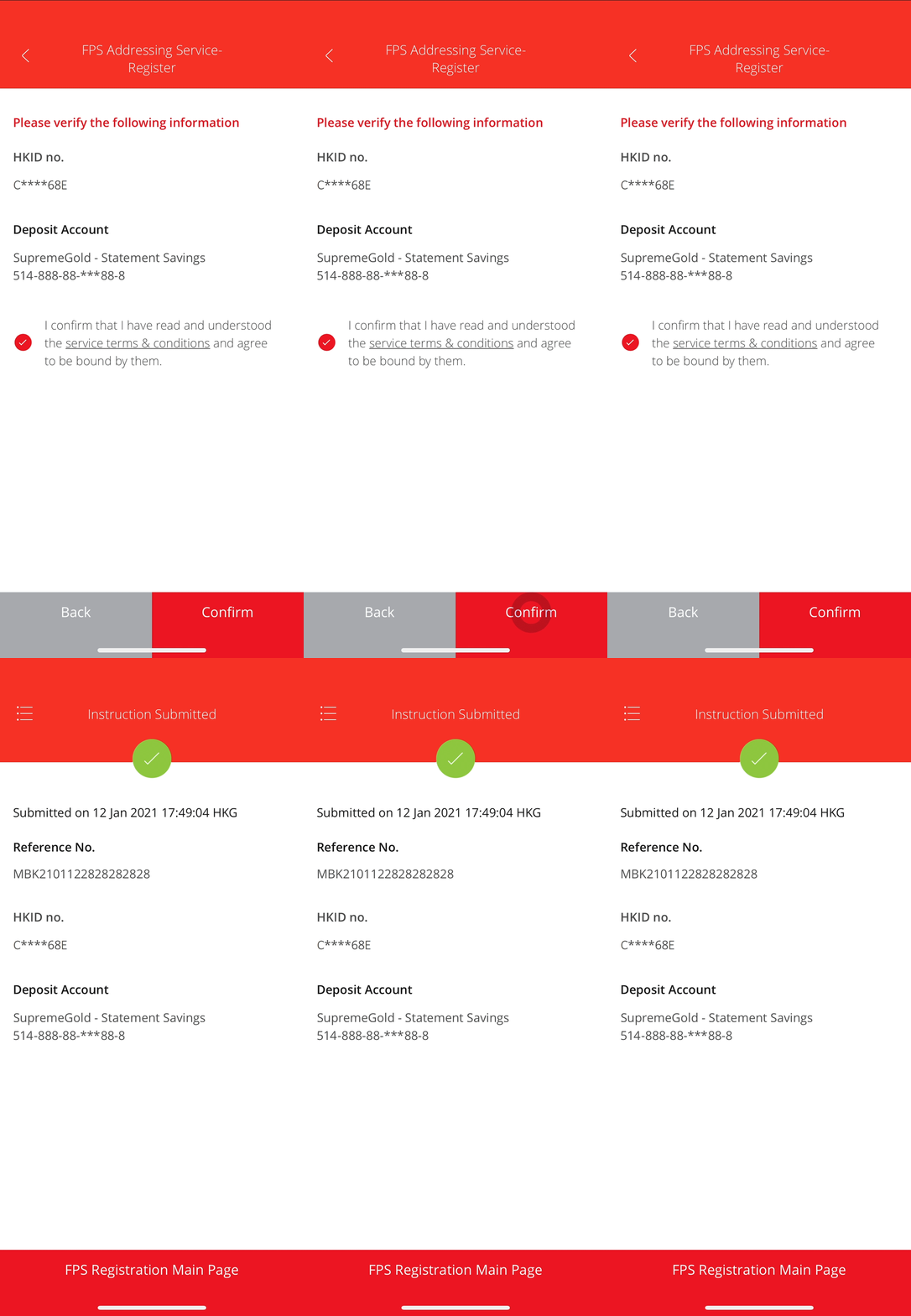
• Verify the details • Select “Confirm” to complete the FPS Addressing registration