I
简
BEA Corporate Online – View or Download e-Statement
Authorised and registered users can search, view, and download available e-Statements from the last 7 years
(PDF statement downloads are restricted to 20 pages at a time).


View or Download e-Statement
1
Getting Started
2
Menu Navigation
3
Specify e-Statement Criteria
4
View e-Statement
5
Download e-Statement


1
Getting Started
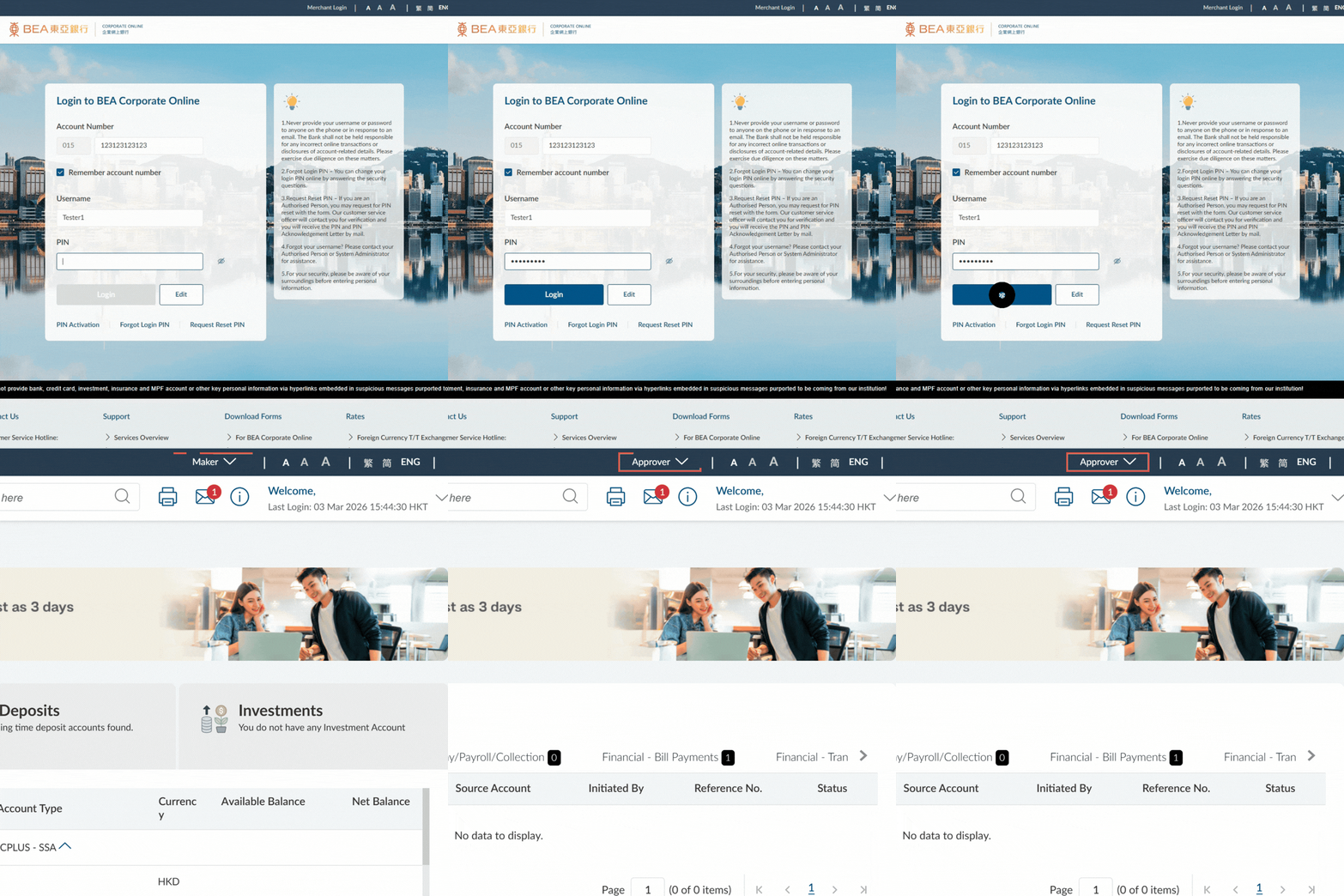
- Log in as a Maker/Approver
2
Menu Navigation
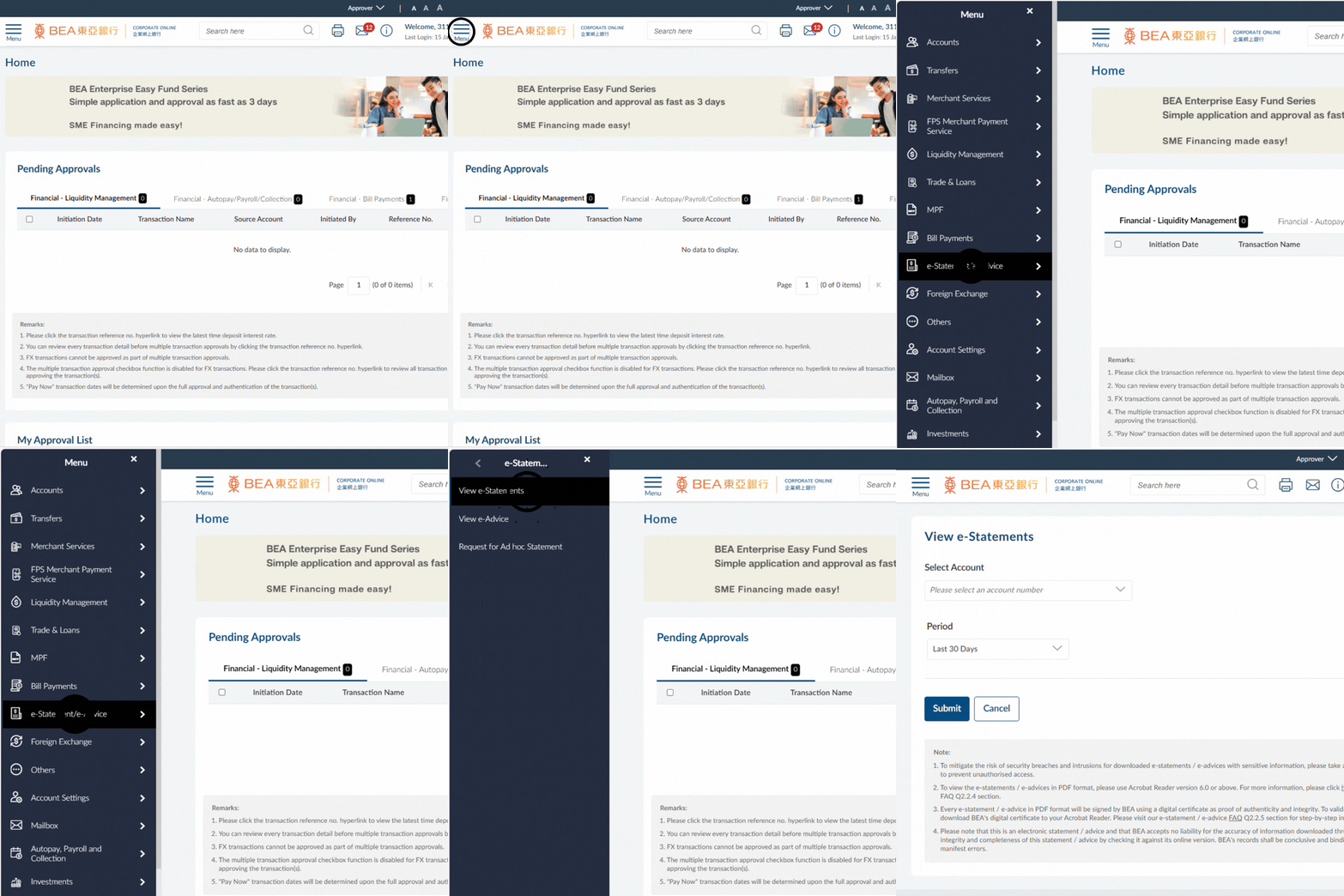
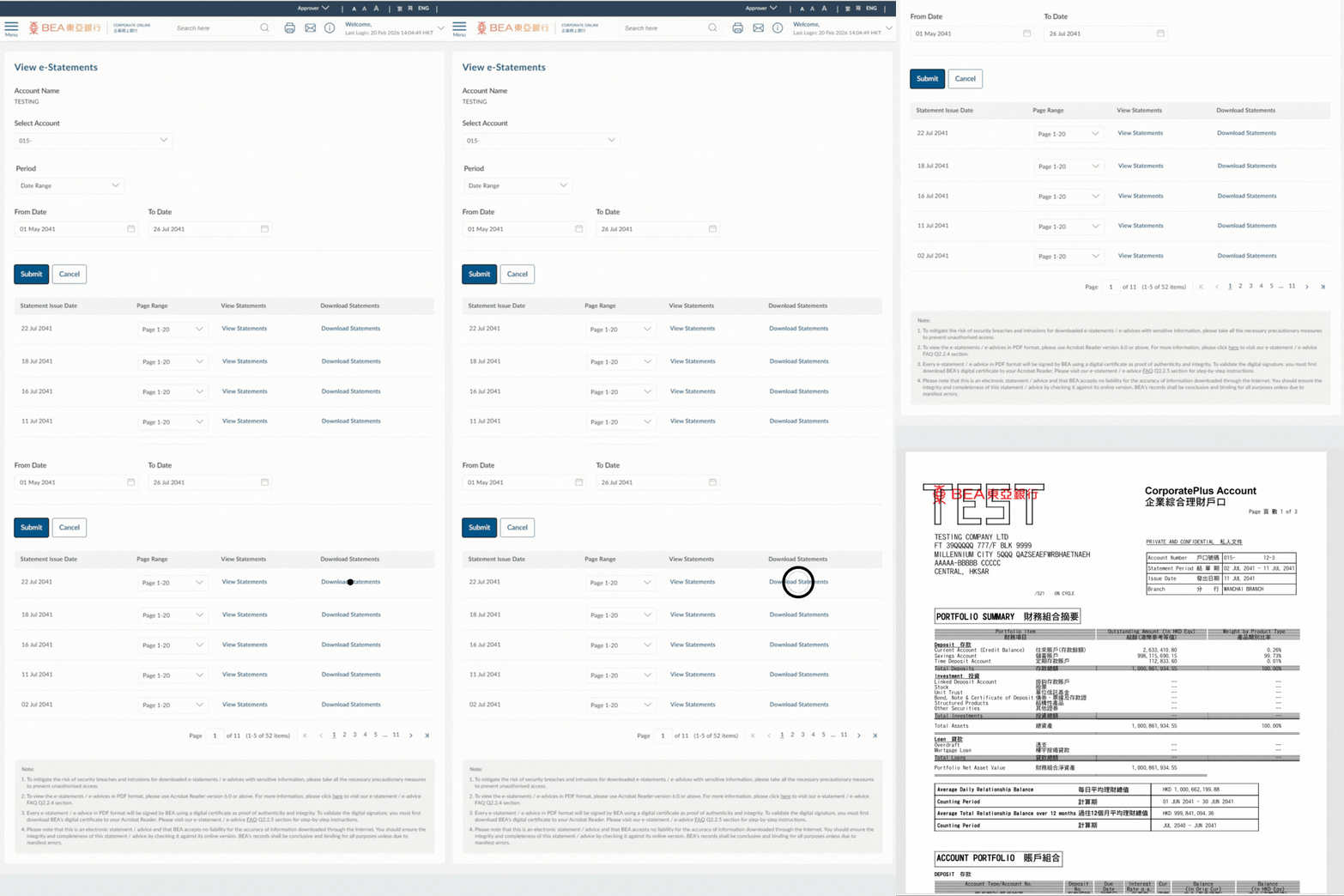
- Go to the Menu > Select “e-Statement/e-Advice” > “View e-Statements”
3
Specify e-Statement Criteria
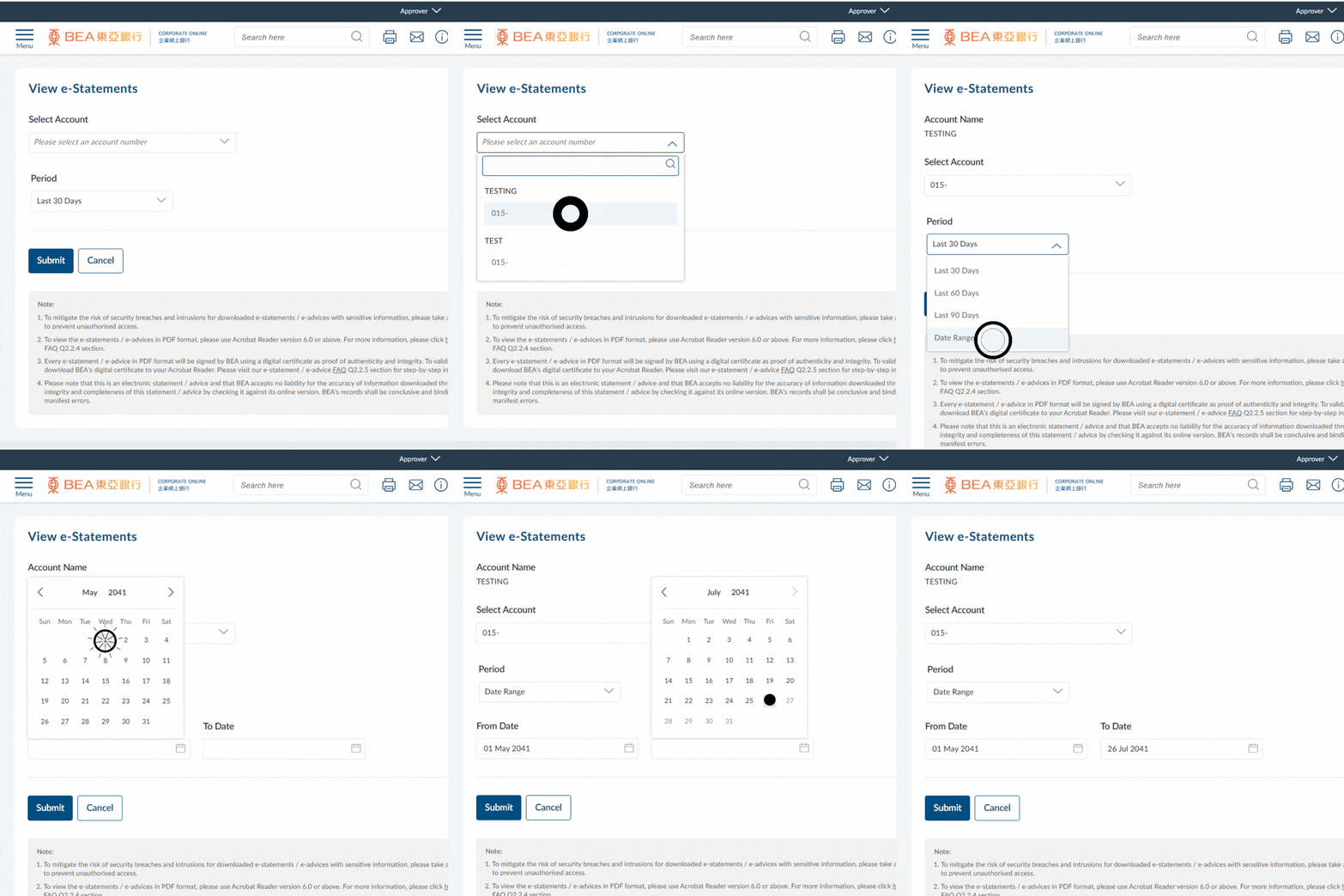
- Select the account from the dropdown list
- Select the relevant period or enter the applicable date range
- Click “Submit” to view the list of e-Statements available for the selected account and specified period or date range
Note:
The maximum date range permitted for queries is 90 days.
4
View e-Statement
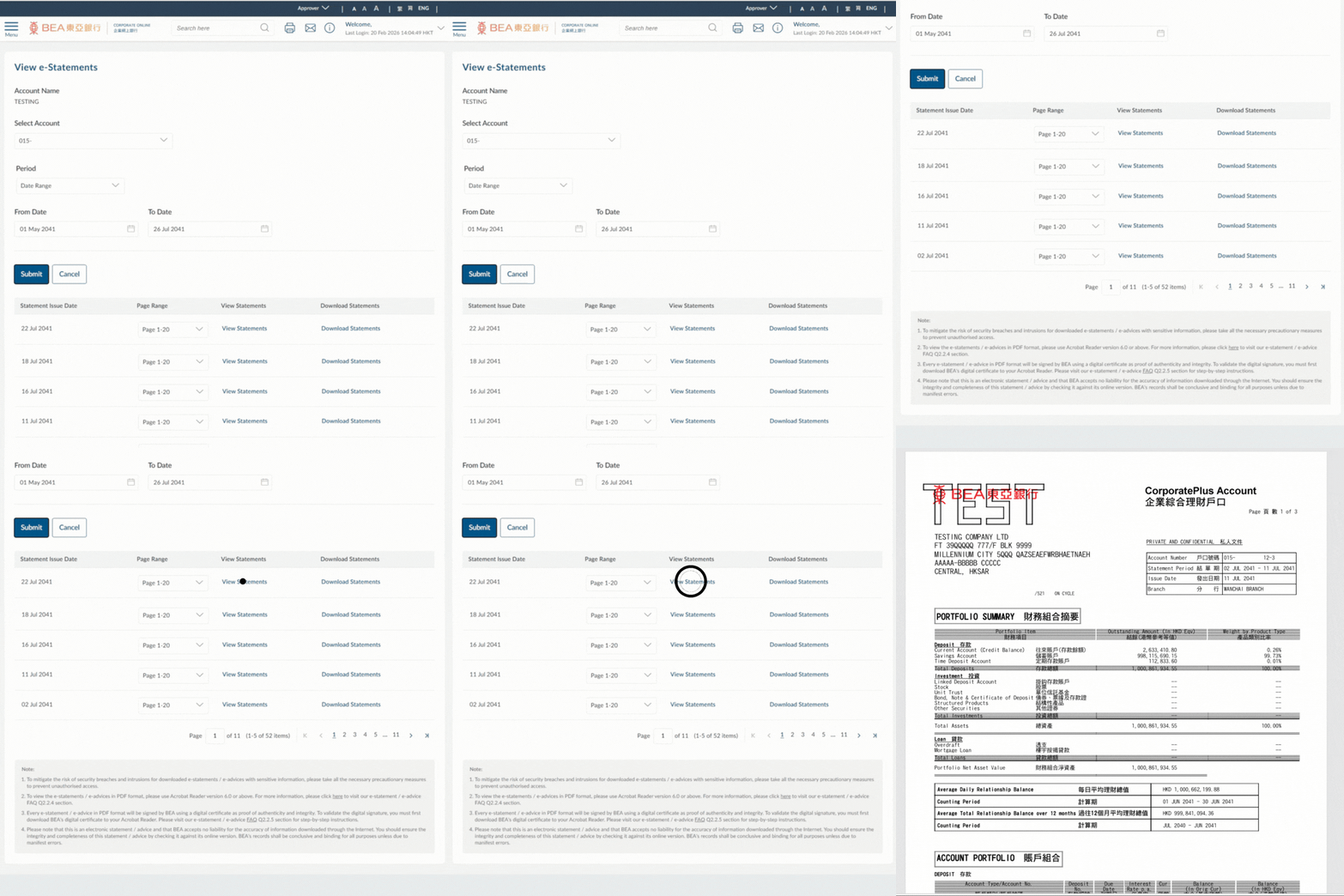
- Click “View Statements” to open the selected e-Statement in a separate window
5
Download e-Statement
- Click “Download Statements” to save the e-Statement to your local drive as a PDF
i
For more details, please visit e-Statements Guide.