I
简
BEA Corporate Online – Manage Beneficiaries
The Authorised Person(s) (“AP”) can add or delete designated beneficiaries for easier fund transfer setup and higher daily transaction limits.


Manage Beneficiaries – (BEA (HK)/BEA China/Local/Overseas)
1
Getting Started: Switching to the “Authorised Person” user role
2
Menu Navigation
3
Fill in Details
4
Review Details
5
Successful Submission



1
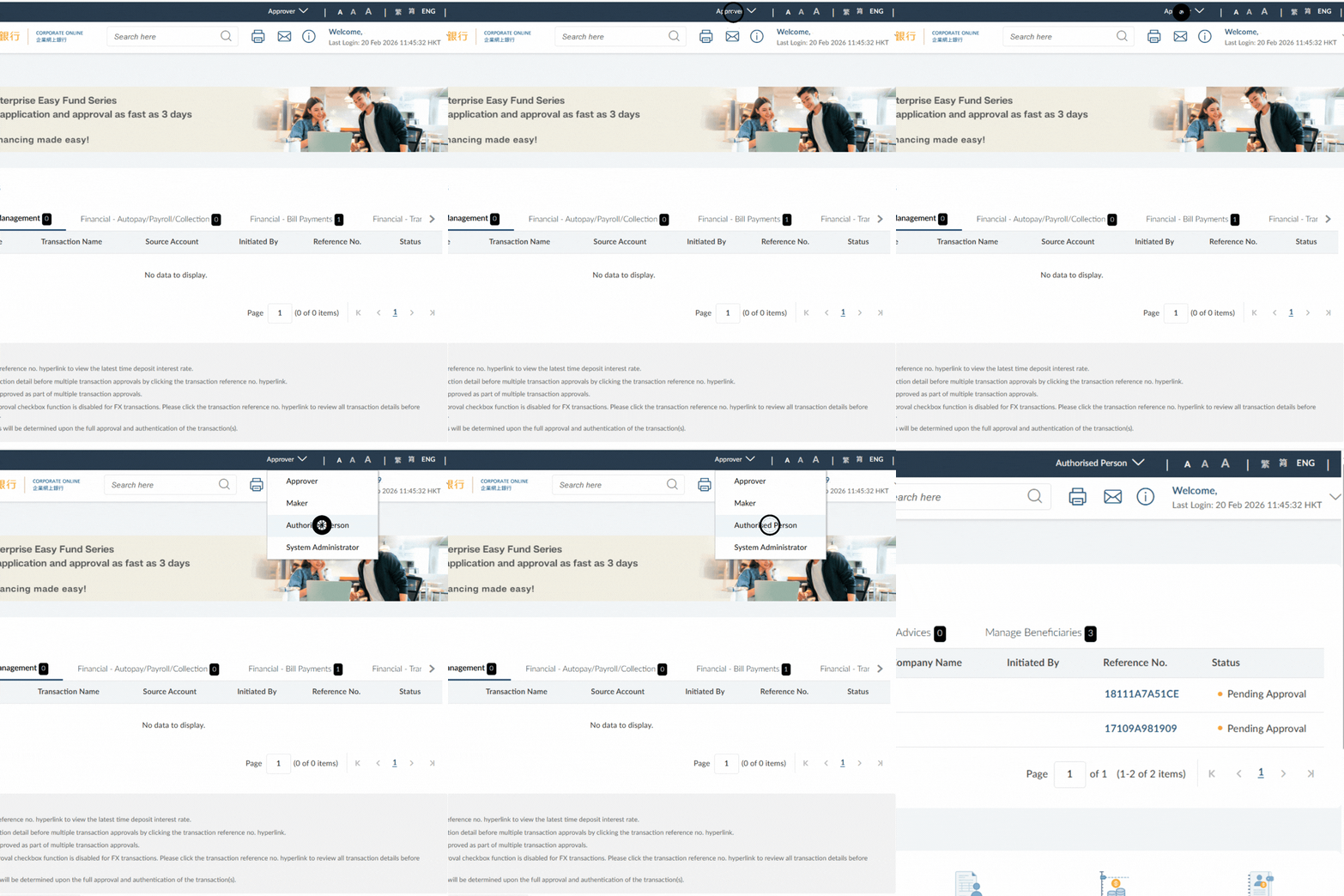
Getting Started: Switching to the “Authorised Person” user role
The Authorised Person(s) (“AP”) can add or delete designated beneficiaries for easier fund transfer setup and
higher daily transaction limits (up to HKD10 million).
- After successful login, click on the user role dropdown list at the upper right side of the page
- Select “Authorised Person” and continue
2
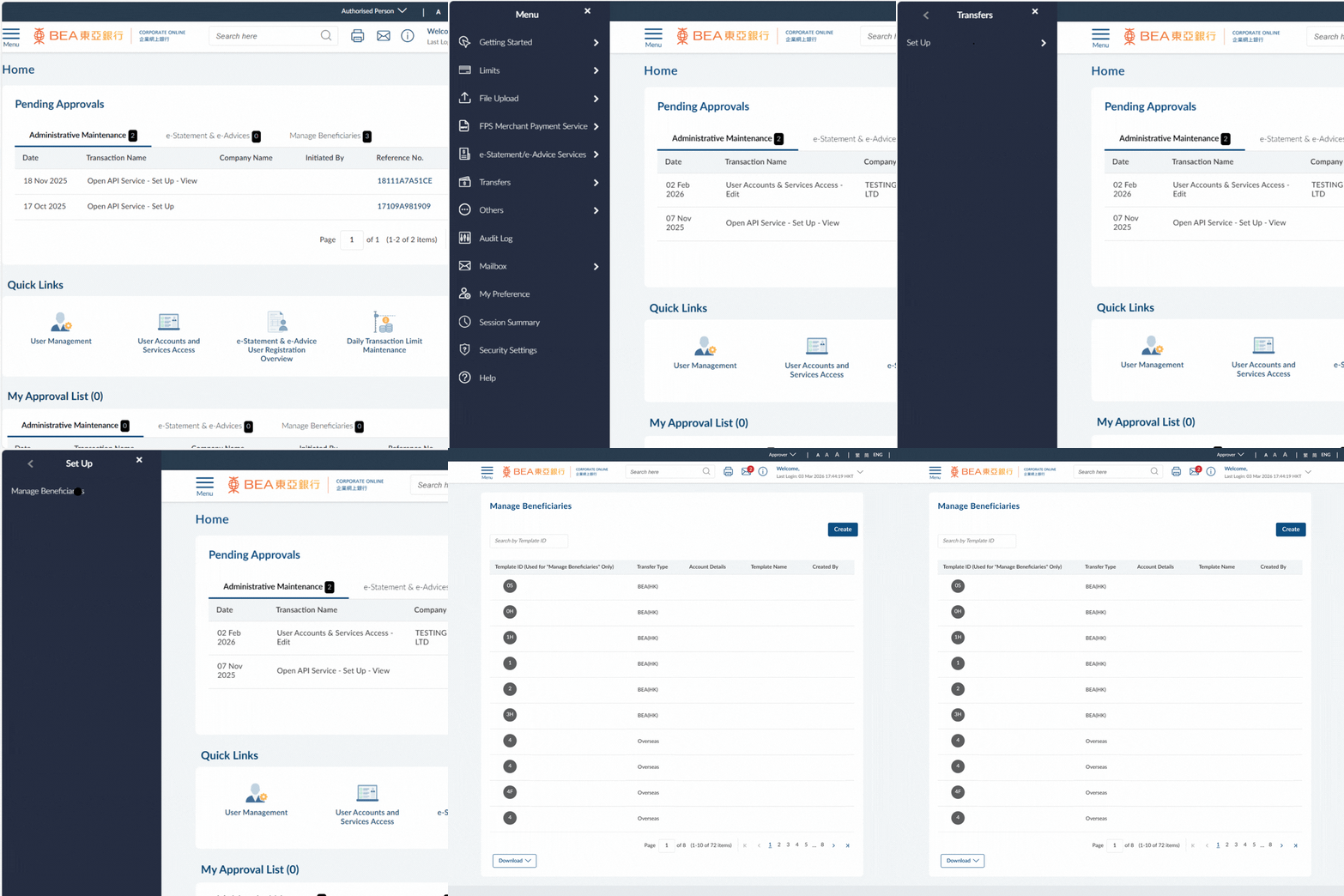
Menu Navigation
- Go to the Menu > Select “Transfers” > “Set Up” > “Manage Beneficiaries” > Click “Create”
3
Fill in Details
- Enter the Template ID* and/or upload the beneficiary’s photo
- Select the applicable Transfer Type
- Select/enter the beneficiary’s information as instructed
Example:- For “Overseas” Transfer Type:
- Enter the Beneficiary Account Number/IBAN, Account Name and Address
- Select the Country/Region
- Enter the verifiable SWIFT code
- For “Overseas” Transfer Type:
- Enter the Template Name*
- Click “Add” to continue
*Template ID and Template Name must be unique
4
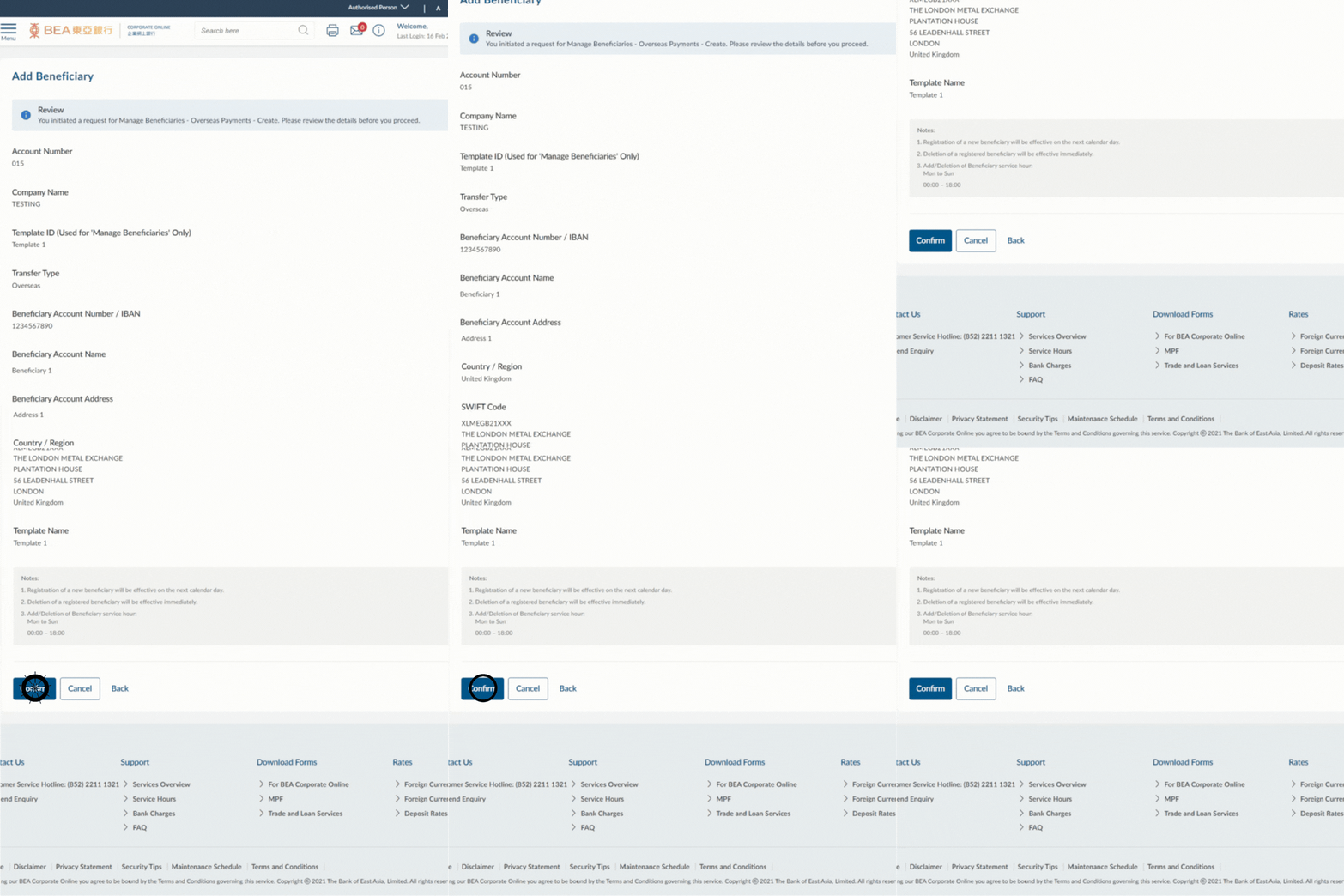
Review Details
- Verify the beneficiary details
- Click "Confirm" to continue
5
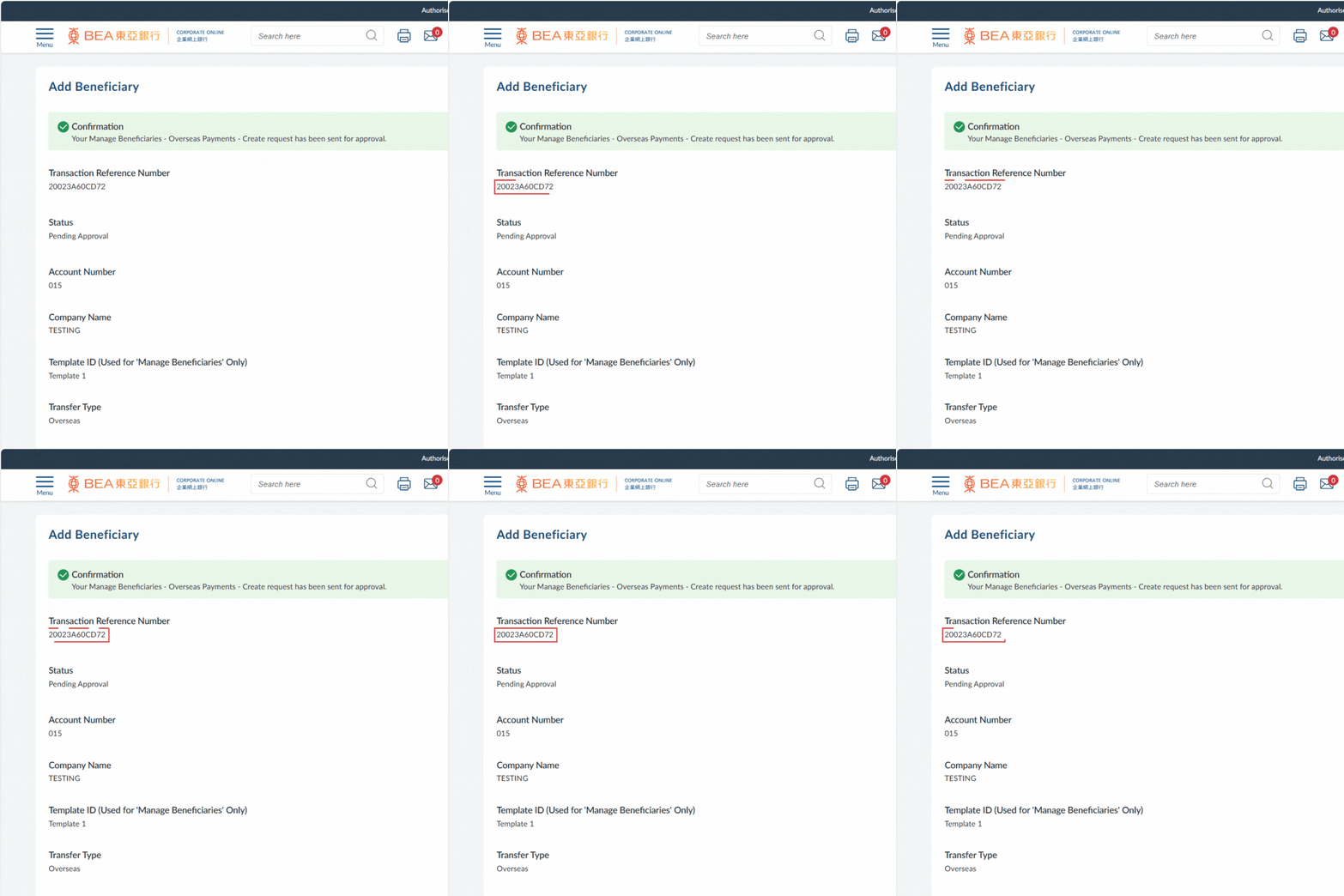
Successful Submission
- The Transaction Reference Number will be displayed upon successful submission of the request
Note:
You must follow the Approval / Rejection workflow correctly to complete this request. For more details, please refer to the Approval Workflow Guide.
i
For more details, please visit Manage Beneficiaries Guide.