Trade
-
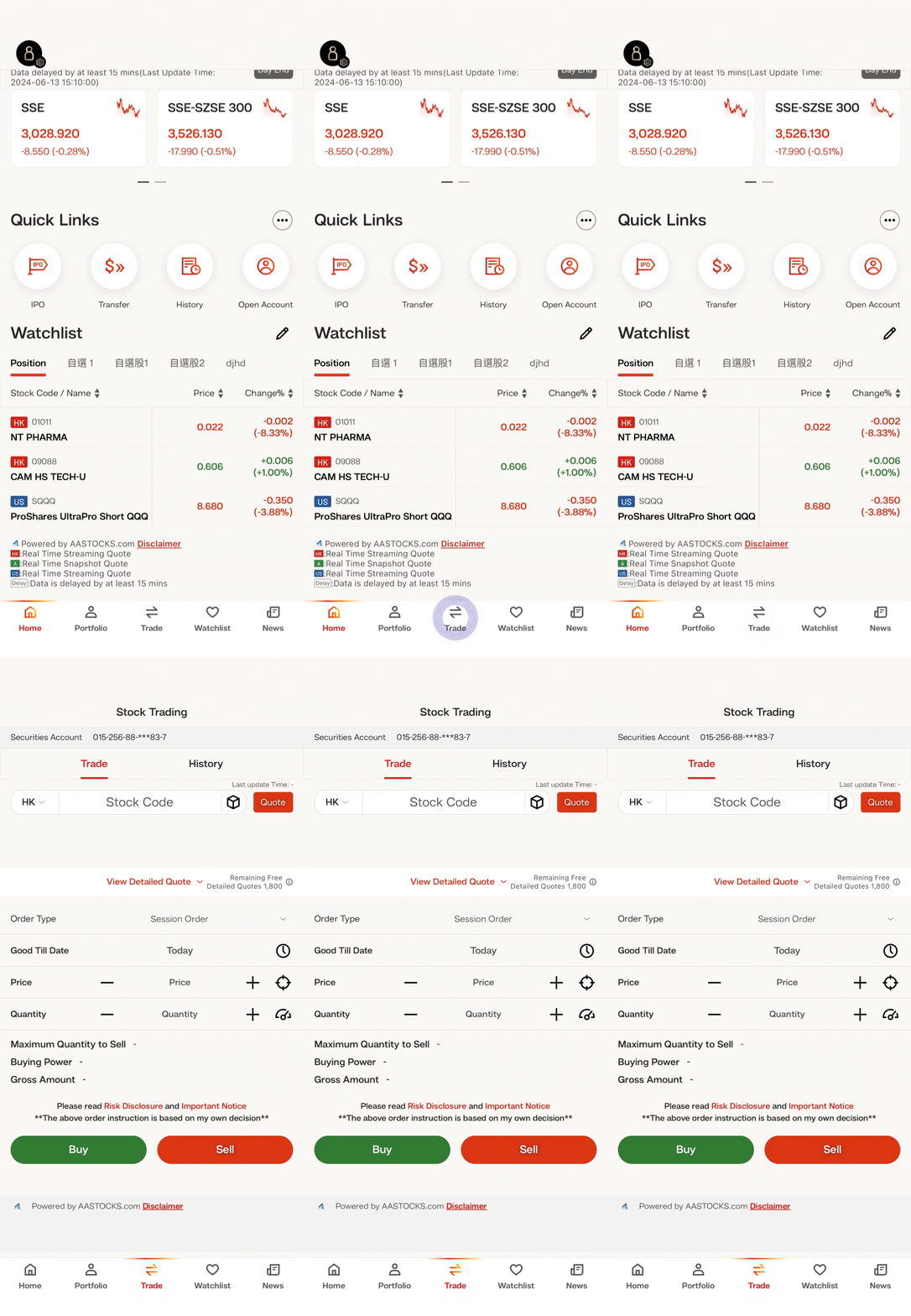
• Log in “BEA SmarTrade” • Select “Trade” -
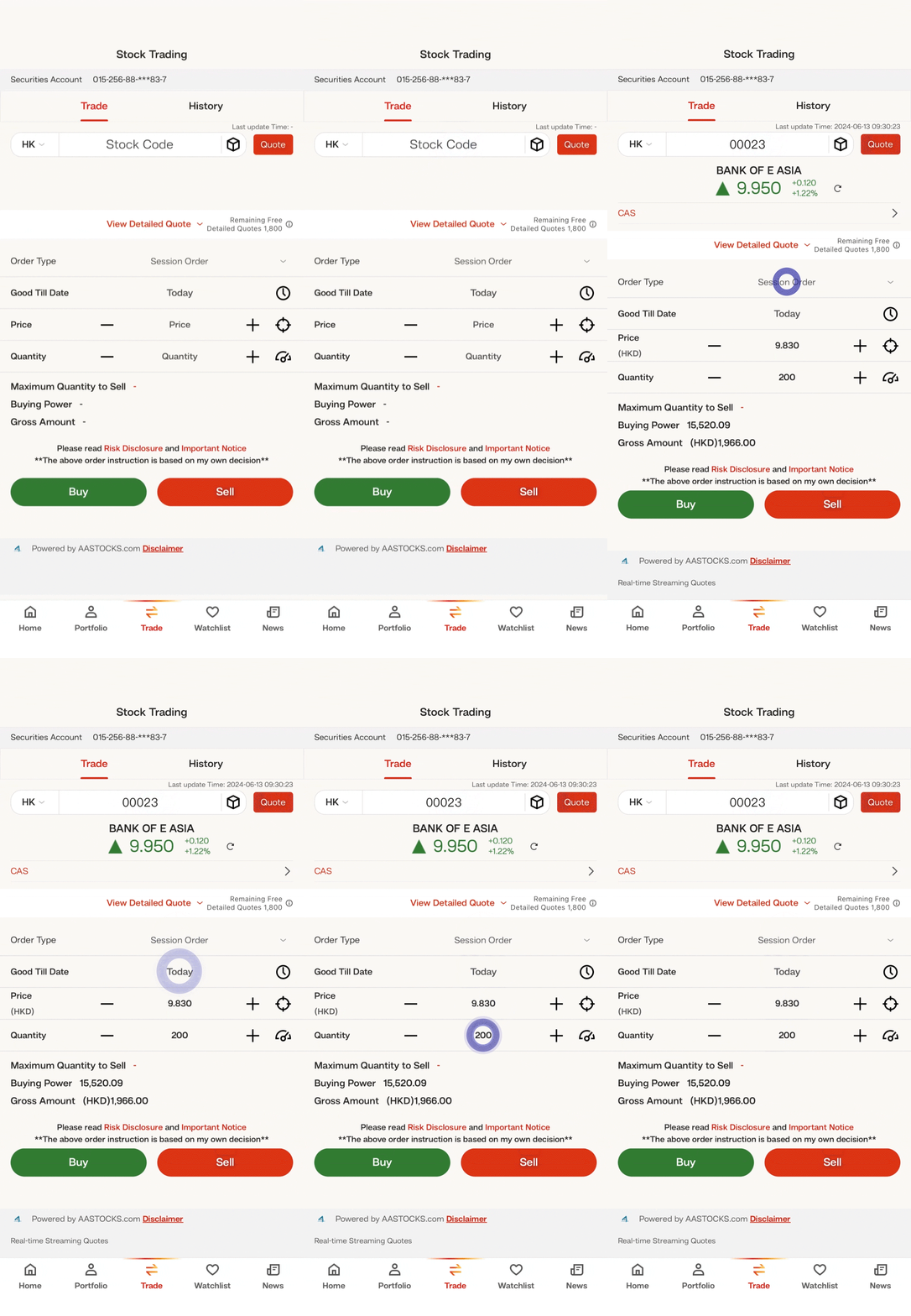
• Enter “Stock Code” and then select “Quote” • Enter other order information (Order Type, Good Till Date, Price, Quantity) • Select “Buy” or “Sell” -
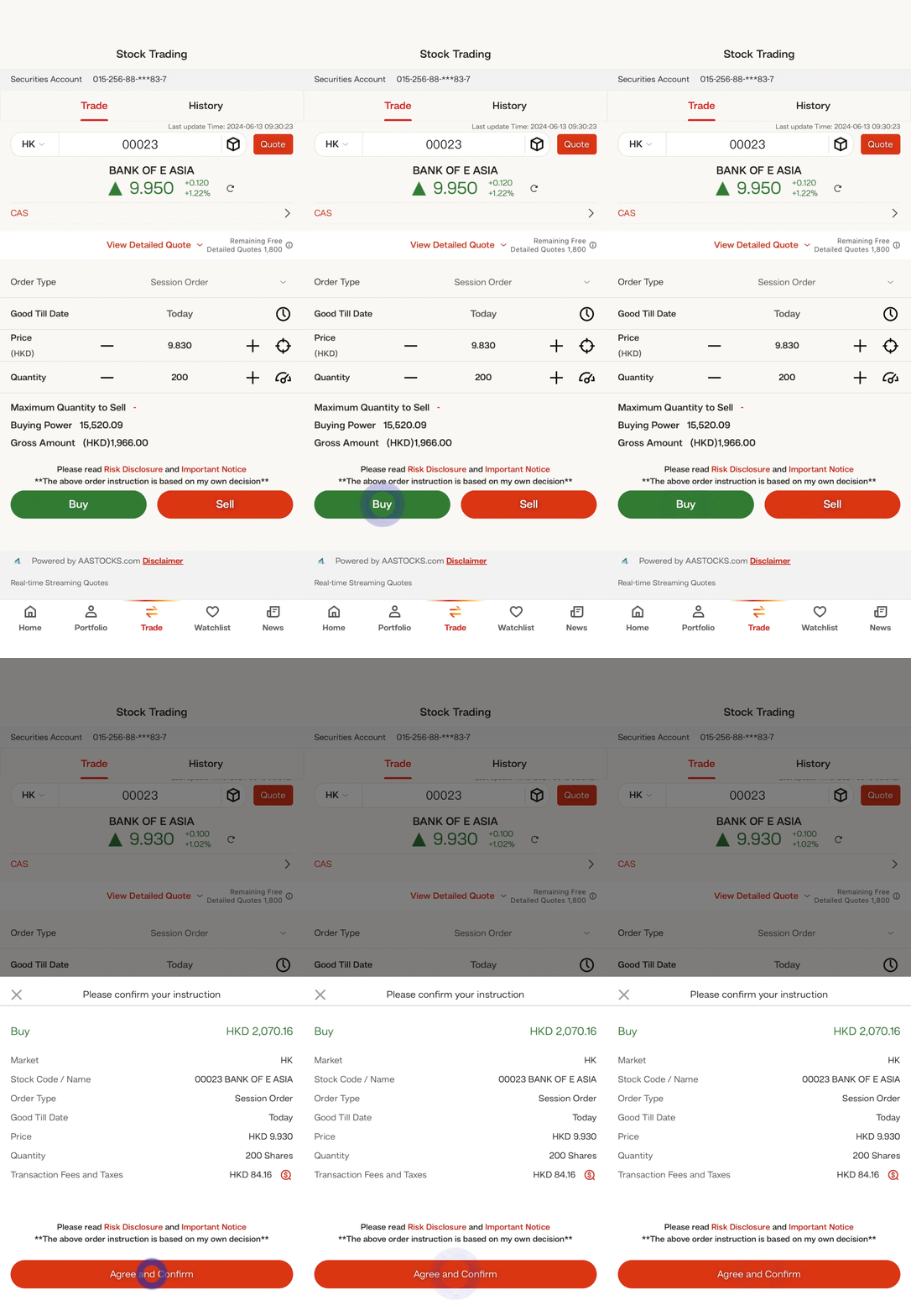
• Check whether the order information is correct on the confirmation page, and then select “Agree and Confirm” to submit the instruction