BEA Online - Currency exchange
Exchanging currencies has never been an easier process through BEA Online anytime anywhere.
-
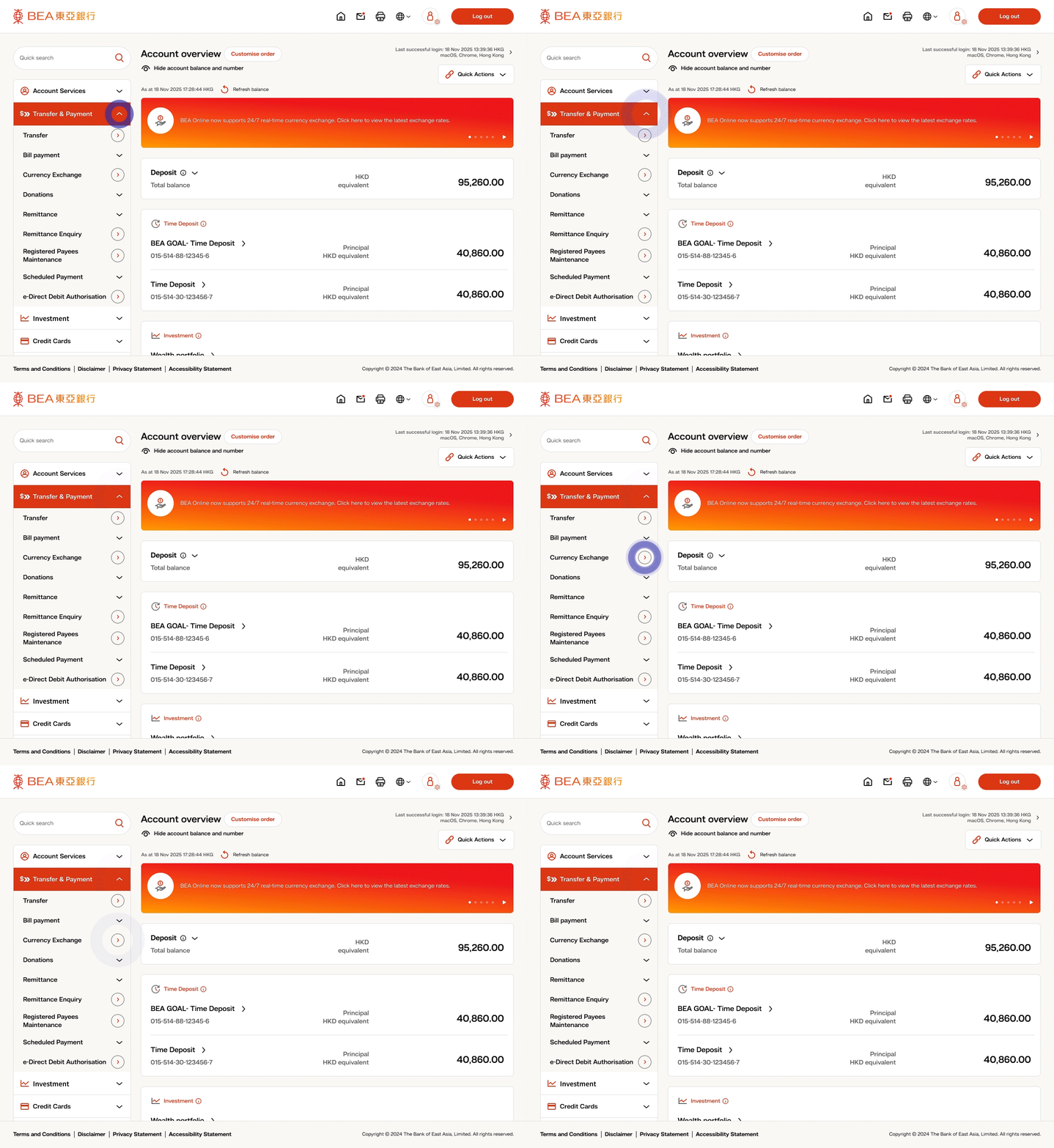
• Login to BEA Online, open the menu and select “Transfer & Payment” • Click “Currency exchange” -
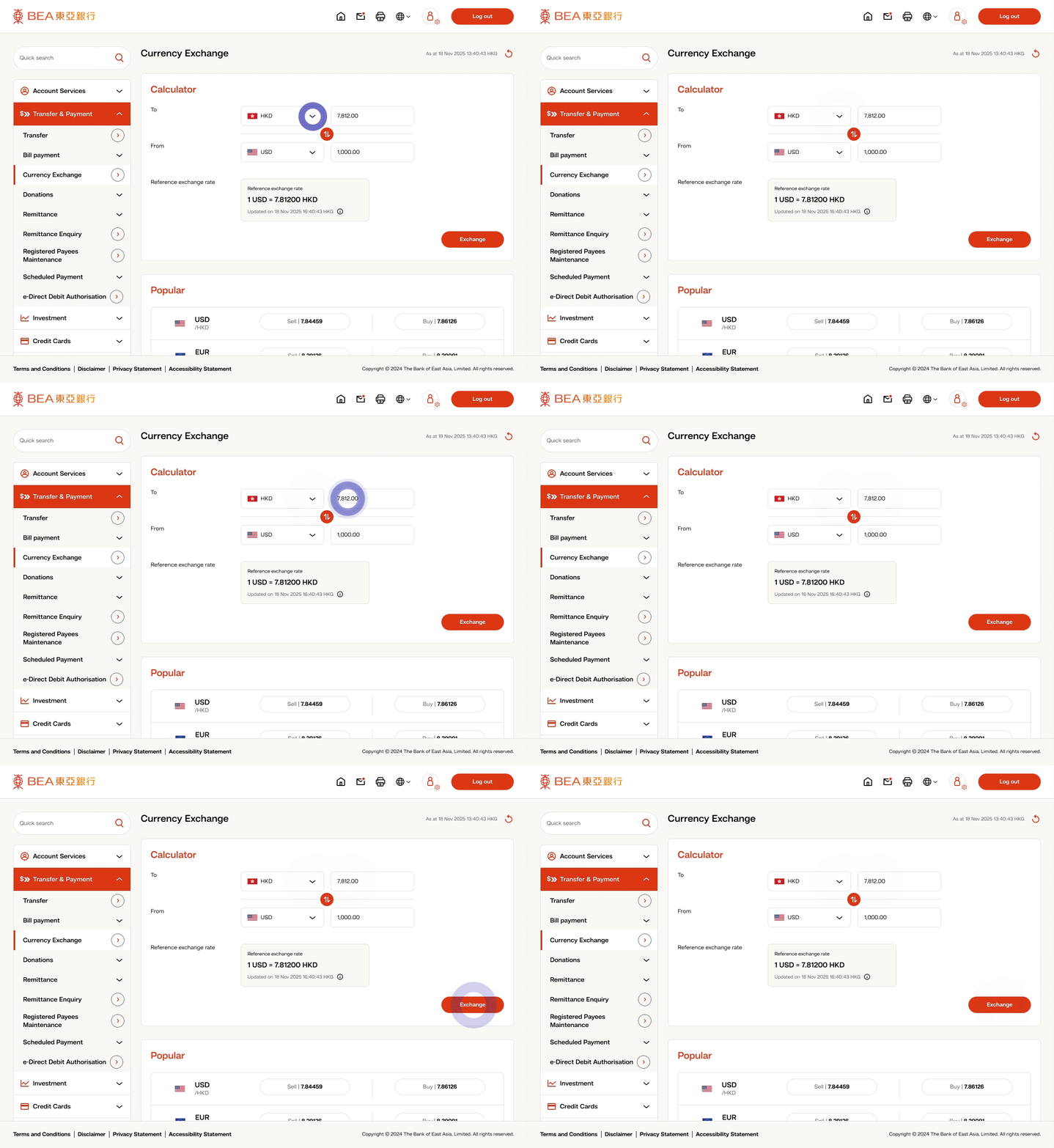
• Select the buying and selling currencies, and enter the exchange amount in the input box • Click “Exchange” button to proceed • OR click “Buy/ Sell” button of each exchange rate to proceed -
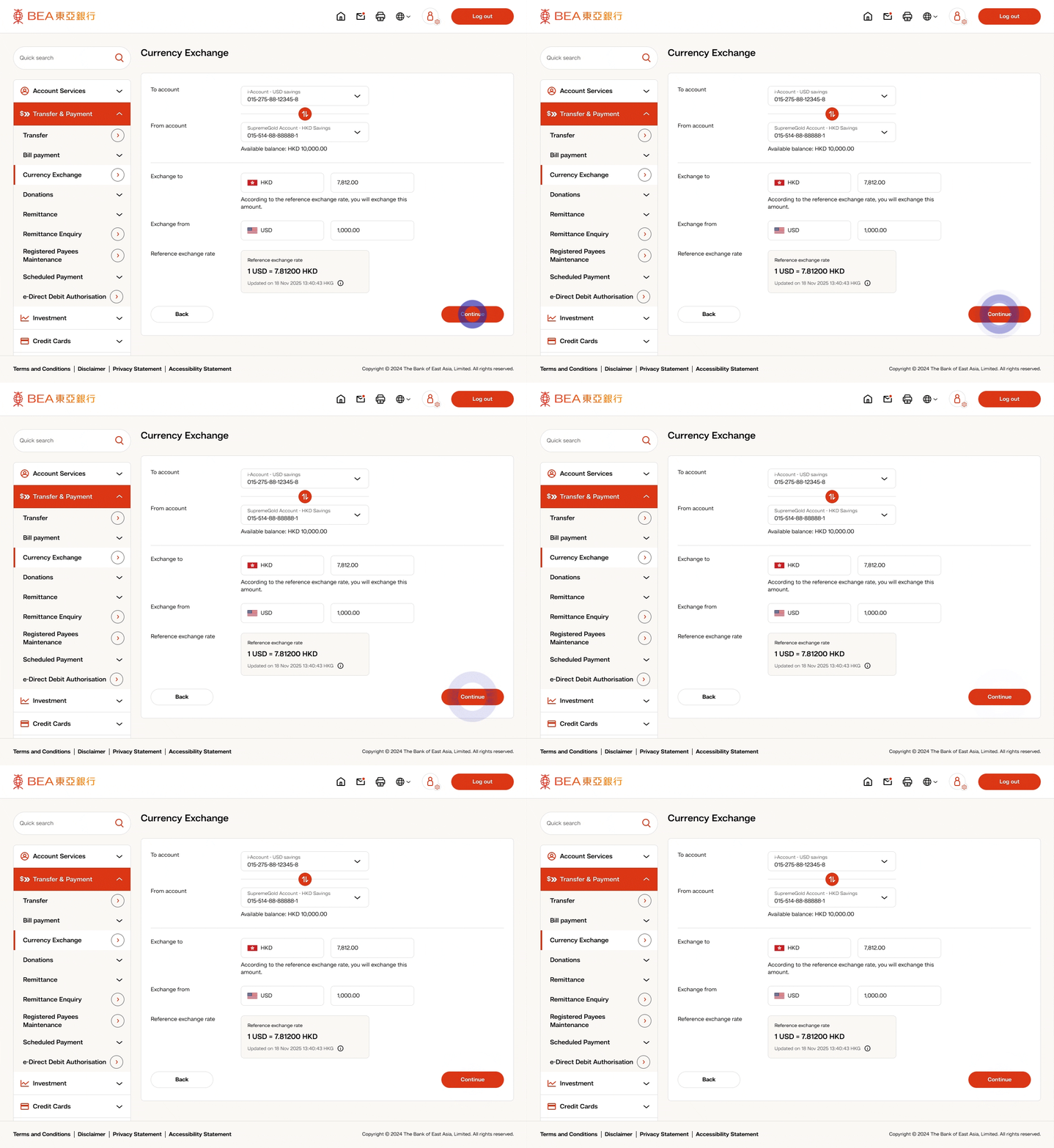
• After confirming the withdrawal account, deposit account, and reference exchange rate, click “Continue” to proceed -
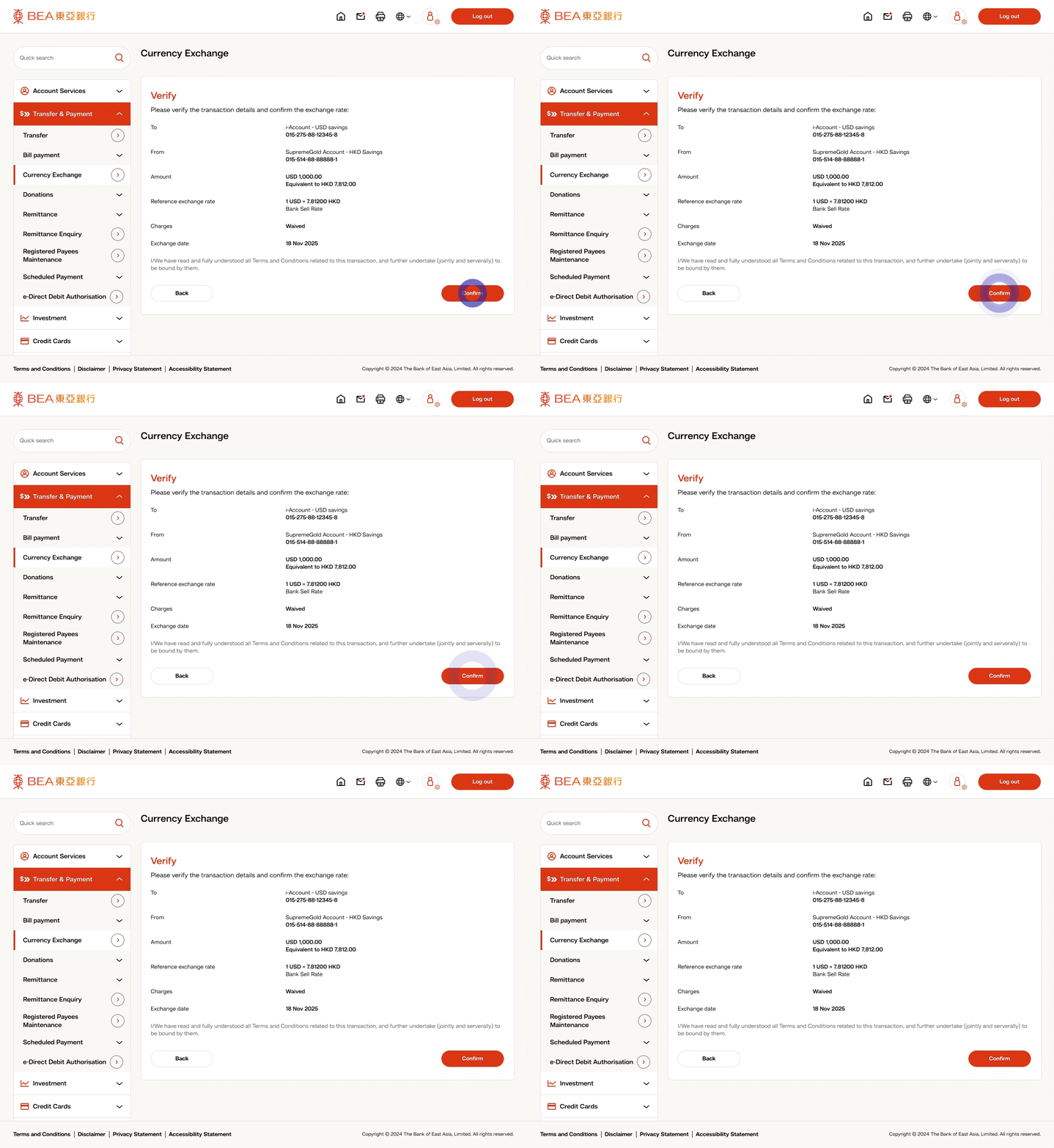
• Review your currency exchange details and click “Confirm” -
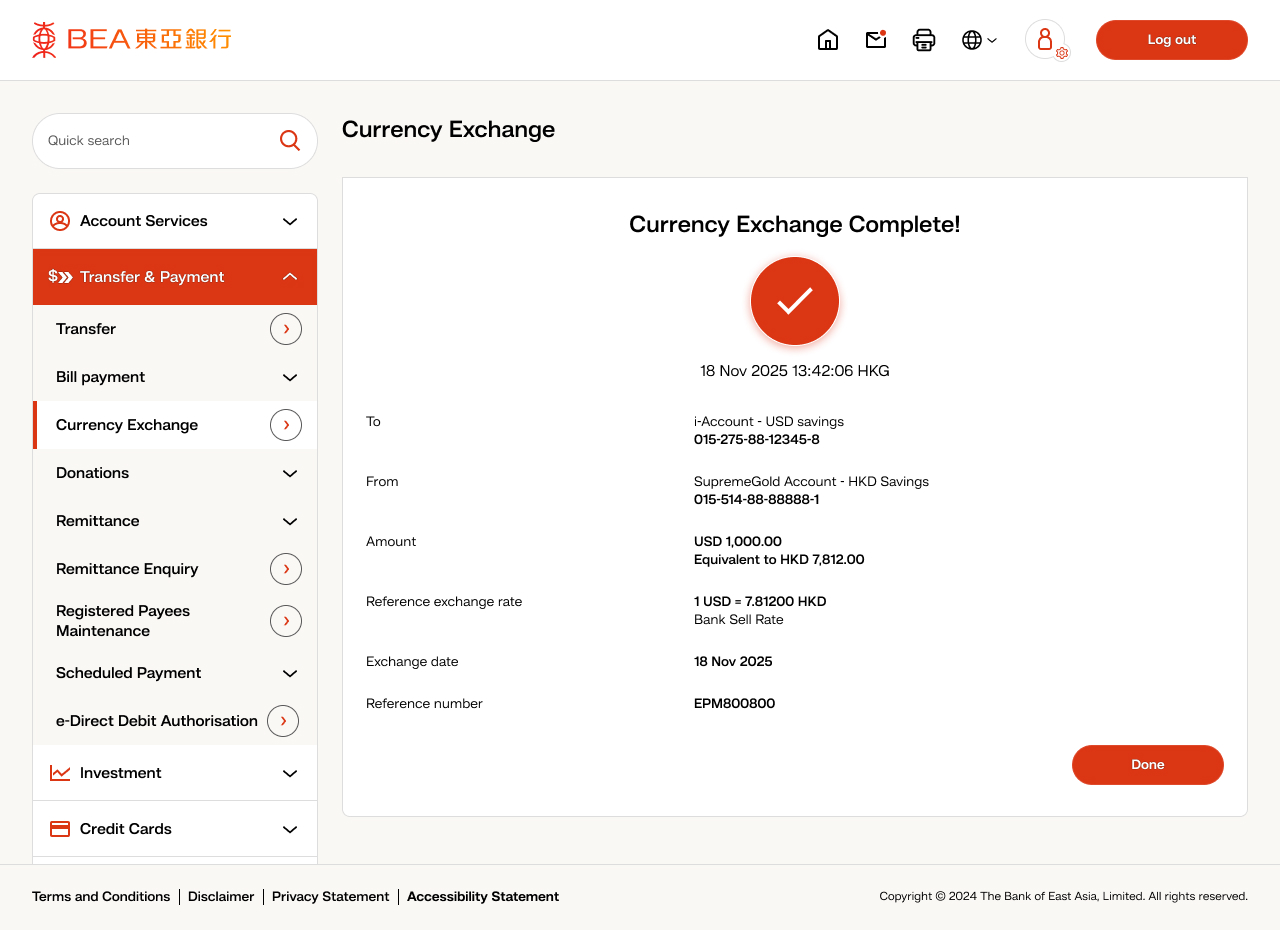
• Your instruction was completed!