Mobile Banking and Cyberbanking Account Activation
You can activate your Mobile Banking/ Cyberbanking account for the first time through the BEA App or Cyberbanking and be able to manage your finances at your fingertips.


Activate Mobile Banking (First time login)
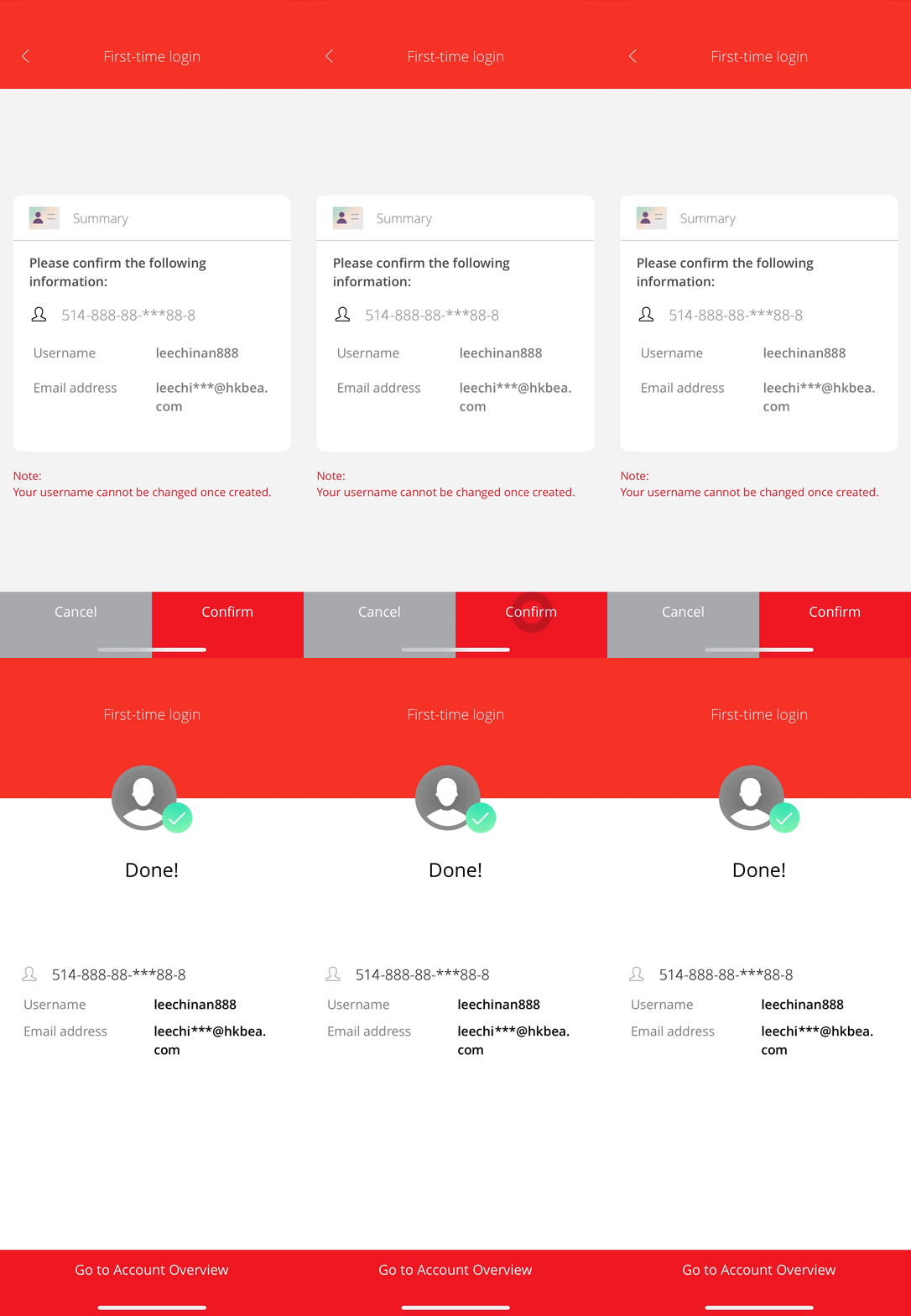
-
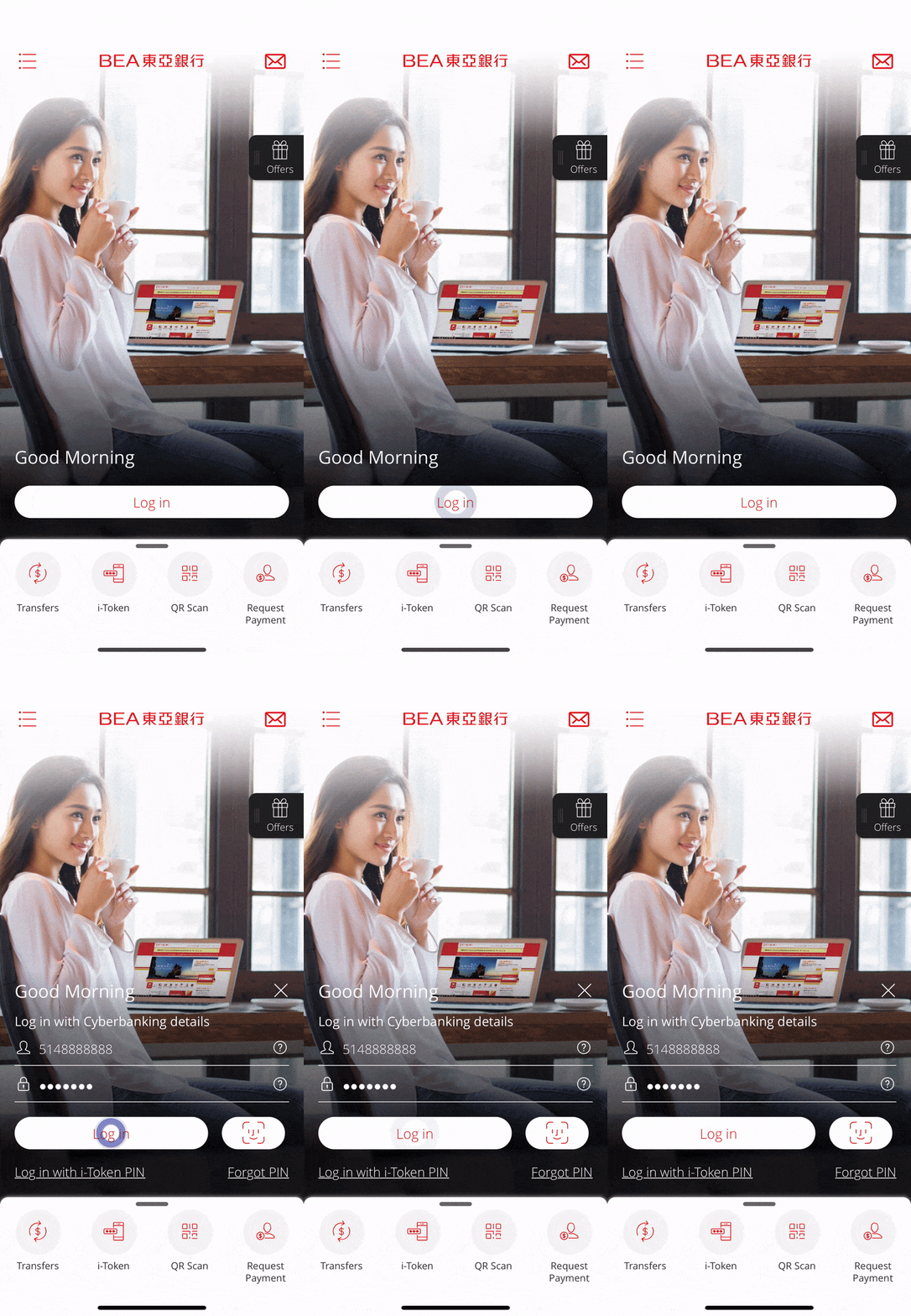
• Select “Log in” • Enter your credentials and select "Log in" -
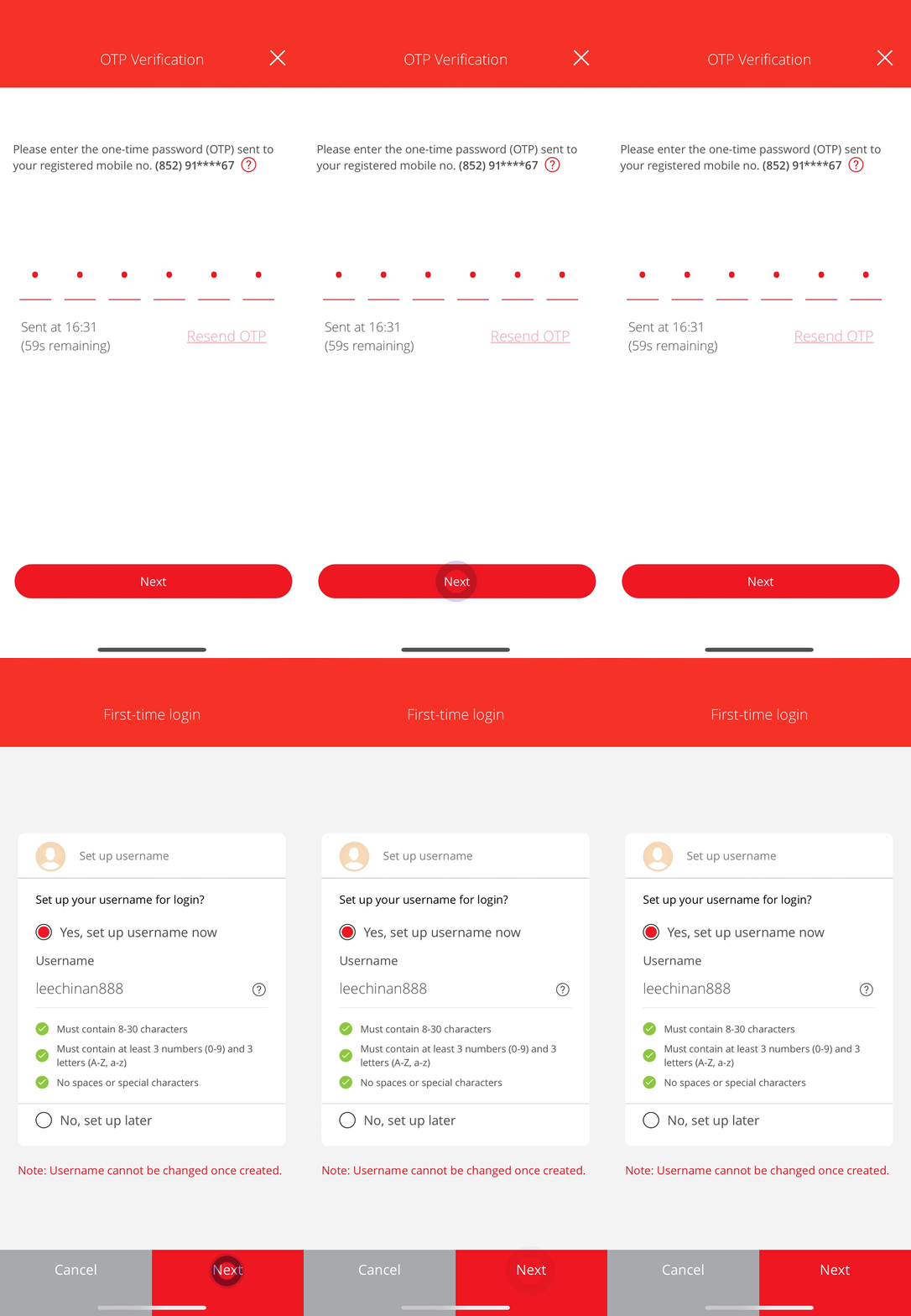
• Enter the One-Time Password (OTP) sent to you • Set up your username for login • Select “Next” -
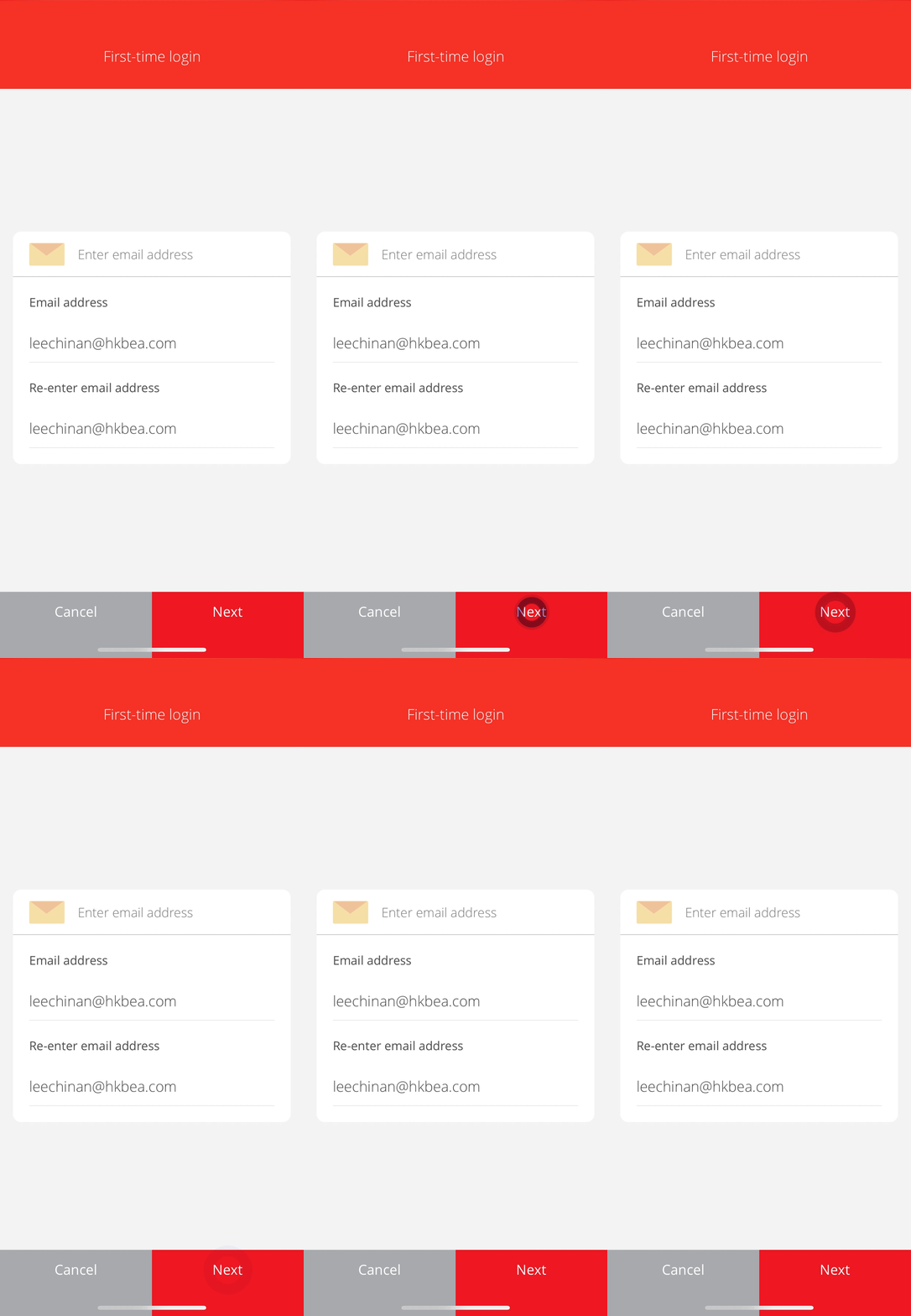
• Enter/verify your email address • Select “Next” -
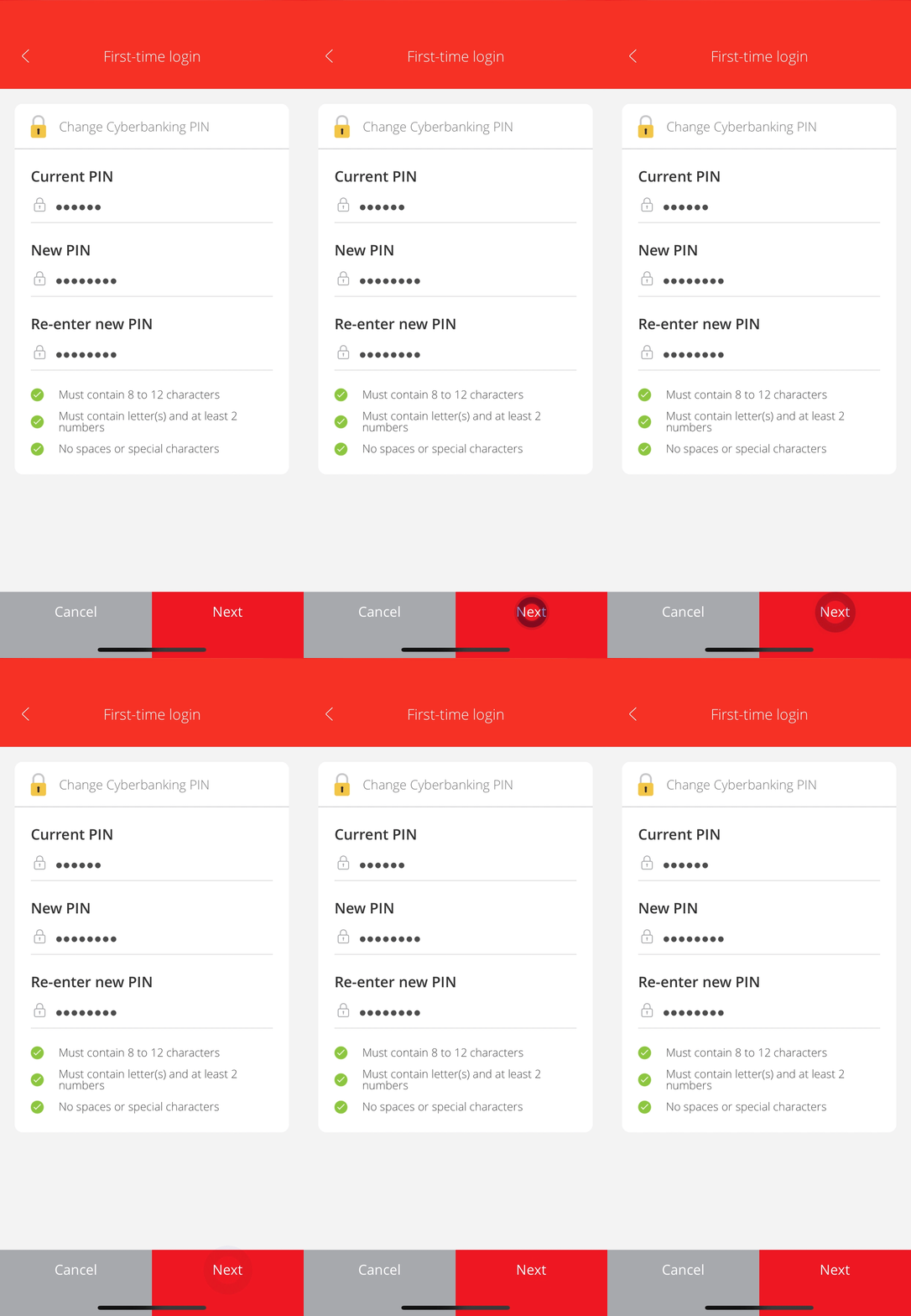
• Set a new PIN • Select “Next” -
• Verify the details • Select “Confirm” to complete the Mobile Banking account activation
Activate Cyberbanking (First time login)

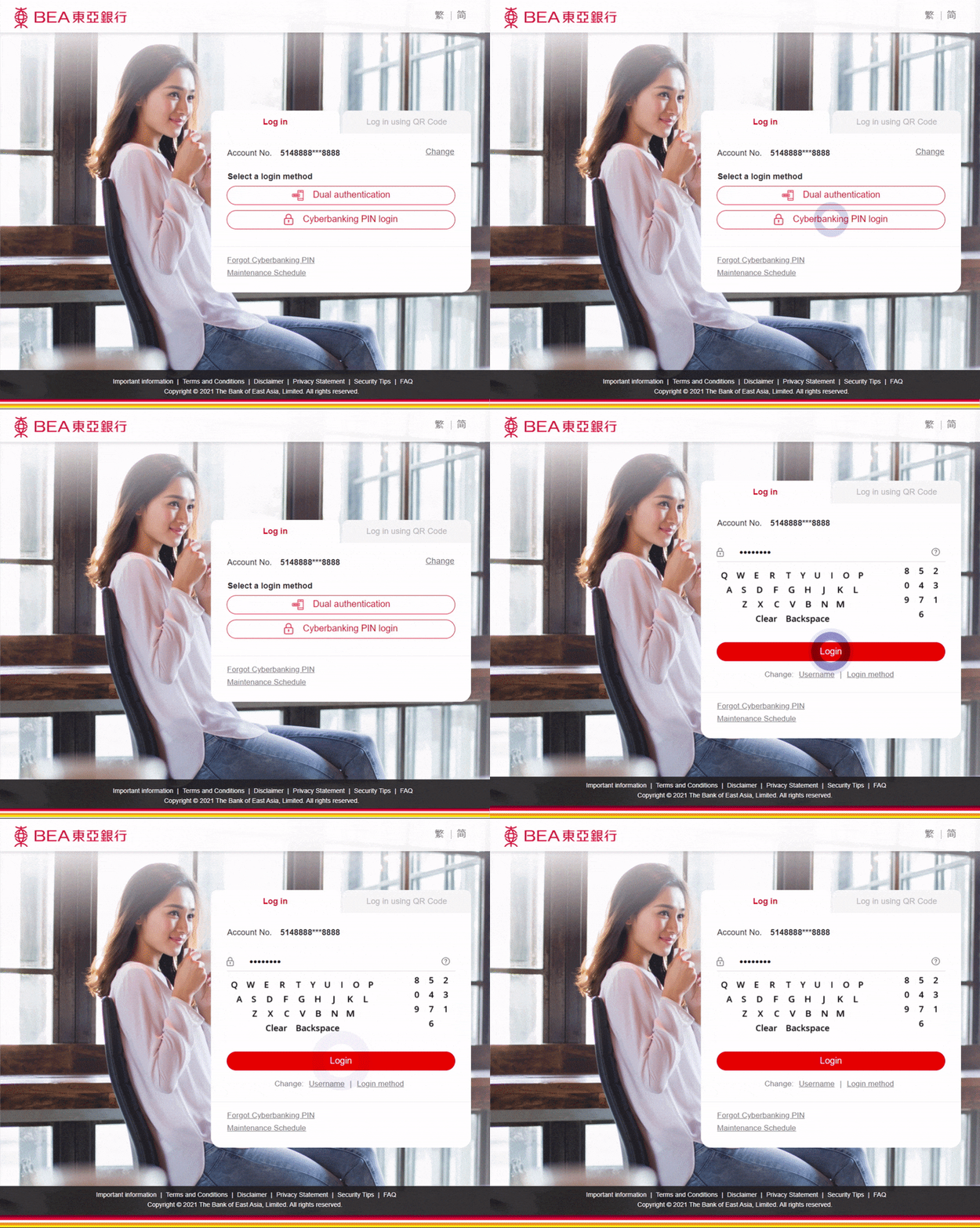
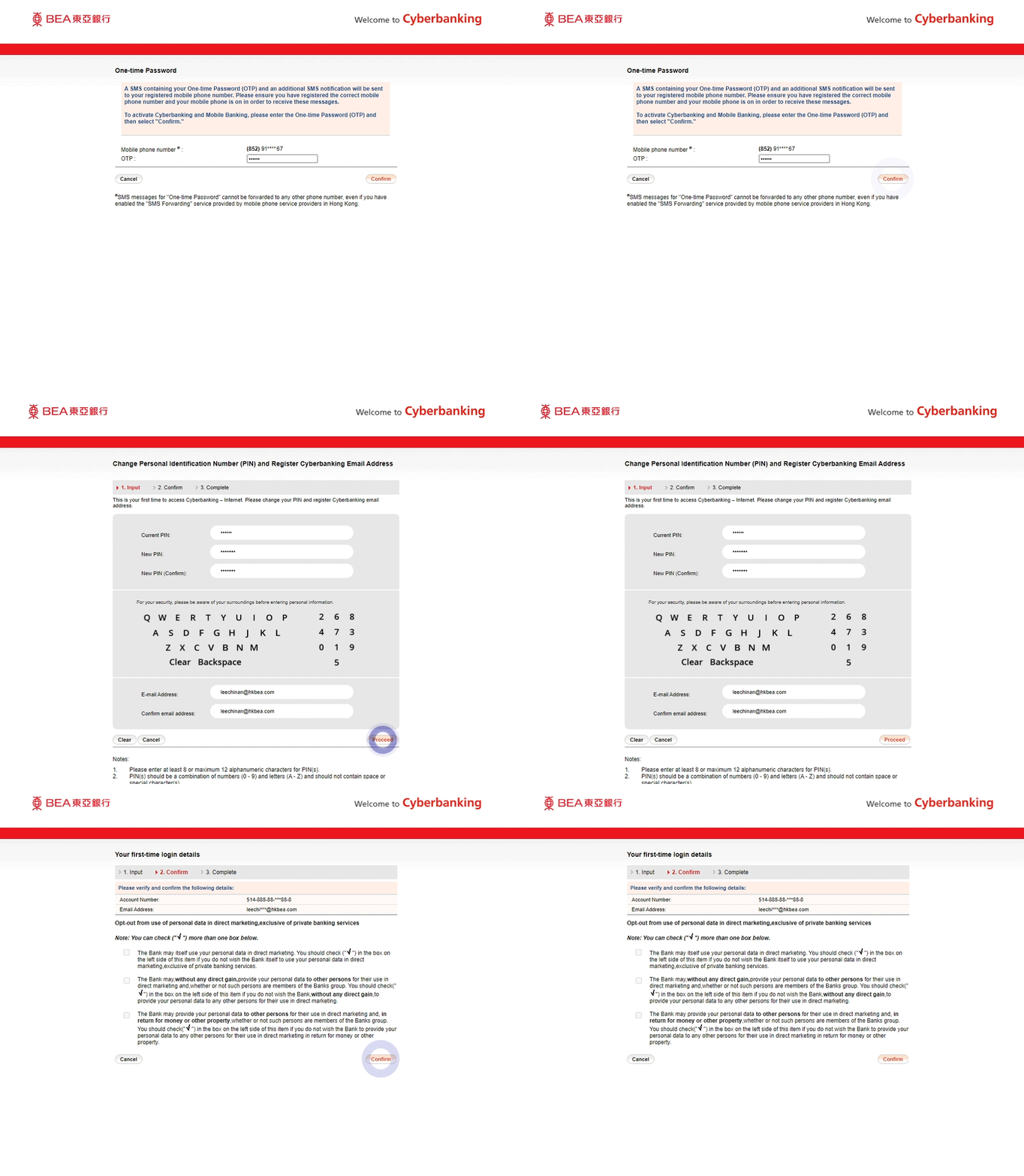
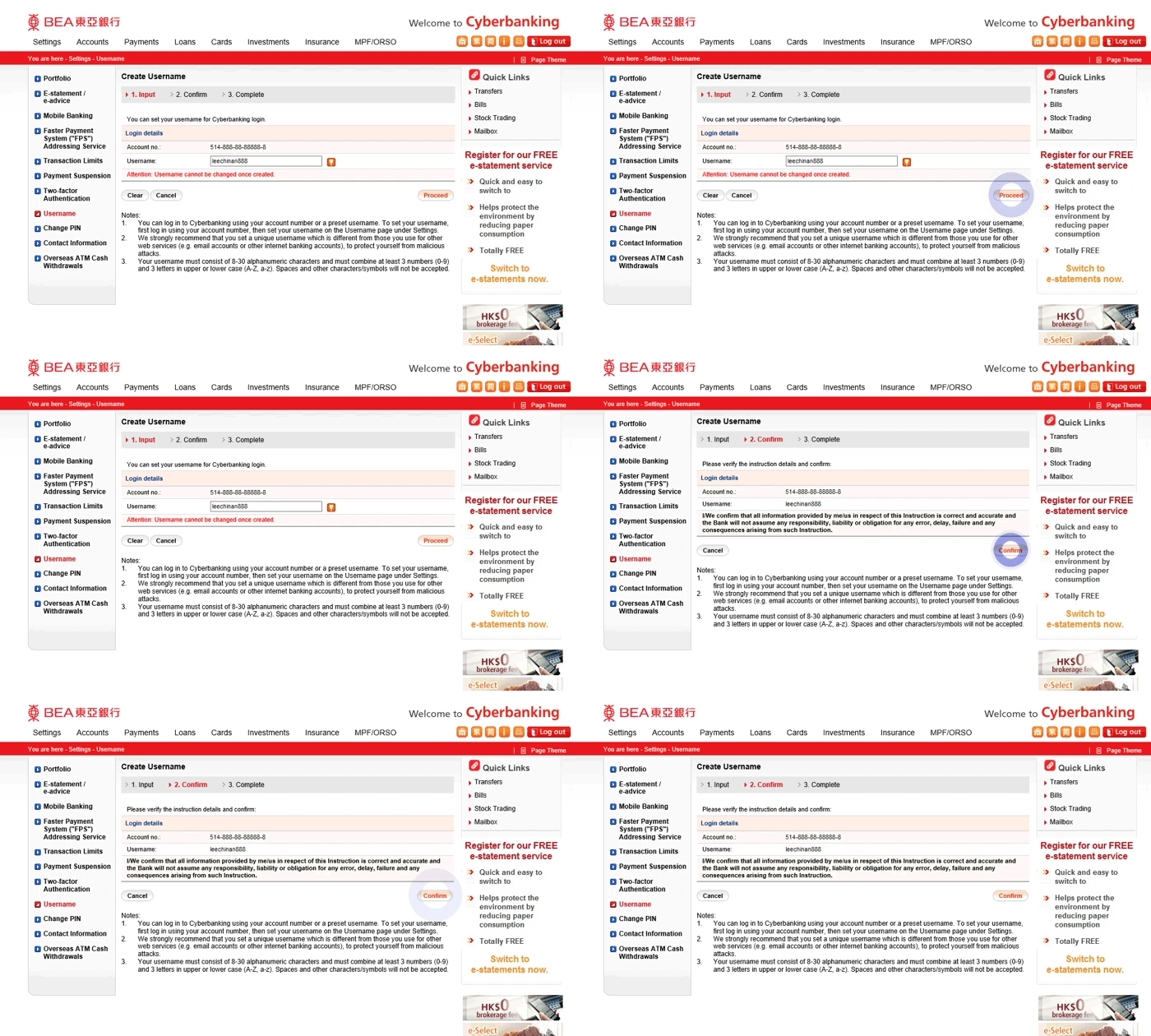
-
• Select “Hong Kong – Cyberbanking” on HKBEA website • Select “Log in” • Enter your Account No./Username and select "Next" -
• Select “Cyberbanking PIN login” • Enter your Cyberbanking PIN using the onscreen keypad and select “Log in” -
• Enter the One-Time Password (OTP) sent to you • Set a new PIN and enter your details • Select “Proceed” to complete the Cyberbanking account activation -
• Select Settings > Username • Create a username > Select “Proceed” • Verify the details > Select “Confirm” to complete the username setup