I
简
BEA Corporate Online – Cheque Book Request
Users can request to dispatch up to 99 cheque books.


Cheque Book Request
1
Getting Started
2
Menu Navigation
3
Fill in Details
4
Review Details
5
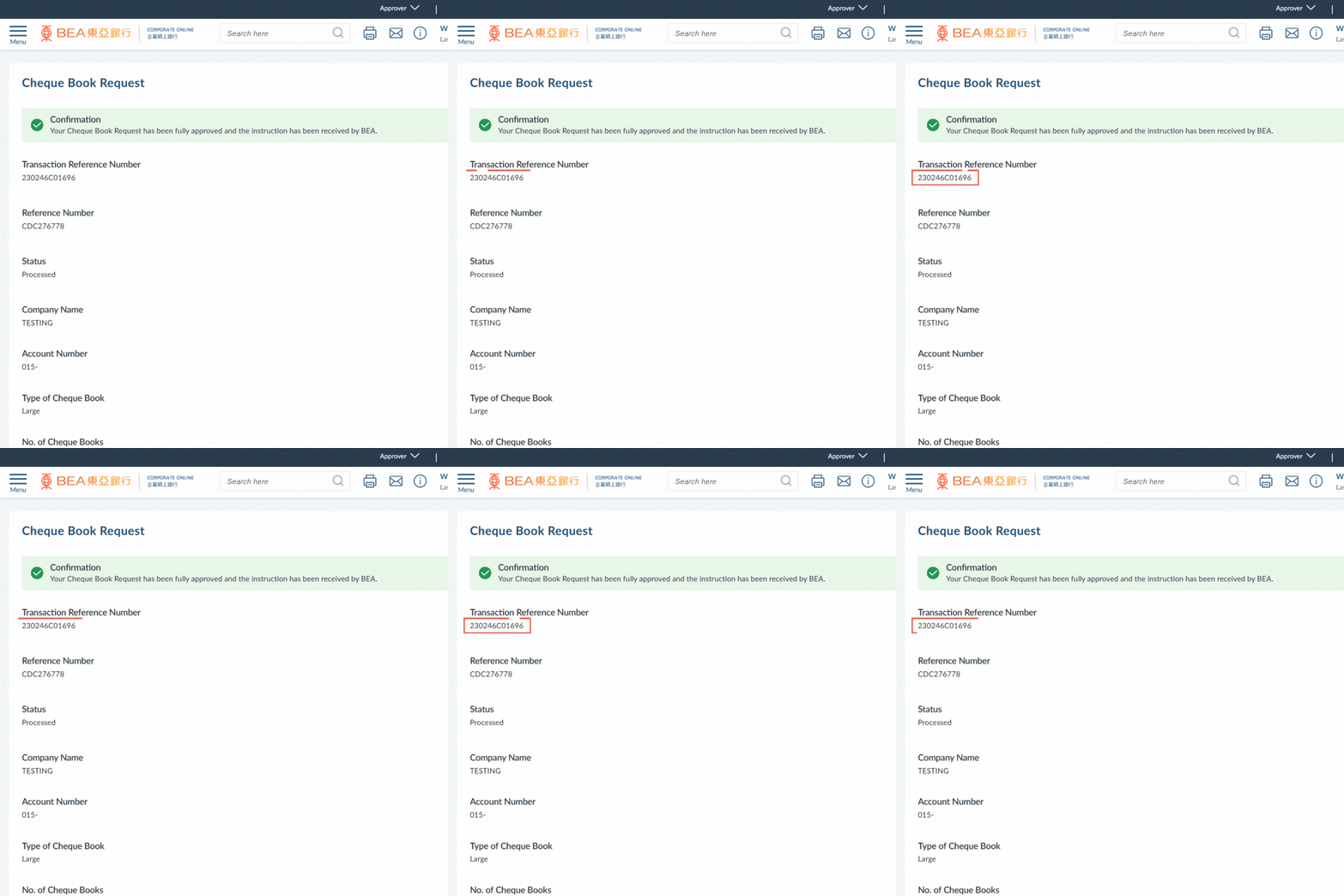
Successful Submission
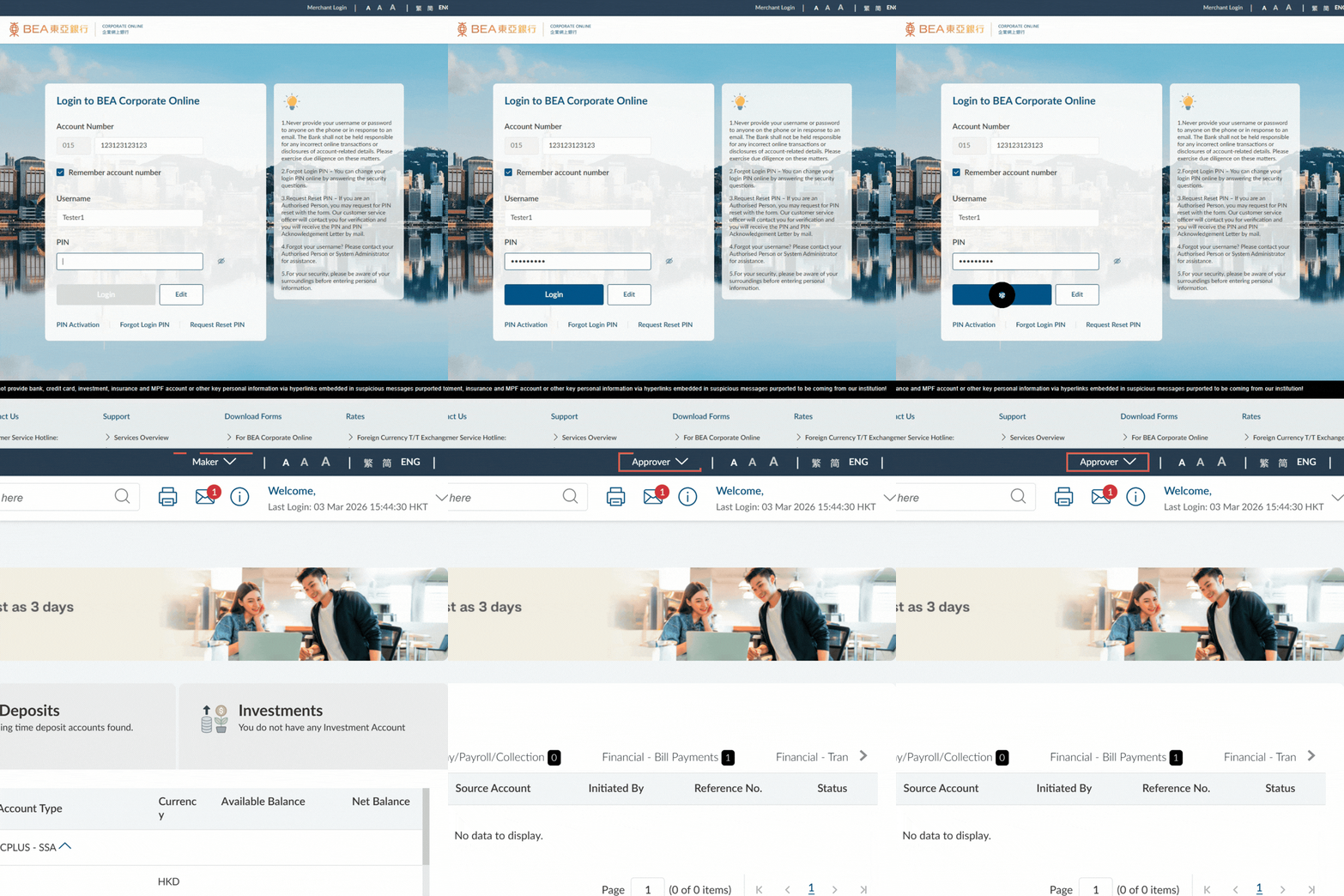
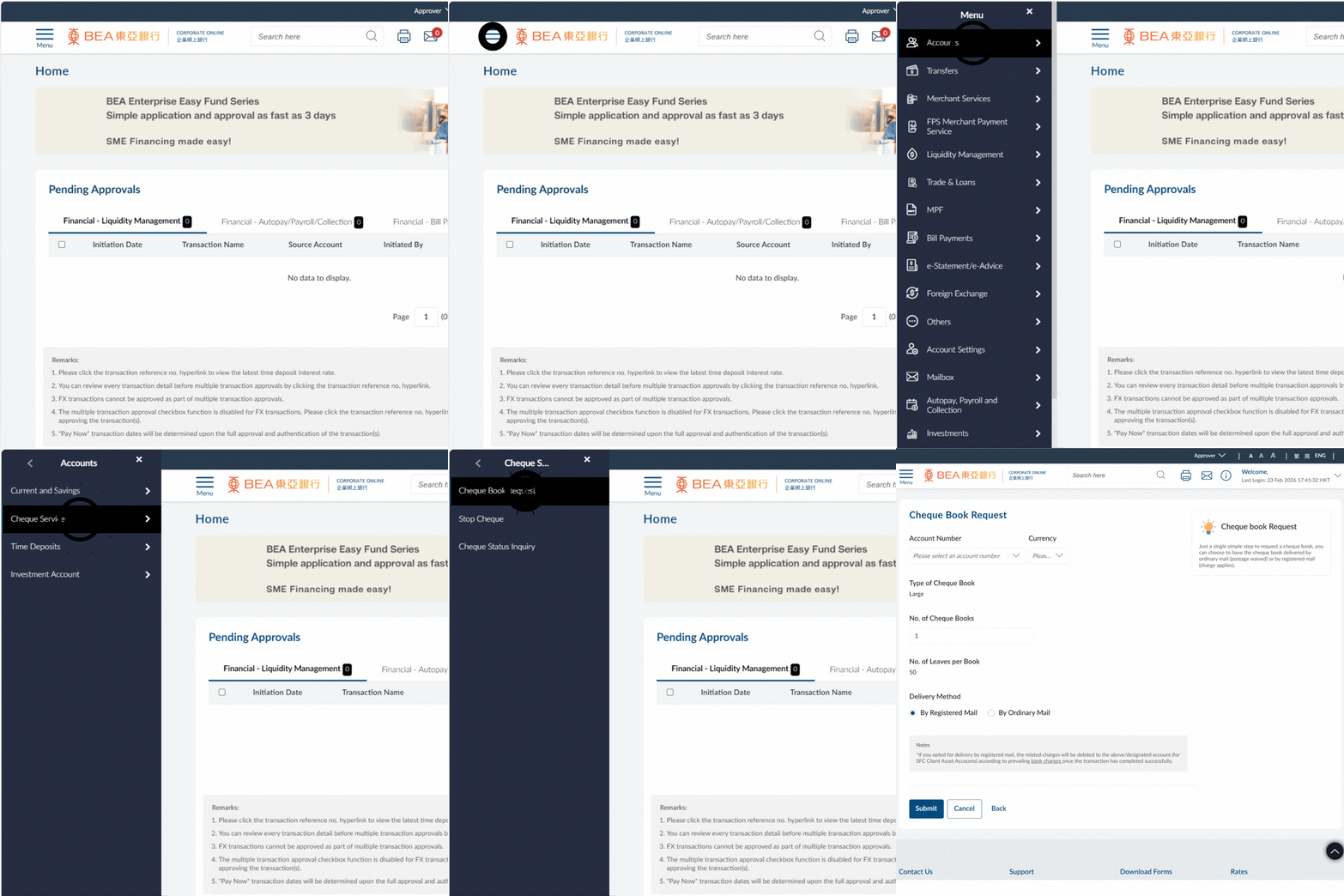
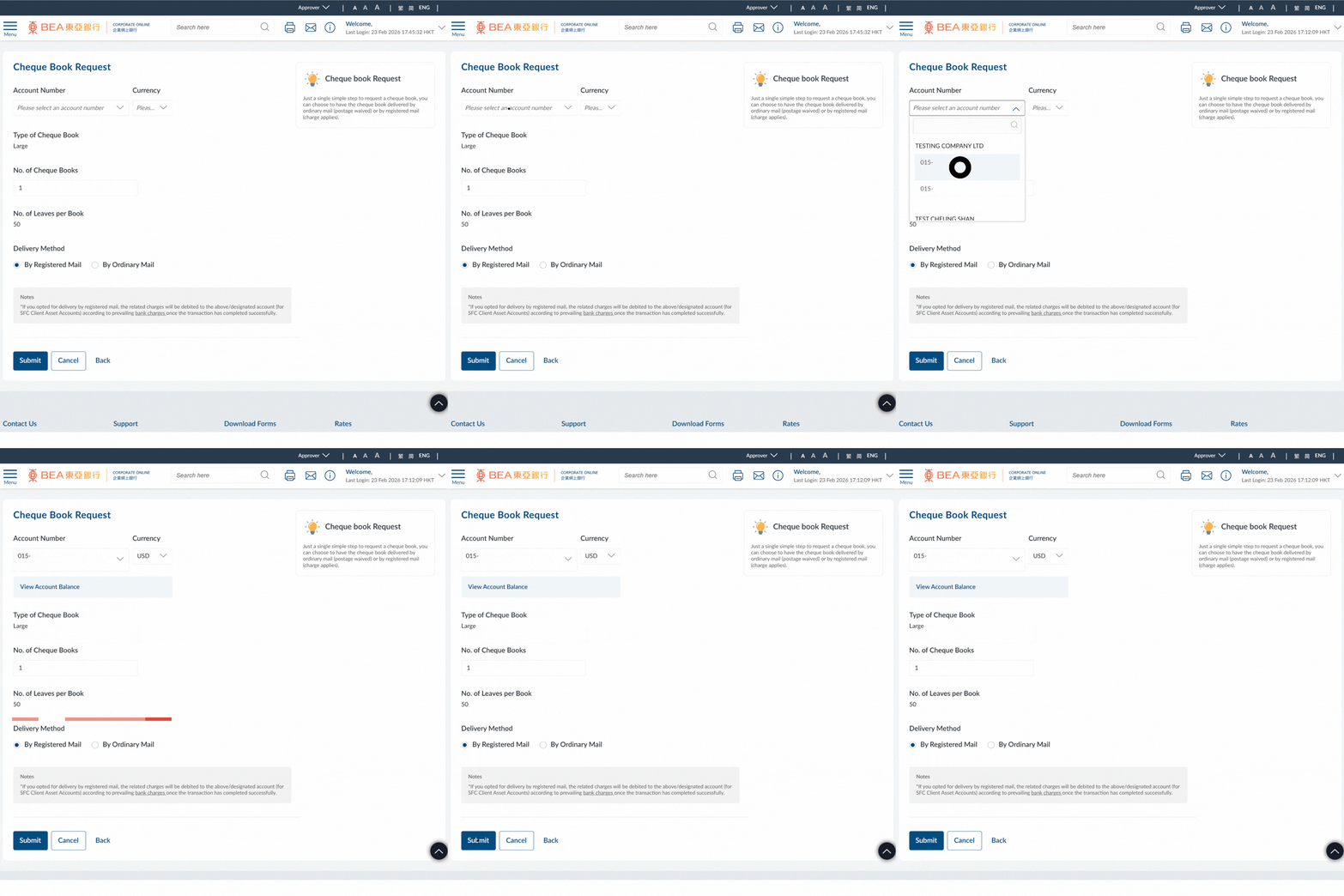
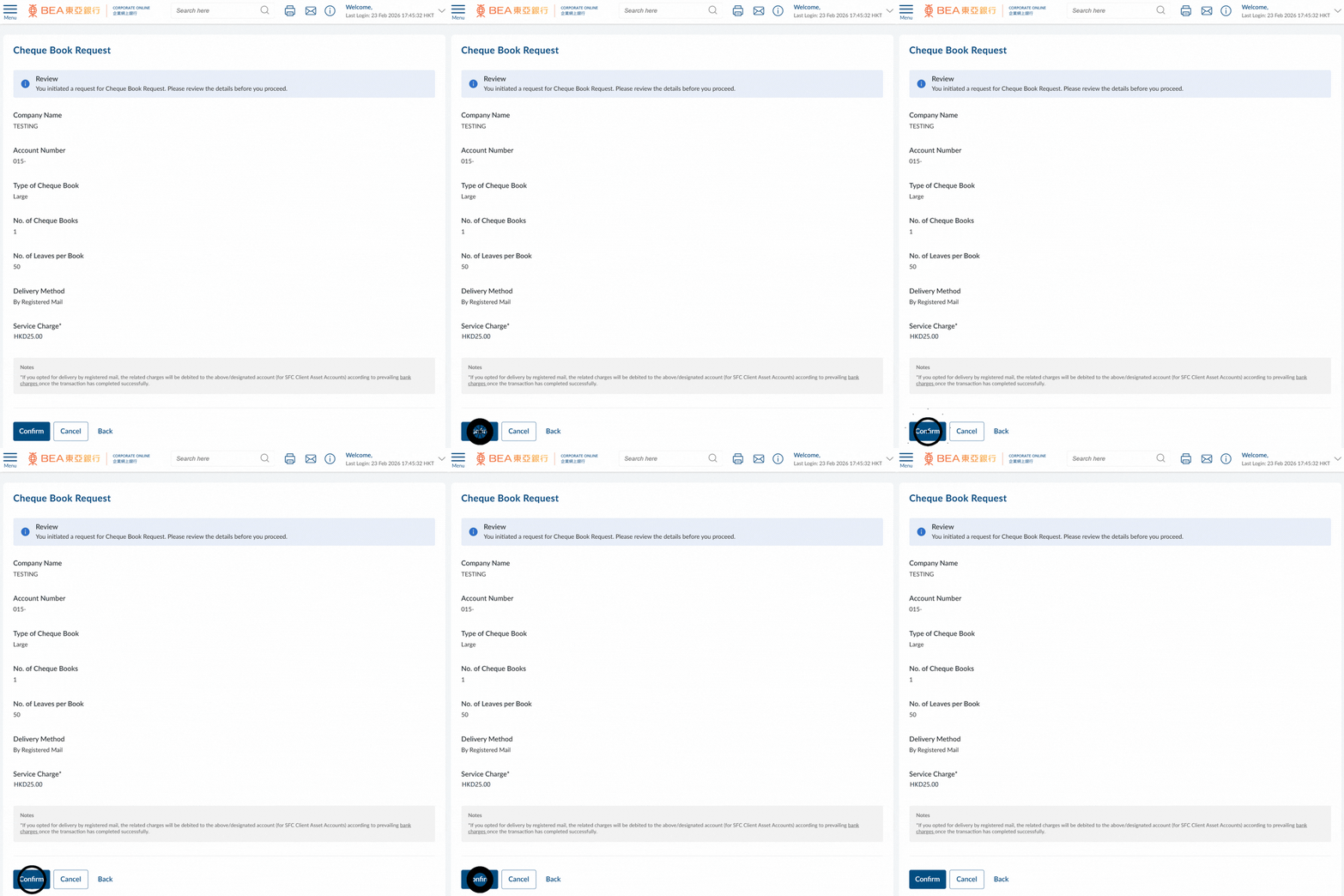


1
Getting Started
- Log in as a Maker/Approver
2
Menu Navigation
- Go to the Menu > Select "Accounts" > "Cheque Service" > "Cheque Book Request"
3
Fill in Details
- Select the Account Number and Currency (HKD/ CNY/ USD)
- Enter the Number of Cheque Books required (up to a maximum of 99)
- Select the delivery method
Note:
Charges will apply if delivery “By Registered Mail” is chosen. Please ensure there are sufficient funds in your account. For more details, please refer to the Latest Bank Charges.
- Click “Submit” to continue
4
Review Details
- Verify the transaction details
- Click "Confirm" to continue
5
Successful Submission
- The Transaction Reference Number will be displayed upon successful submission of the request
Note:
You must follow the Approval / Rejection workflow correctly to complete this request. For more details, please refer to the Approval Workflow Guide.
i
For more details, please visit Cheque Guide.