BEA App – Remittance
You can remit to any BEA China, BEA UK and other China & Overseas bank anytime, anywhere.
Remittance

-
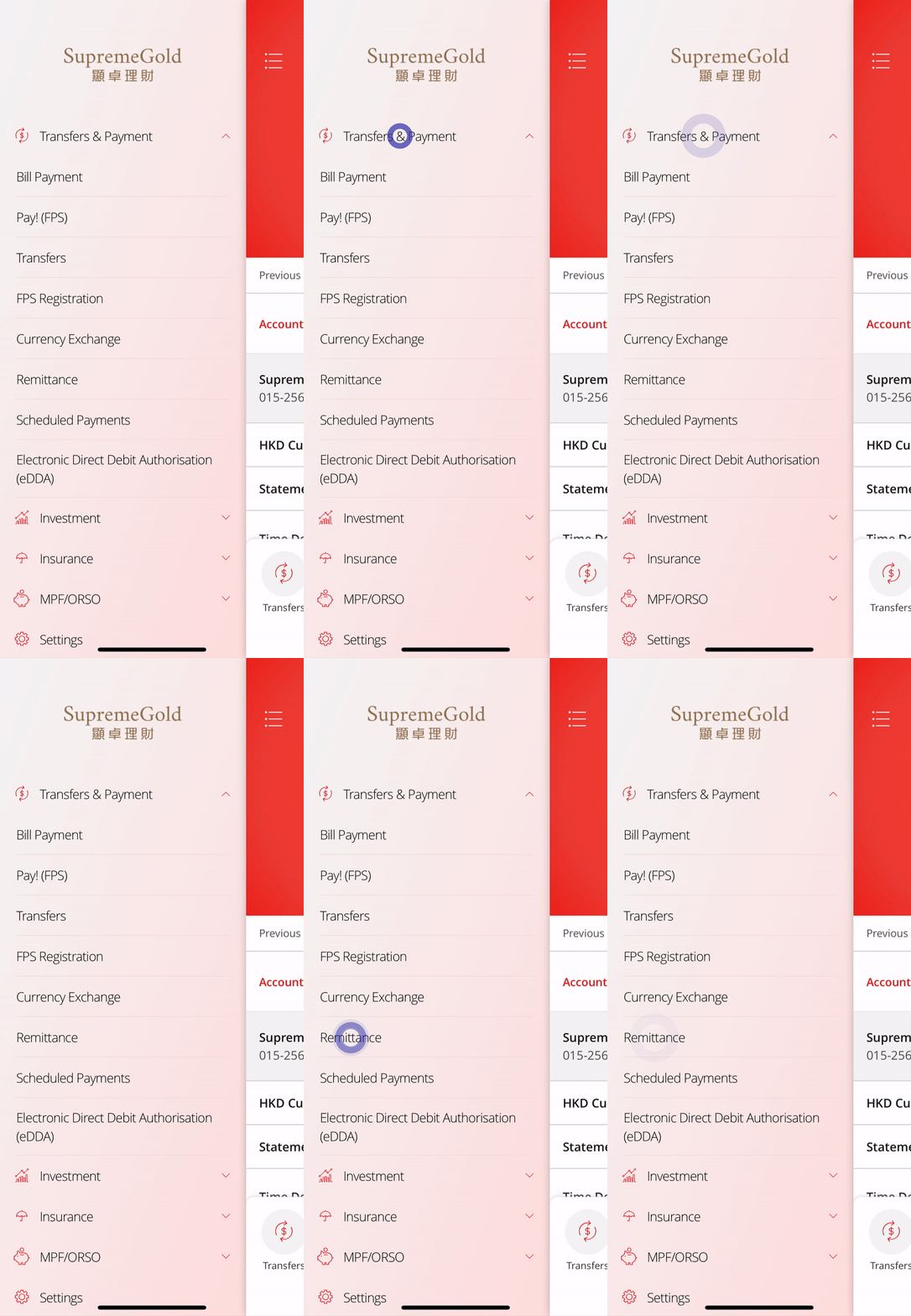
• Log in to the BEA App • Go to “Transfers & Payments” > “Remittance” -
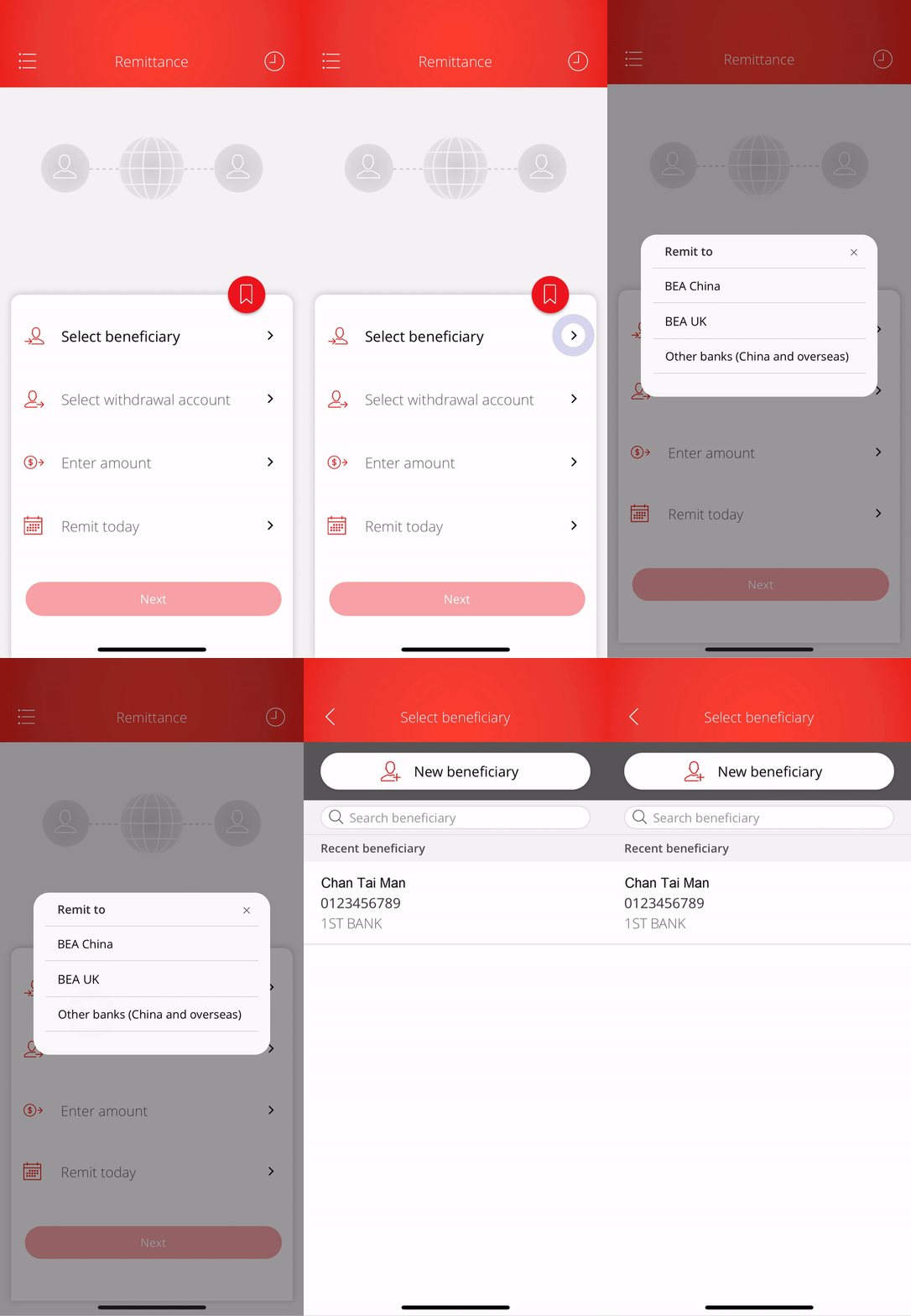
• Select beneficiary and bank • Select “New beneficiary” or any saved beneficiary -
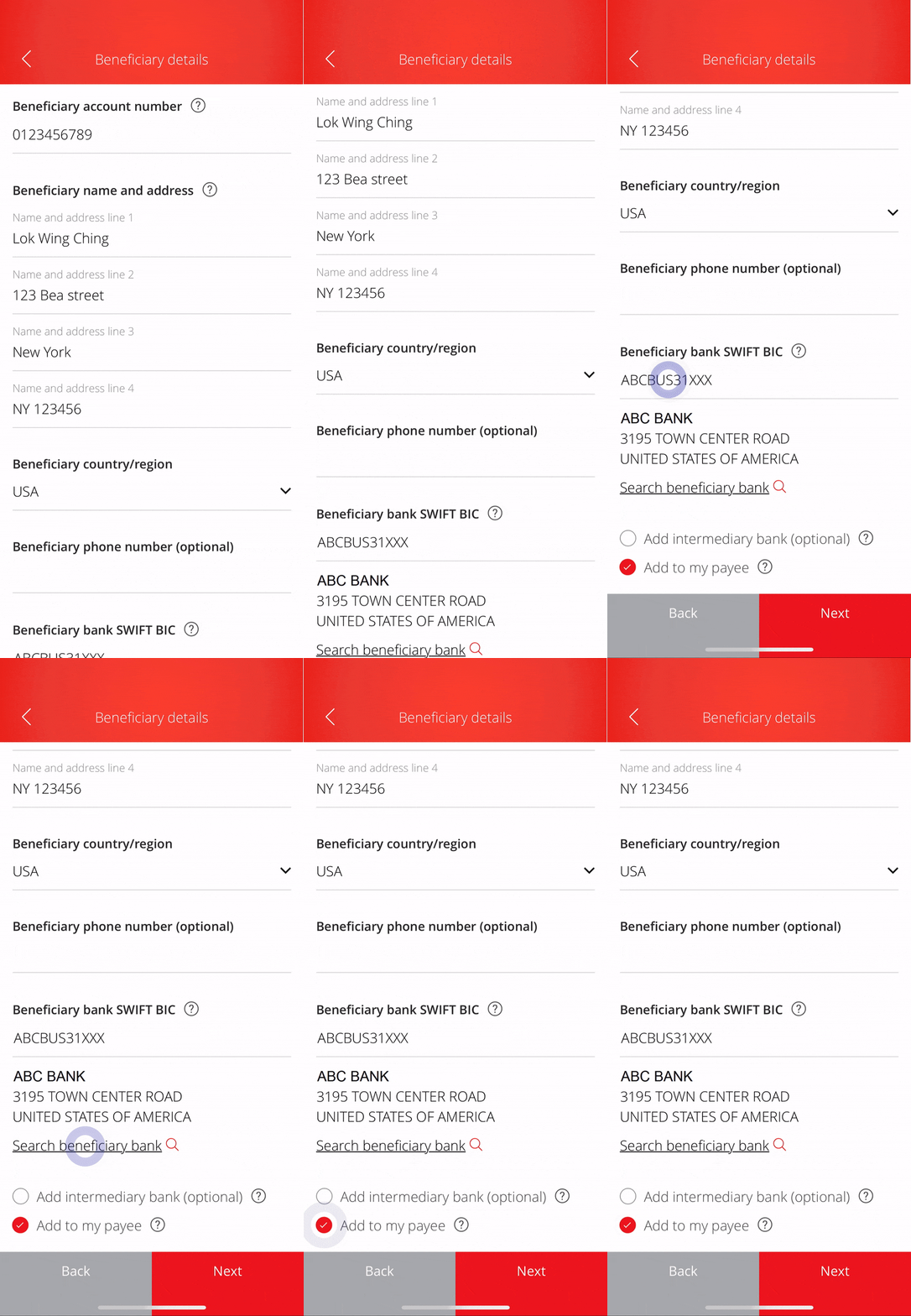
• Enter the beneficiary details1 • Enter the “SWIFT BIC” or use “Search Bank” to easily find the beneficiary bank • Select “Add to my payee” and “Next” to continue -
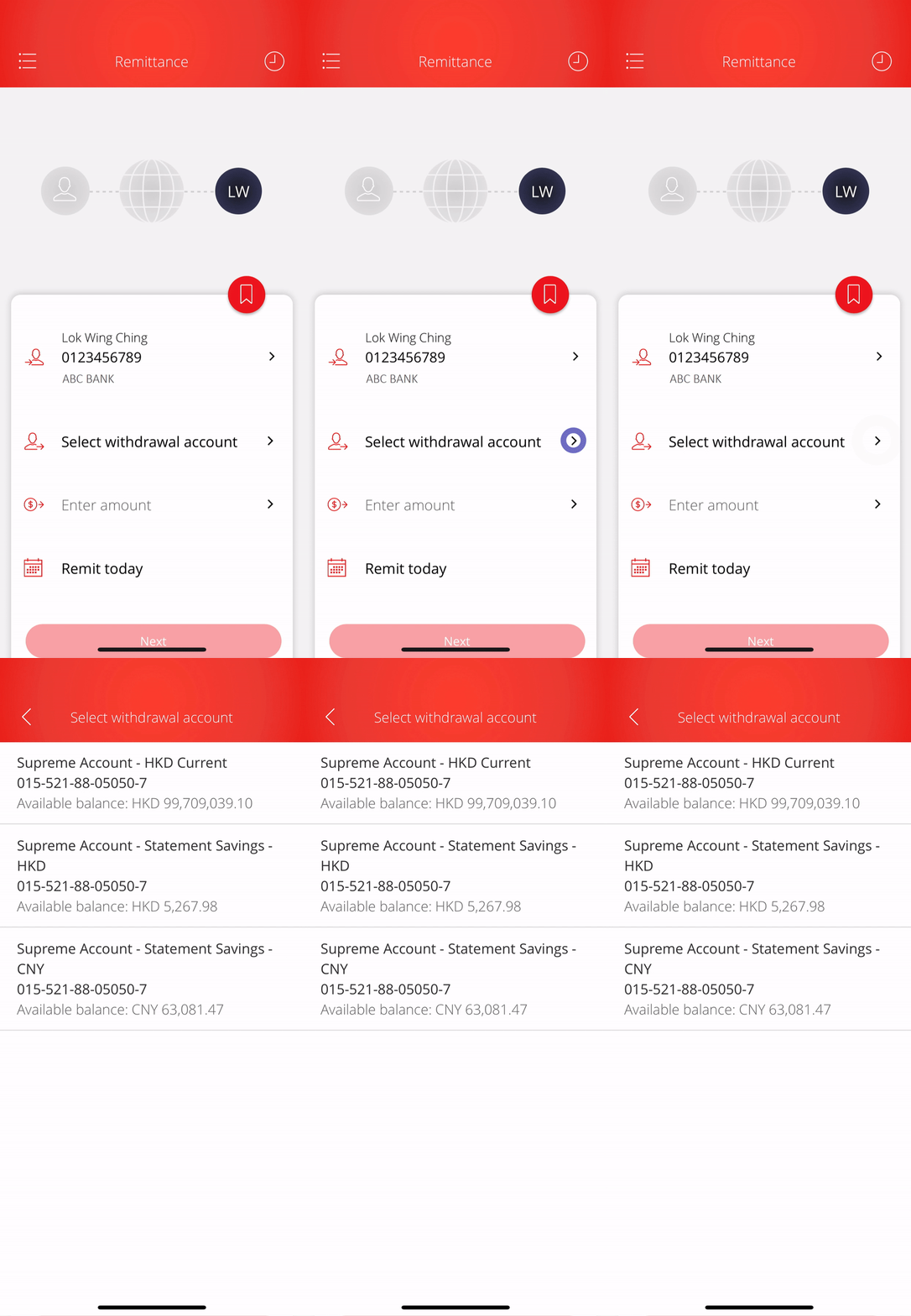
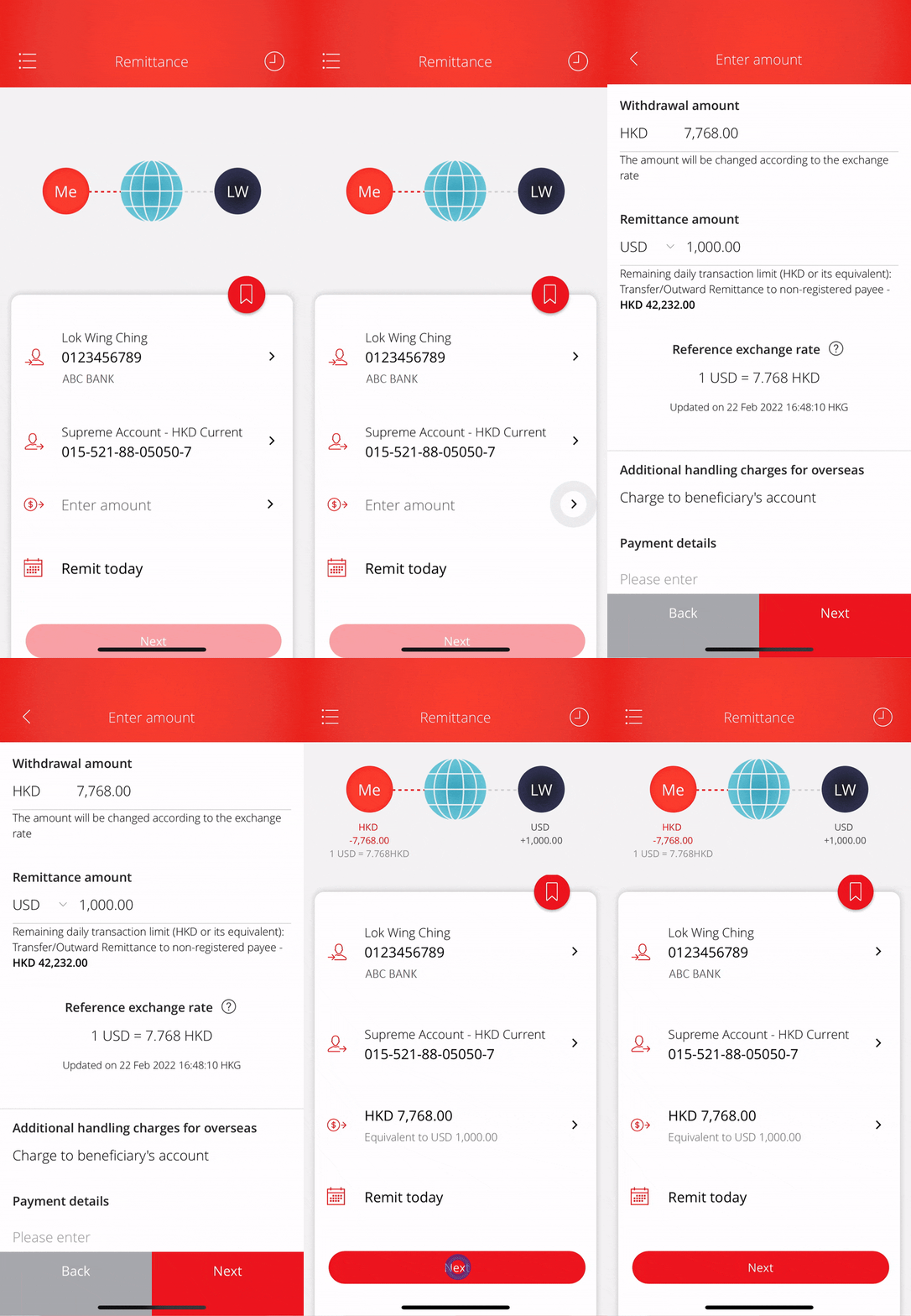
• Select withdrawal account -
• Enter the amount2 and continue • Select “Next” to proceed -
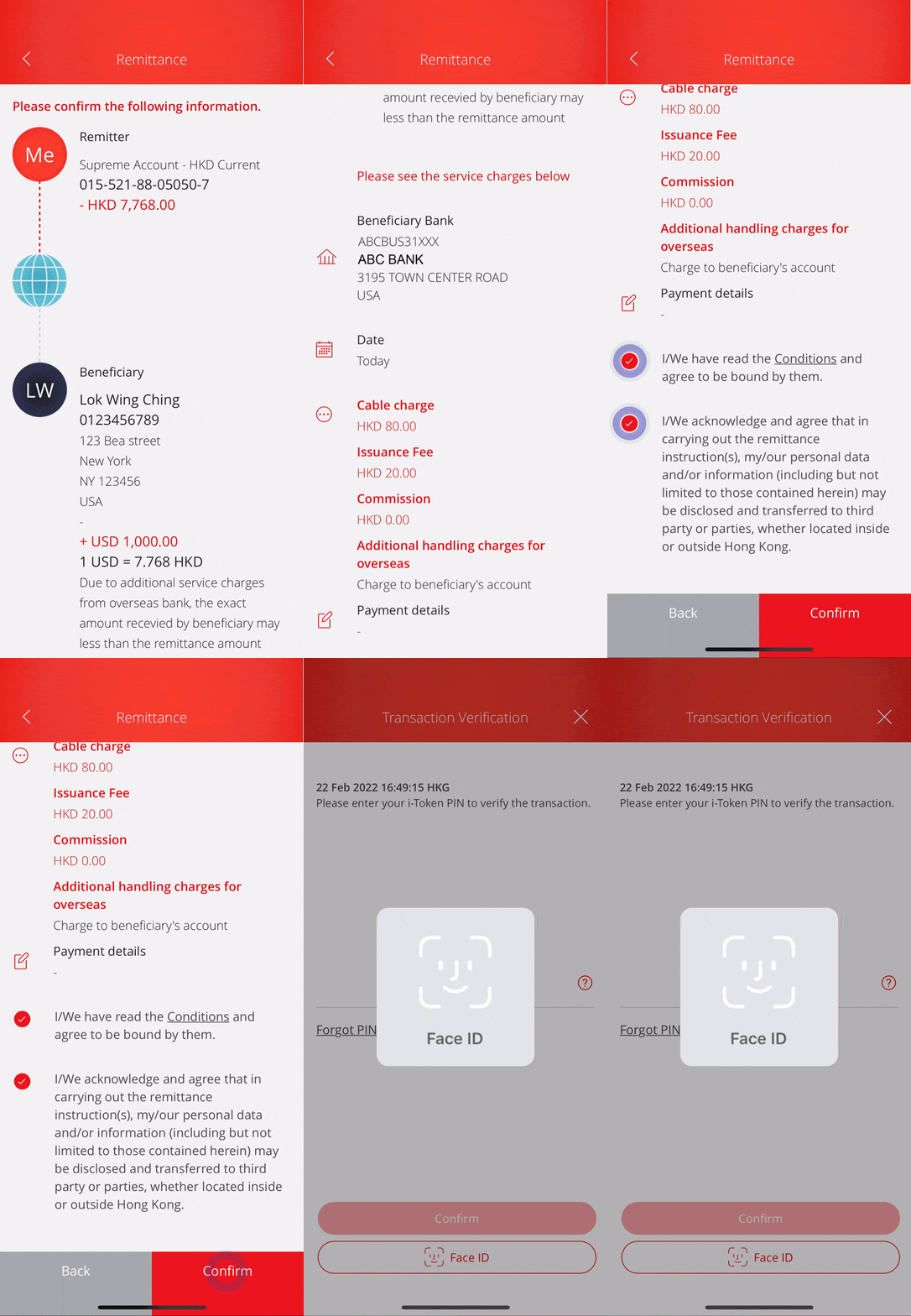
• Verify the transaction details • Tick the terms and acknowledgement • Select “Confirm” and use i-Token to authenticate the transaction -
• Your remittance is submitted